SixTwelve Studio · The desktop shelf
Quiet tools
for long days.
A writing desk that opens onto a folder. A bench for putting PDFs in order. A darkroom for a full card of photographs. A terminal that feels alive under your fingers. These are the Mac and Linux tools from SixTwelve Studio, made with care and sold here directly.
See the shelf ↓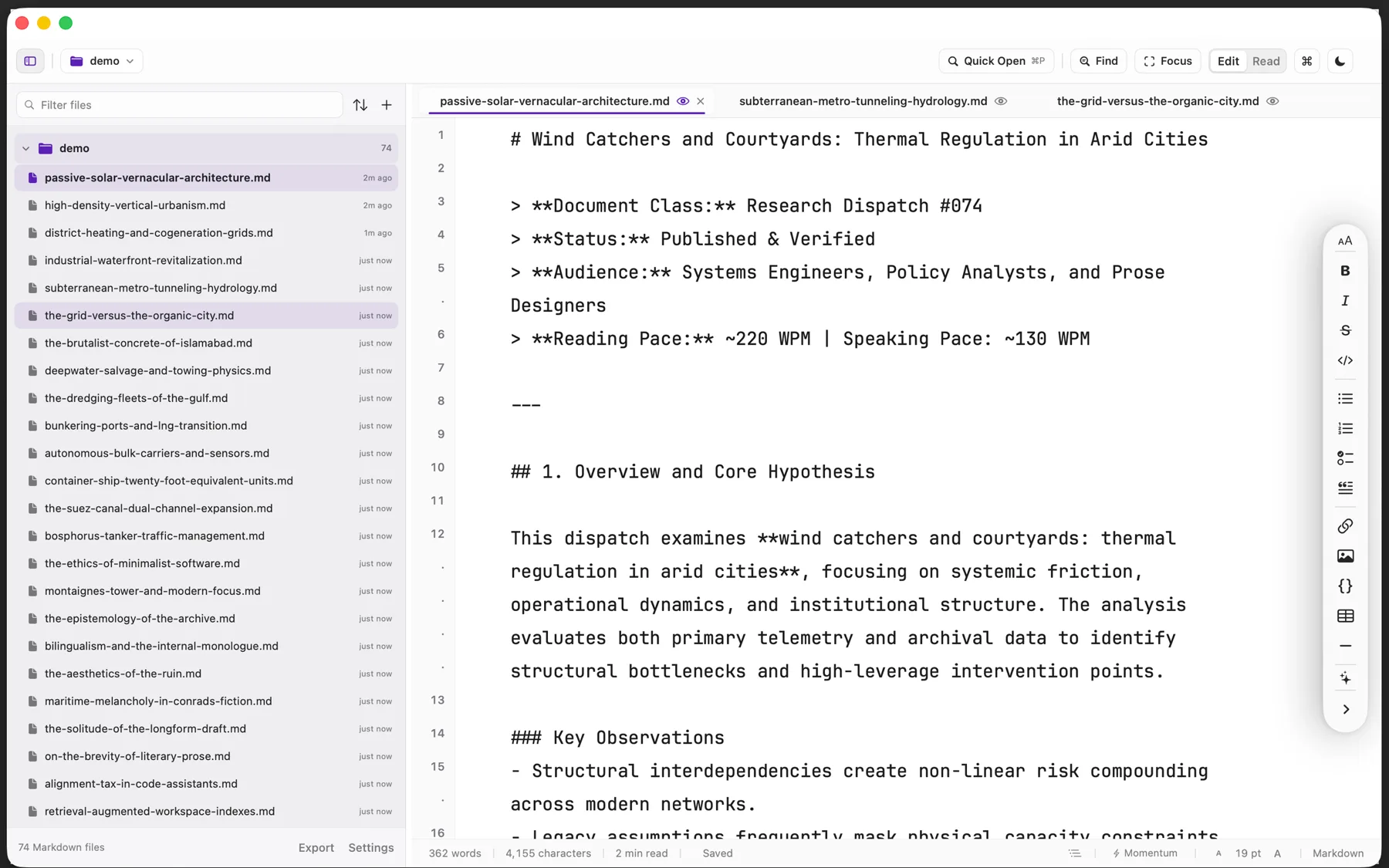
 Verso Markdown
macOS & Linux · also on the Mac App Store
A calm writing desk for long days. Point it at any folder and write in clean Markdown on your own disk.
$3.99Buy once →
Verso Markdown
macOS & Linux · also on the Mac App Store
A calm writing desk for long days. Point it at any folder and write in clean Markdown on your own disk.
$3.99Buy once →
 Folio
macOS
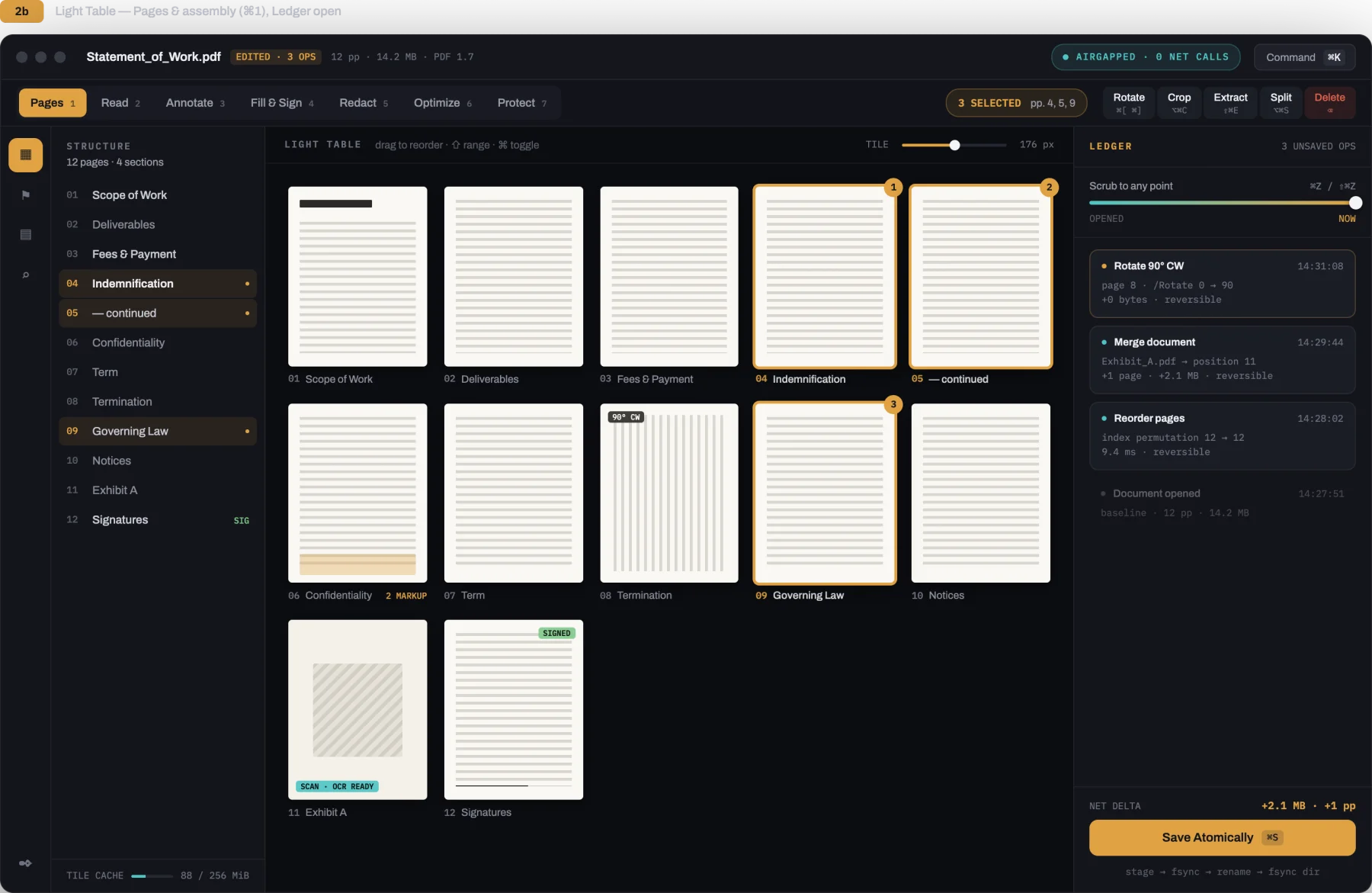
The quiet desk for paperwork: reorder pages, fill and sign agreements, and black out private details for good.
$9.99Buy once →
Folio
macOS
The quiet desk for paperwork: reorder pages, fill and sign agreements, and black out private details for good.
$9.99Buy once →
 roono
macOS
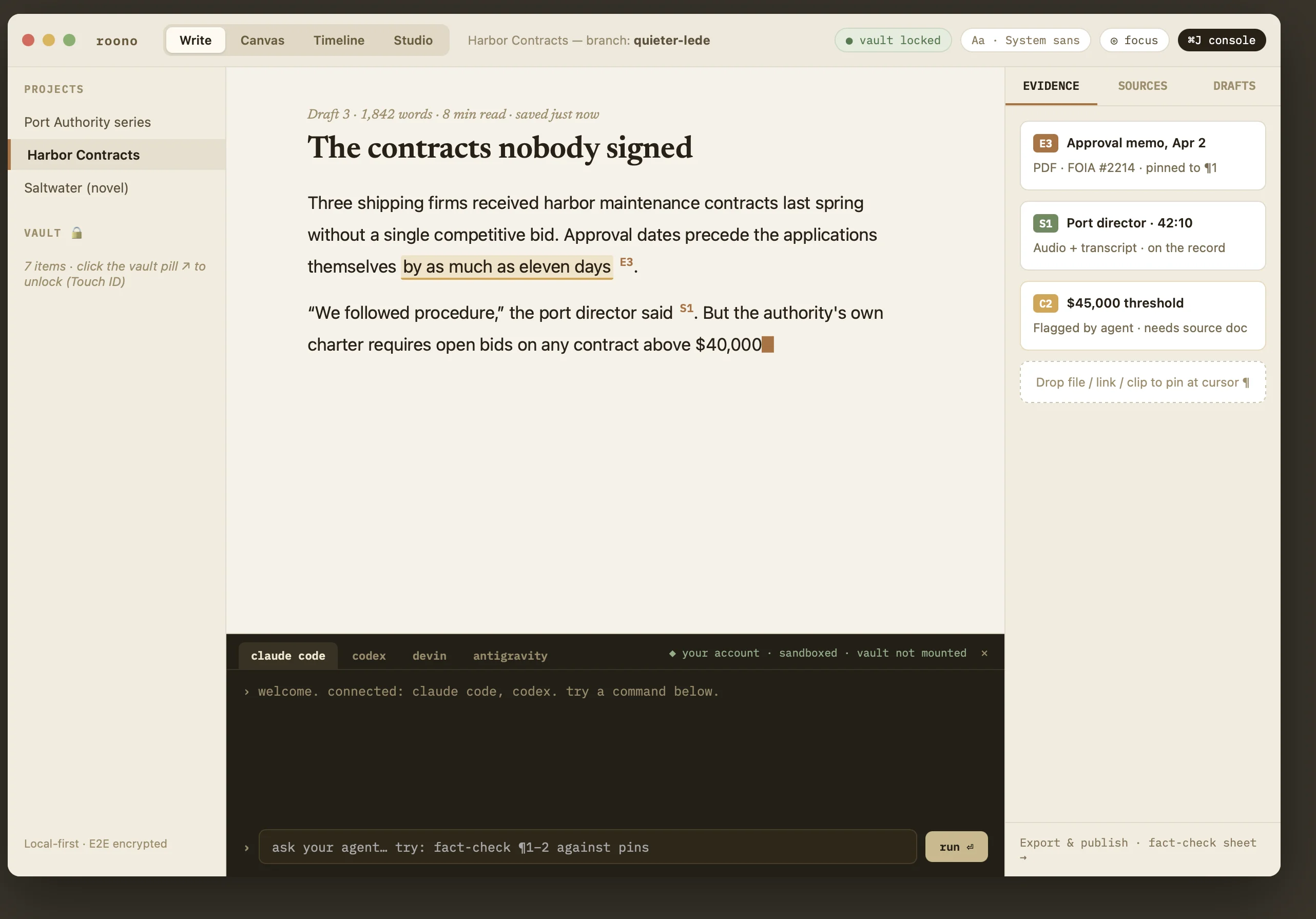
A focused writing desk for longform prose, books, and investigative work with local encrypted Vaults.
$50Buy once →
roono
macOS
A focused writing desk for longform prose, books, and investigative work with local encrypted Vaults.
$50Buy once →
 Marlin
macOS & Linux
Open massive multi-gigabyte logs in one second without freezing. Filter lines step by step and inspect raw data.
$19.99Buy once →
Marlin
macOS & Linux
Open massive multi-gigabyte logs in one second without freezing. Filter lines step by step and inspect raw data.
$19.99Buy once →
 Mocksyy
macOS
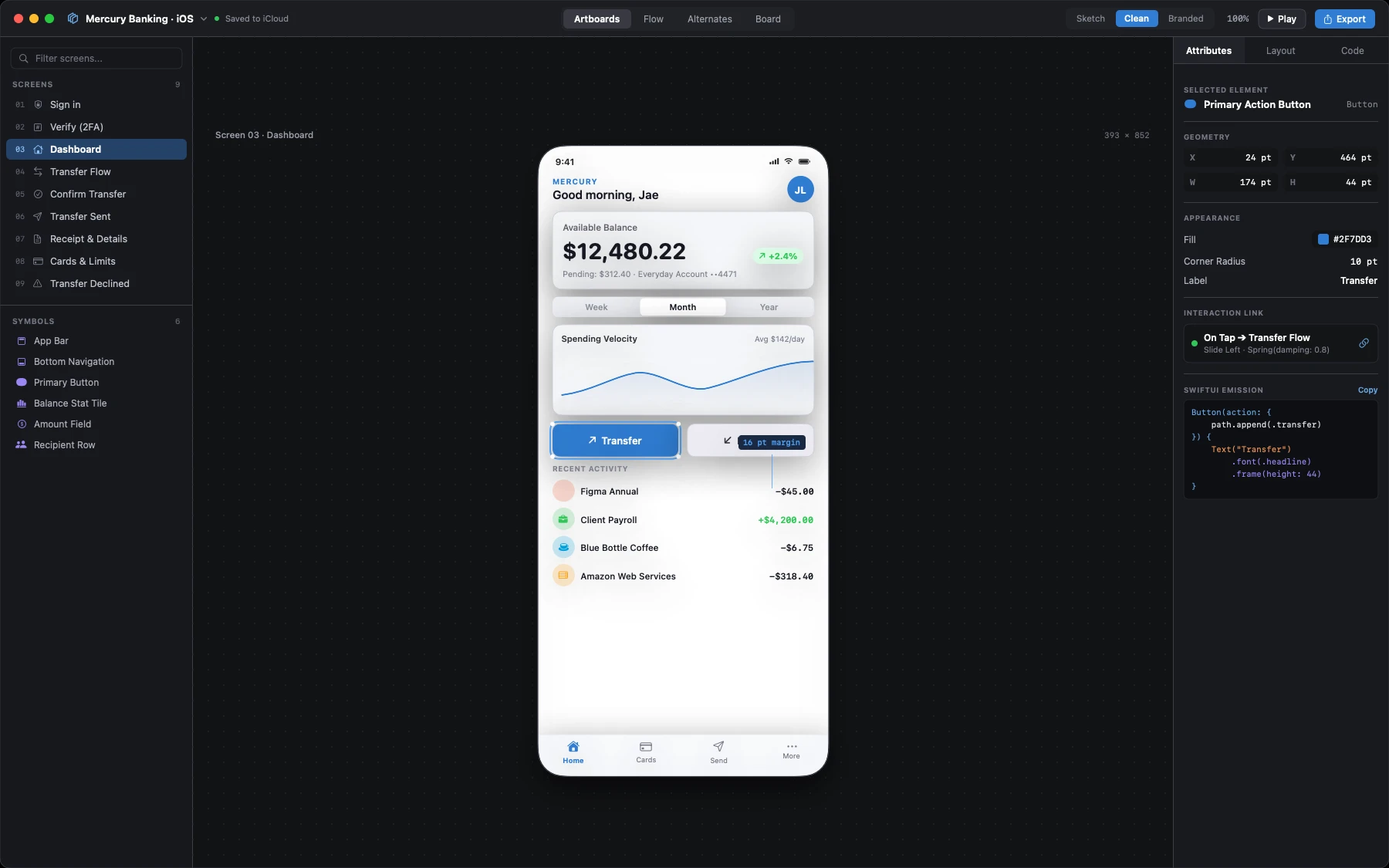
A native sketchbook for designing app screens with 200+ controls, instant style switches, and real SwiftUI export.
$29.99Buy once →
Mocksyy
macOS
A native sketchbook for designing app screens with 200+ controls, instant style switches, and real SwiftUI export.
$29.99Buy once →
 CaptureMood
macOS
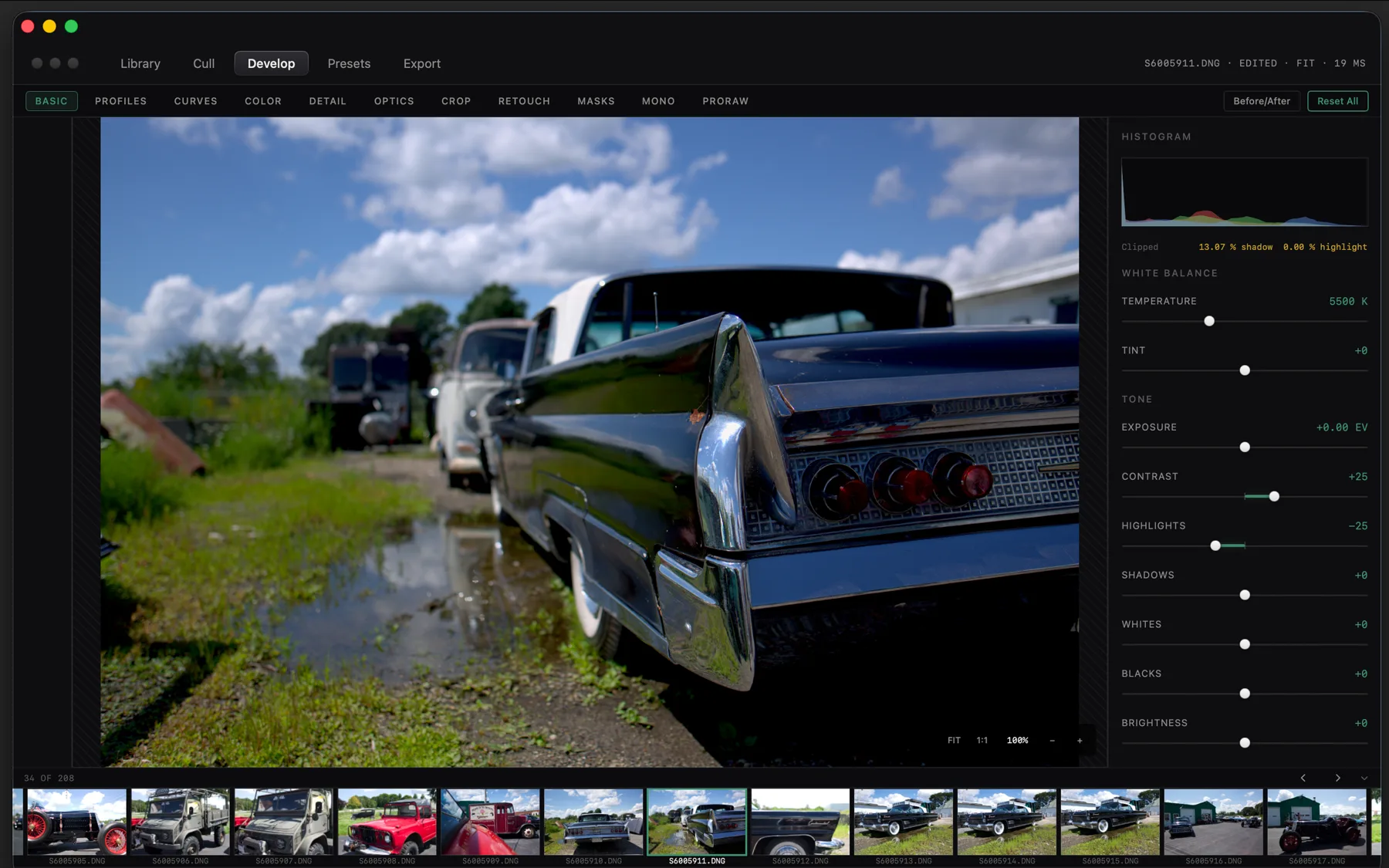
Read camera RAW files directly from your drive. Compare shots side by side, develop tones on the GPU, and keep originals untouched.
$24.99Buy once →
CaptureMood
macOS
Read camera RAW files directly from your drive. Compare shots side by side, develop tones on the GPU, and keep originals untouched.
$24.99Buy once →
 Engage
macOS & Linux
A terminal with a sense of touch. 120 FPS graphics rendering and keystrokes in under one millisecond. Free forever.
FreeDownload →
Engage
macOS & Linux
A terminal with a sense of touch. 120 FPS graphics rendering and keystrokes in under one millisecond. Free forever.
FreeDownload →
 Specimen
macOS & Linux
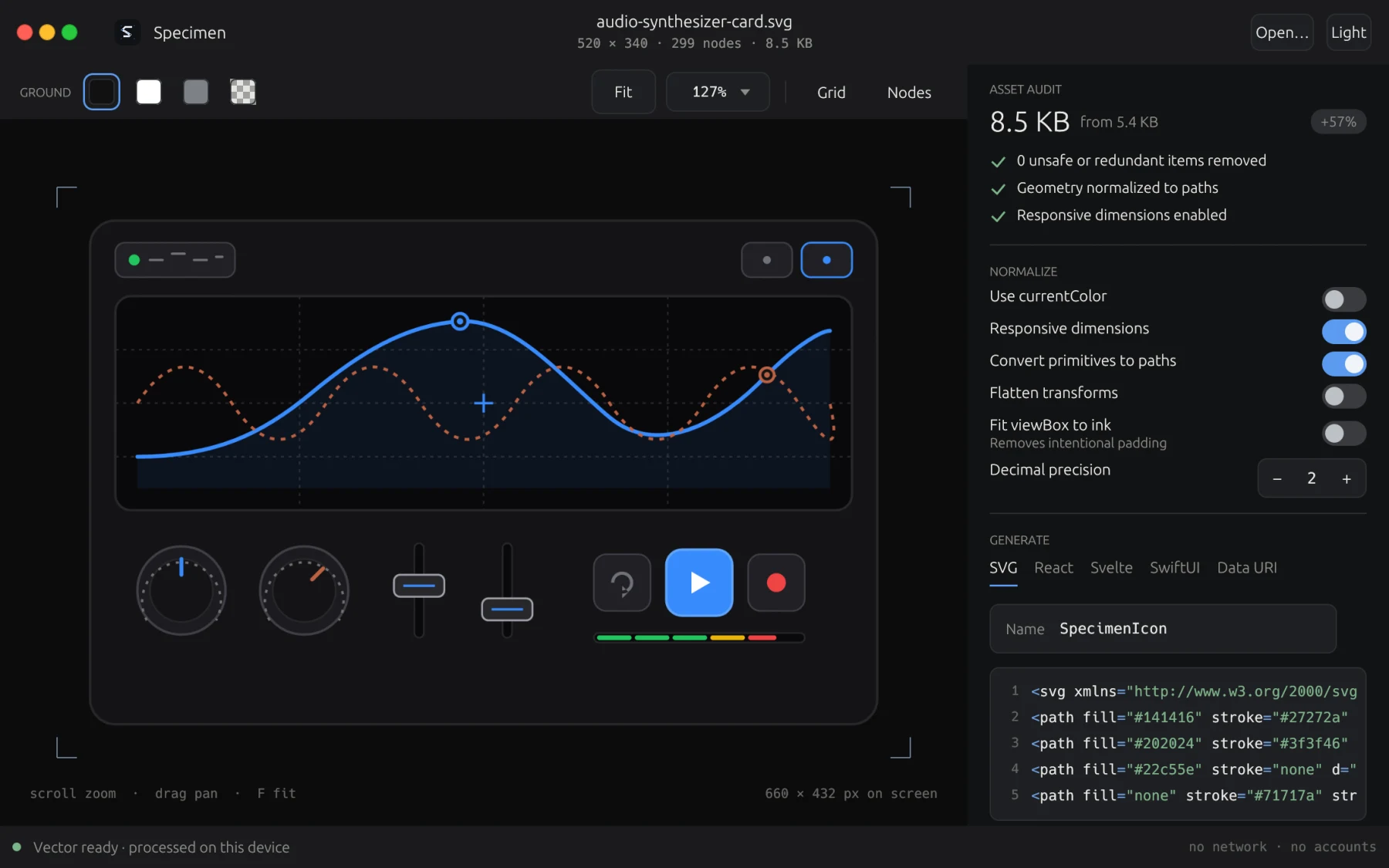
A loupe and workshop for SVG vector graphics. Clean out hidden junk code and export ready-to-run components. Free forever.
FreeDownload →
Specimen
macOS & Linux
A loupe and workshop for SVG vector graphics. Clean out hidden junk code and export ready-to-run components. Free forever.
FreeDownload →
Already bought something? Recover your licence · Release notes
SixTwelve Studio / Verso Markdown
macOS & Linux · No account · Available now
Verso Markdown
A calm writing desk for your notes, essays, and articles. Point Verso at any folder on your computer. Your words open instantly as plain Markdown files. Use reading mode for review, focus mode to write one paragraph at a time, and momentum mode to finish full drafts without second-guessing. Every file stays private on your own disk, with zero cloud sync and zero accounts.
$3.99 one-time · macOS and Linux in one purchase
- Yours to keep
- Works offline
- Refund within 48 hours
macOS 14 or newer, signed and notarized by Apple. On Linux the AppImage runs on any x86-64 distribution, and Debian and Ubuntu 24.04+ can use the .deb, which is built for x86-64 and for arm64. One licence covers every download, so moving between machines costs nothing.
What it does not do
Most editors are a service with a text box attached. Verso is a text editor. The list below is the product.
- No account
- Nothing to sign into. The app has no concept of a user.
- No cloud
- Your folder is the document store. Verso reads and writes it in place.
- No telemetry
- The binary opens no sockets while you write. Reading mode renders locally.
- No lock-in
- Plain Markdown files. Delete Verso and every document still opens anywhere.
What it does
Workspace map
See your whole folder as a visual map. Related notes sit close together, and one hover illuminates connected ideas without database lock-in.
Connected thoughts
Find natural connections and recurring ideas across your notes on your own computer. You do not need manual wiki-links or tags.
Prose rhythm and health
Check sentence lengths, rhythm variety, and overused phrases as you draft. Keep your writing clear, sharp, and authentic.
Reading mode
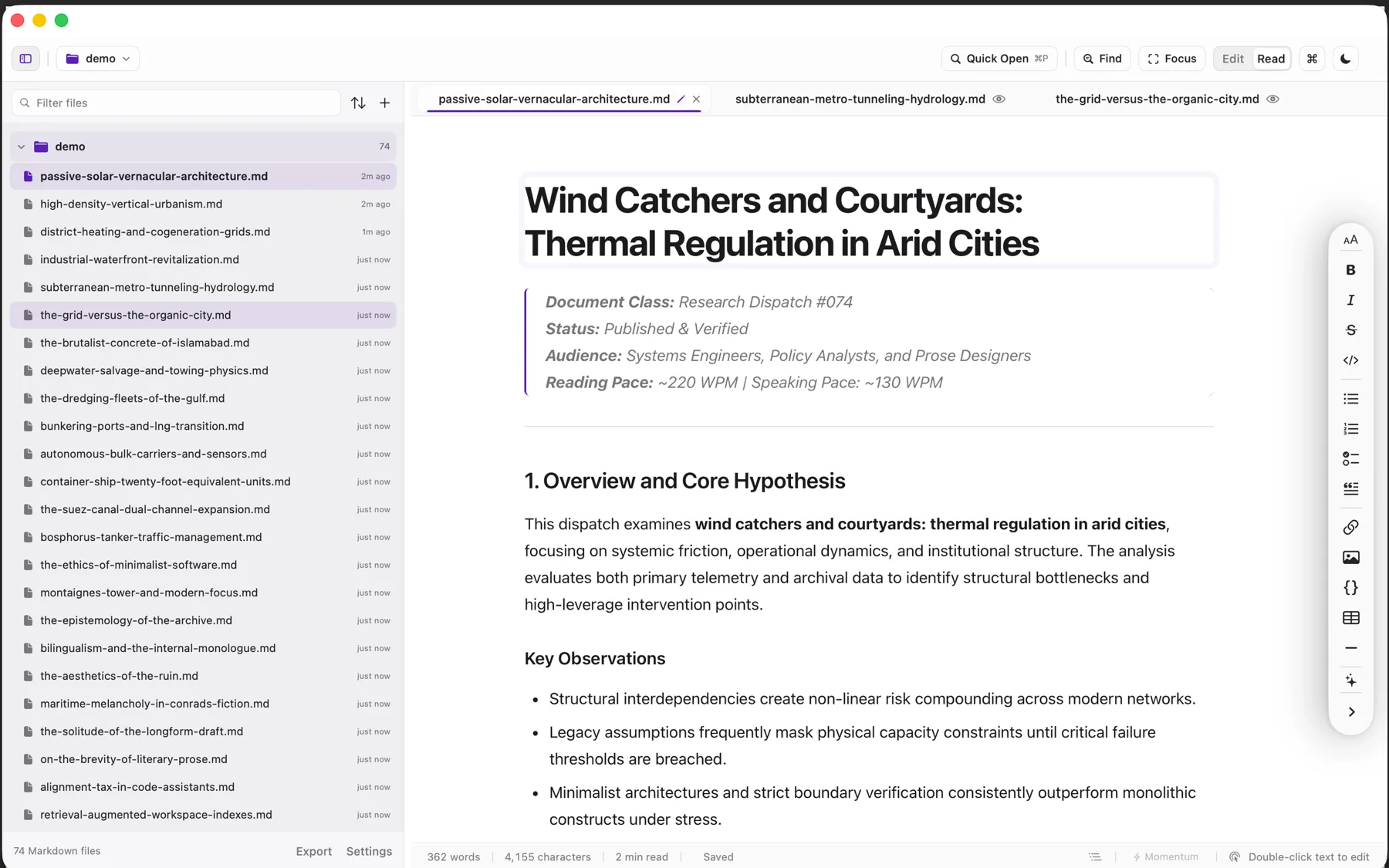
Turns your raw markdown text into a clean, book-like reading page with one click. Click any paragraph to jump right back to editing it.
Momentum mode
A drafting tool that stops you from editing backwards. The backspace key pauses so you finish your first draft from start to end.
Focus mode
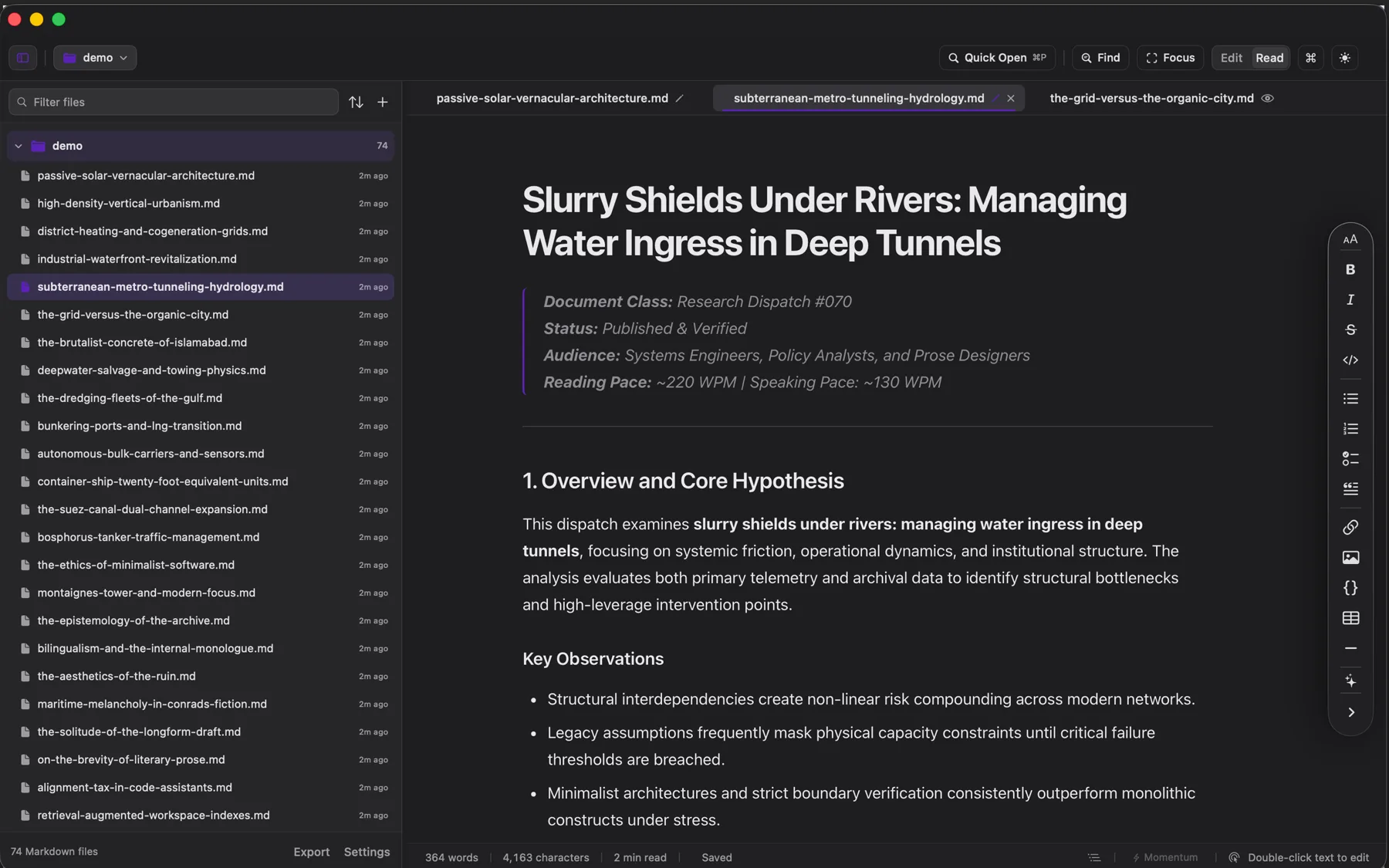
Fades out every line except the exact paragraph you are typing, helping your eyes and mind stay locked onto the current thought.
Open any folder
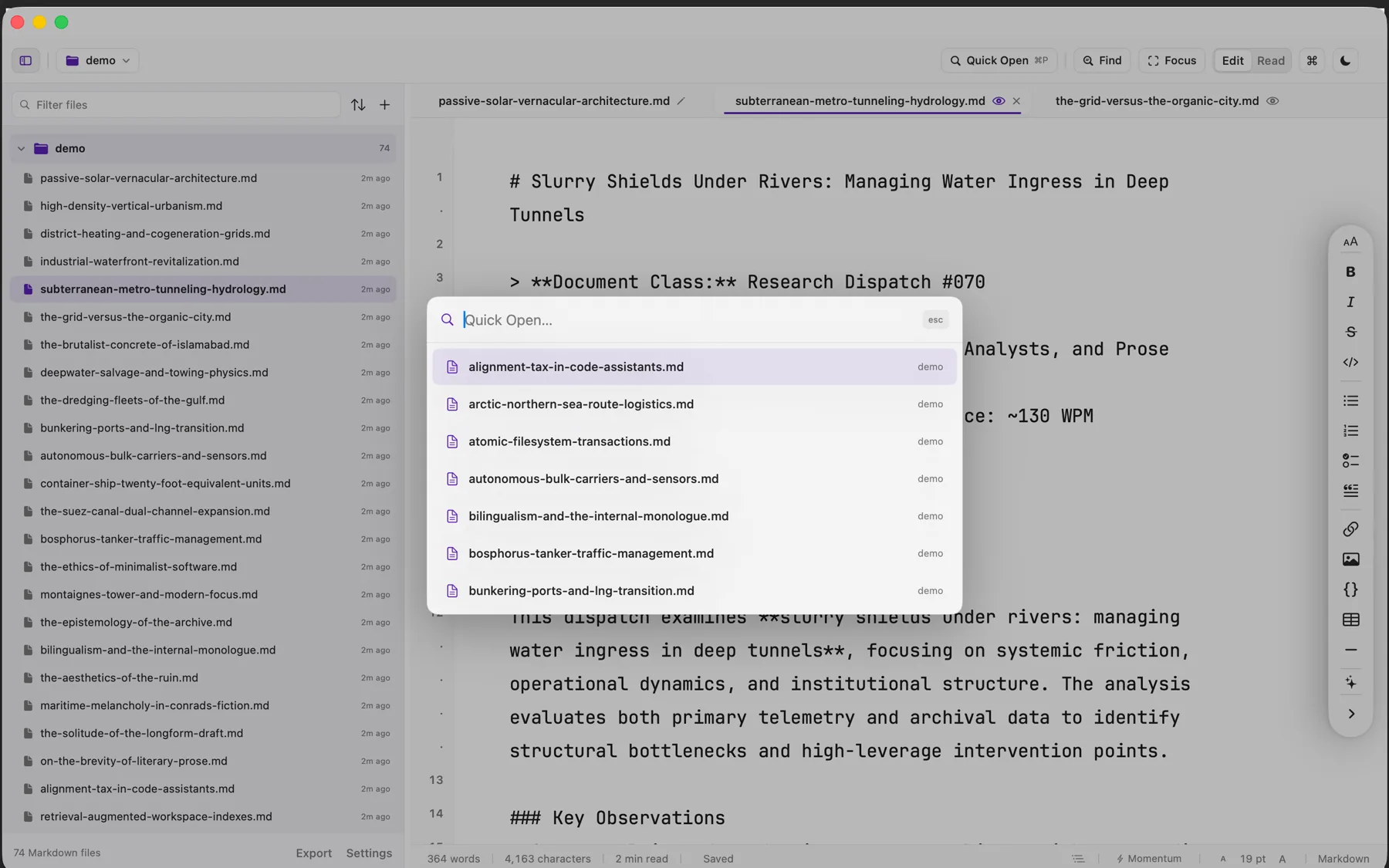
Point Verso at any folder on your computer. It lists your markdown files in a clean sidebar, remembers where you left off, and hides build junk.
Fast search
Find any word across your notes instantly with live match counters and clean one-click search and replace.
Outlines and stats
Jump directly to section headings, inspect cadence health, and see exactly how many words you wrote during your writing session.
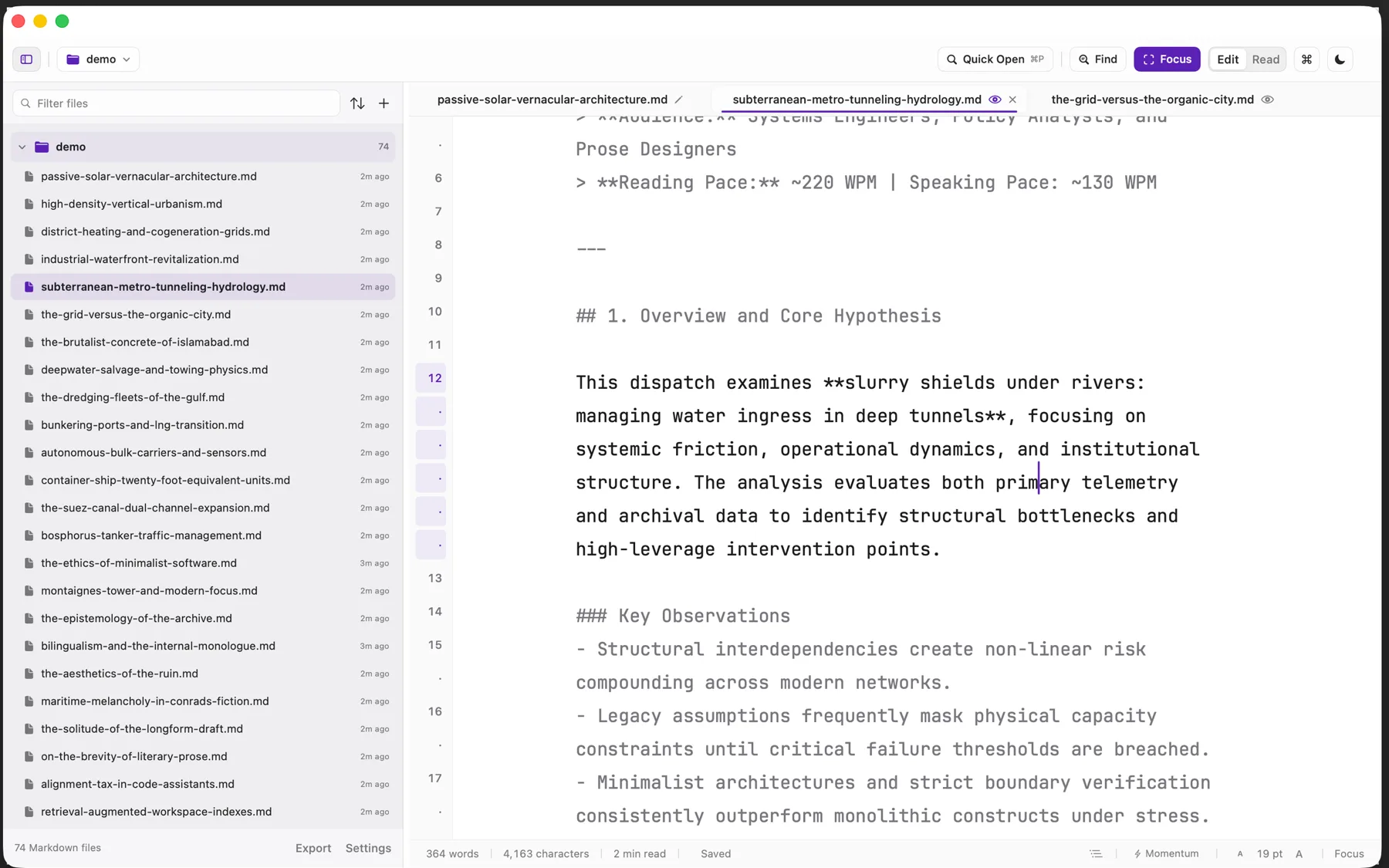
A look inside
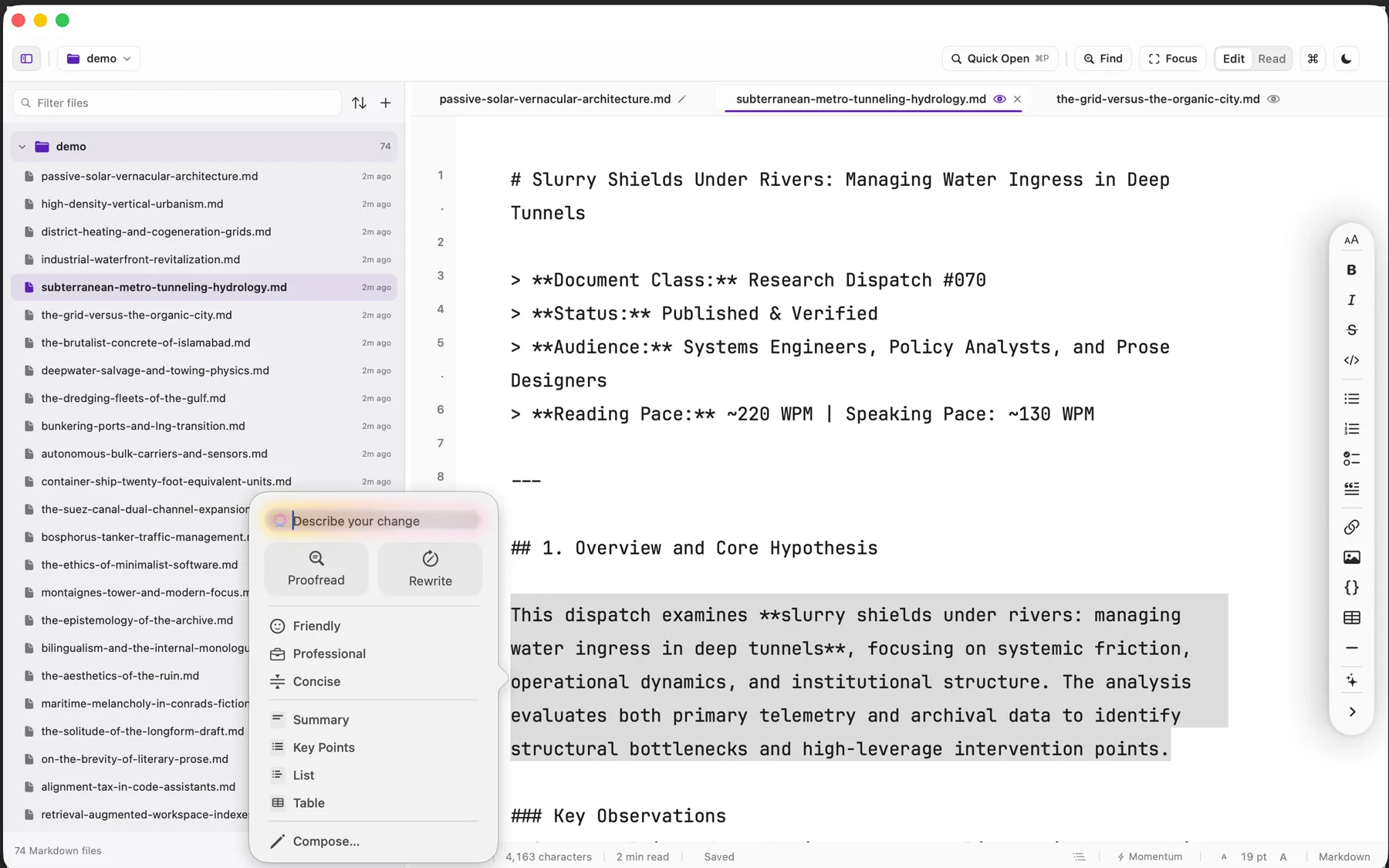
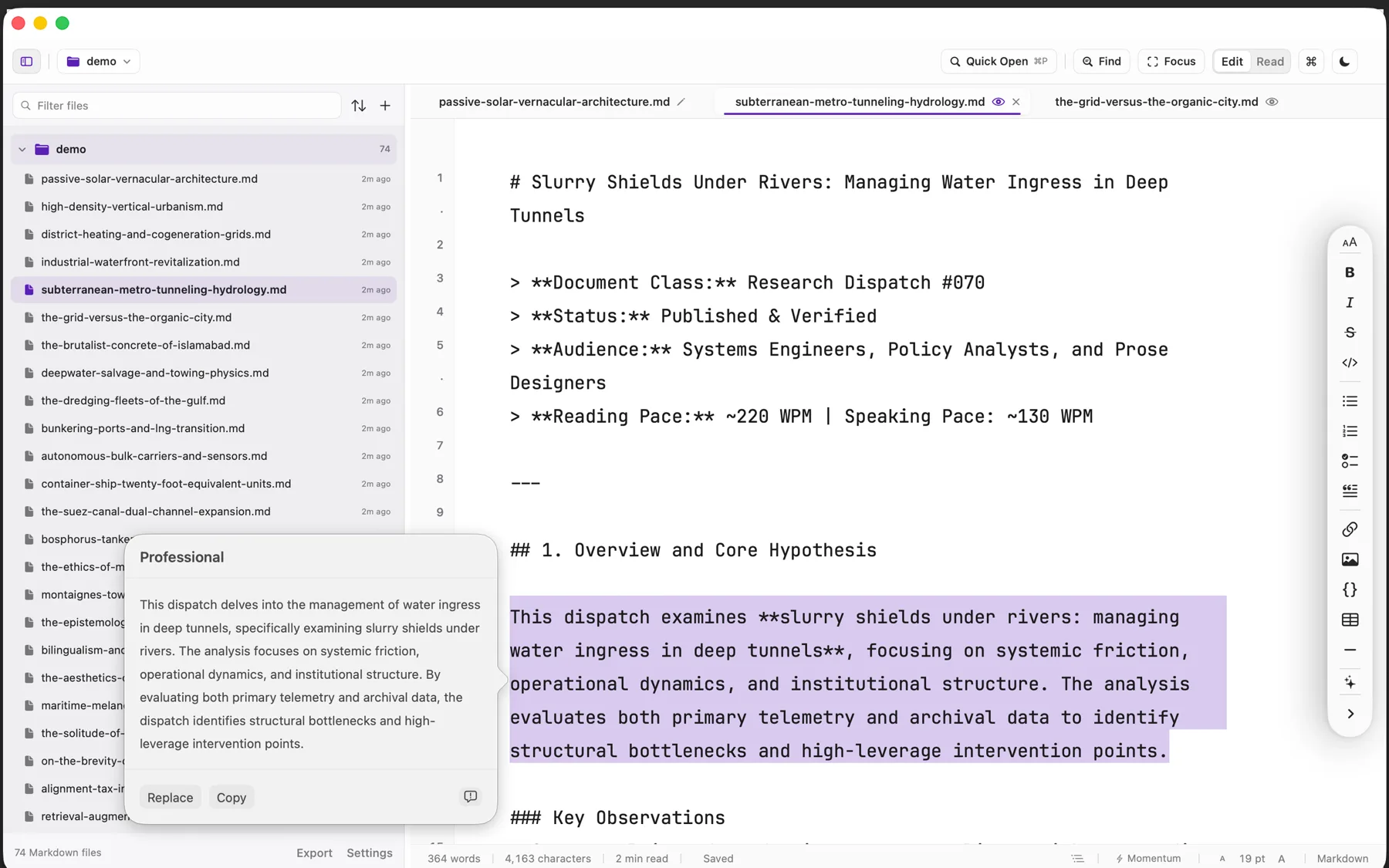
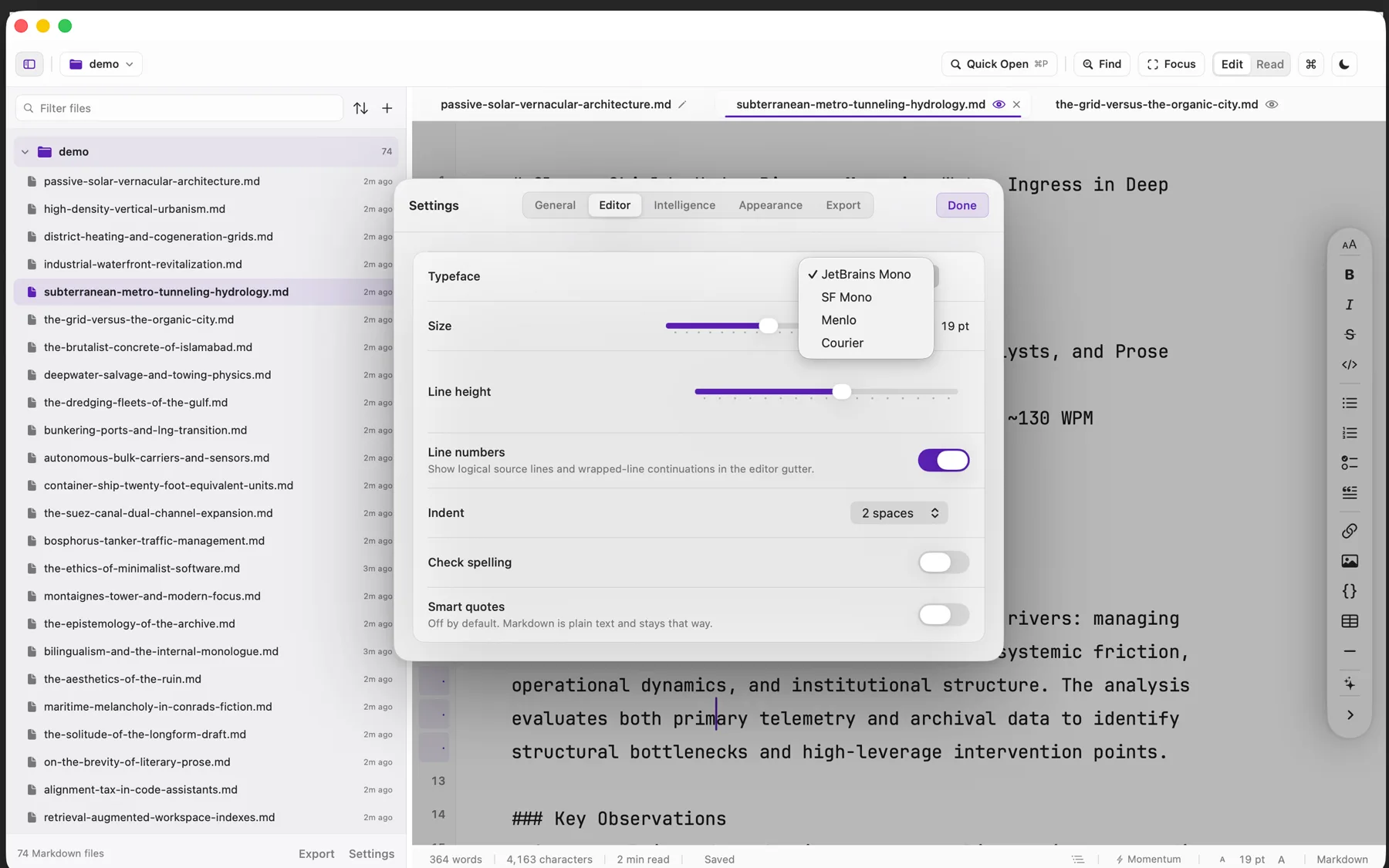
Screenshots of the build that is on sale today, taken on a real folder of real writing.
The download
Every build below is covered by the one purchase, and the links arrive on the page you are returned to as well as by email.
- .dmg macOS 14 or newer, Apple silicon and Intel. Signed and notarized by Apple, so it opens on the first double-click. Universal
- AppImage Any x86-64 distribution. One file, made executable, double-clicked. Built and tested on Ubuntu 24.04+. x86-64
- .deb Debian and Ubuntu 24.04 or newer. Installs the desktop entry, system icon pack, and native menu entries. x86-64
- .deb The same package built for 64-bit ARM machines, for an arm64 desktop or a Raspberry Pi class board. arm64
The disk image is notarized, so macOS opens it without a warning. The AppImage carries its own GTK 4, WebKit, and fonts, which is why it is self-contained: nothing is installed system-wide and nothing is left behind when you delete the file.
How buying works
Pay once through Stripe. You are returned to a page carrying your licence and every download, and the same licence arrives by email. Verso checks the licence on your own machine and never asks again, so the app keeps working whether or not this site does.
Verso is also on the Mac App Store. It is the same app. The App Store version runs on Mac only; buying here gets one licence for both the macOS and Linux builds.
Updates
$3.99 covers Verso 1.x for as long as it is maintained, every fix and every feature in that generation, at no further cost. If a Verso 2 ever ships it will be a separate purchase at an upgrade price, and 1.x will keep working on the machine you installed it on.
Requirements
macOS 14 or newer, Apple silicon or Intel.
Linux on x86-64 or arm64 · GTK 4.12 or newer · Libadwaita 1.5 · a desktop running Wayland or X11. Built and tested on Ubuntu 24.04. The AppImage is x86-64 only and needs no system libraries beyond the graphics stack your desktop already provides; arm64 machines take the .deb.
Support & Refunds
Ask within 48 hours of buying and you get your money back, no case to argue. Anything about either build: hello@sixtwelve.studio. A real person answers, and there is no ticket portal.
SixTwelve Studio / CaptureMood
macOS · No account · Available now
CaptureMood
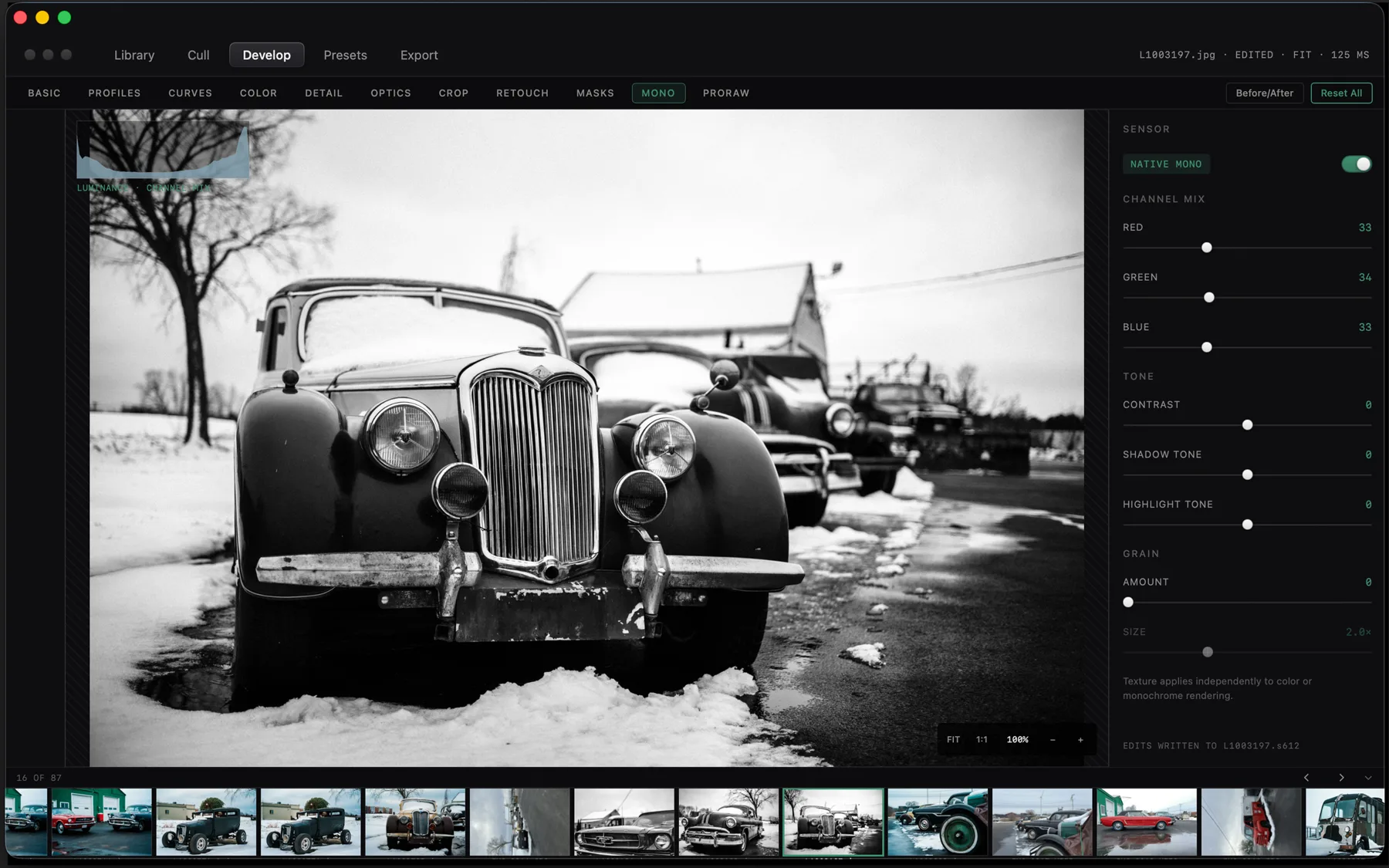
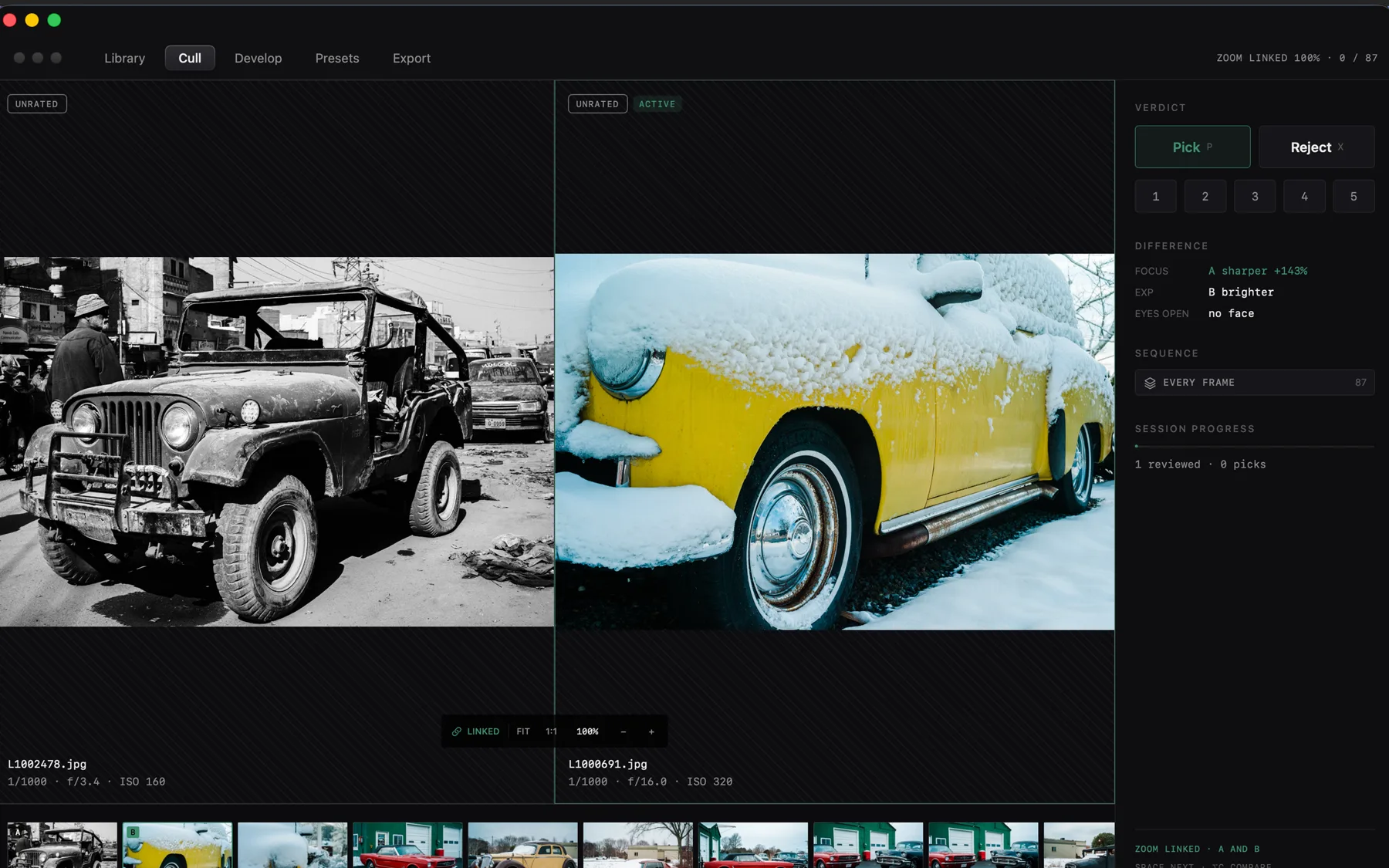
A fast RAW photo darkroom for the evening after a shoot. Point CaptureMood directly at your SD card or camera folder. Compare two shots side by side with synchronized zoom to find the sharpest keeper, adjust light and color curves on your GPU, and export finished images. Your original RAW files stay completely untouched on disk.
$24.99 one-time · macOS
- Yours to keep
- Works offline
- Refund within 48 hours
macOS 15 or newer on Apple silicon, signed and notarized by Apple. RAW decoding is built in, so nothing has to be installed alongside it, and one licence covers every machine you own.
What it does not do
A photo library usually wants to own your pictures. CaptureMood reads them. The list below is the product.
- No import step
- Point it at a folder and work. Nothing is copied into a vault first.
- No catalogue lock-in
- Edits are plain
.s612sidecars beside each original. Delete the index and rebuild it. - No cloud
- Your drives are the storage. Cloud folders are read as folders, not as a service.
- No subscription
- One purchase. The app checks its licence on your own machine and never asks again.
What it does
Live folders
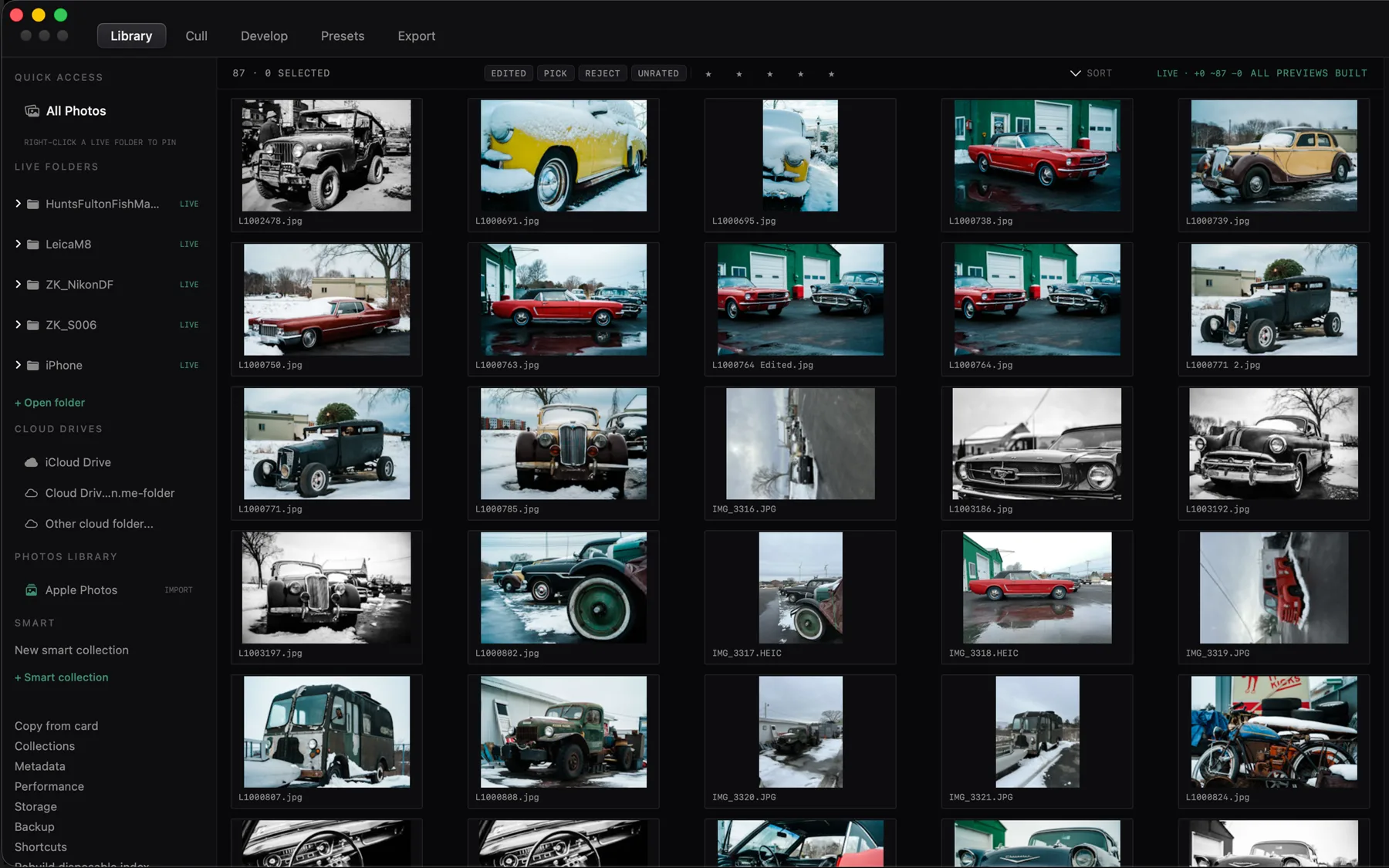
Open any folder or memory card directly. Start viewing and editing immediately with no import delays and no bloated library catalog.
Side-by-side selection
Compare two frames side by side with linked pan and zoom. Press one key to keep or reject, and tap numbers to set star ratings.
GPU color and light
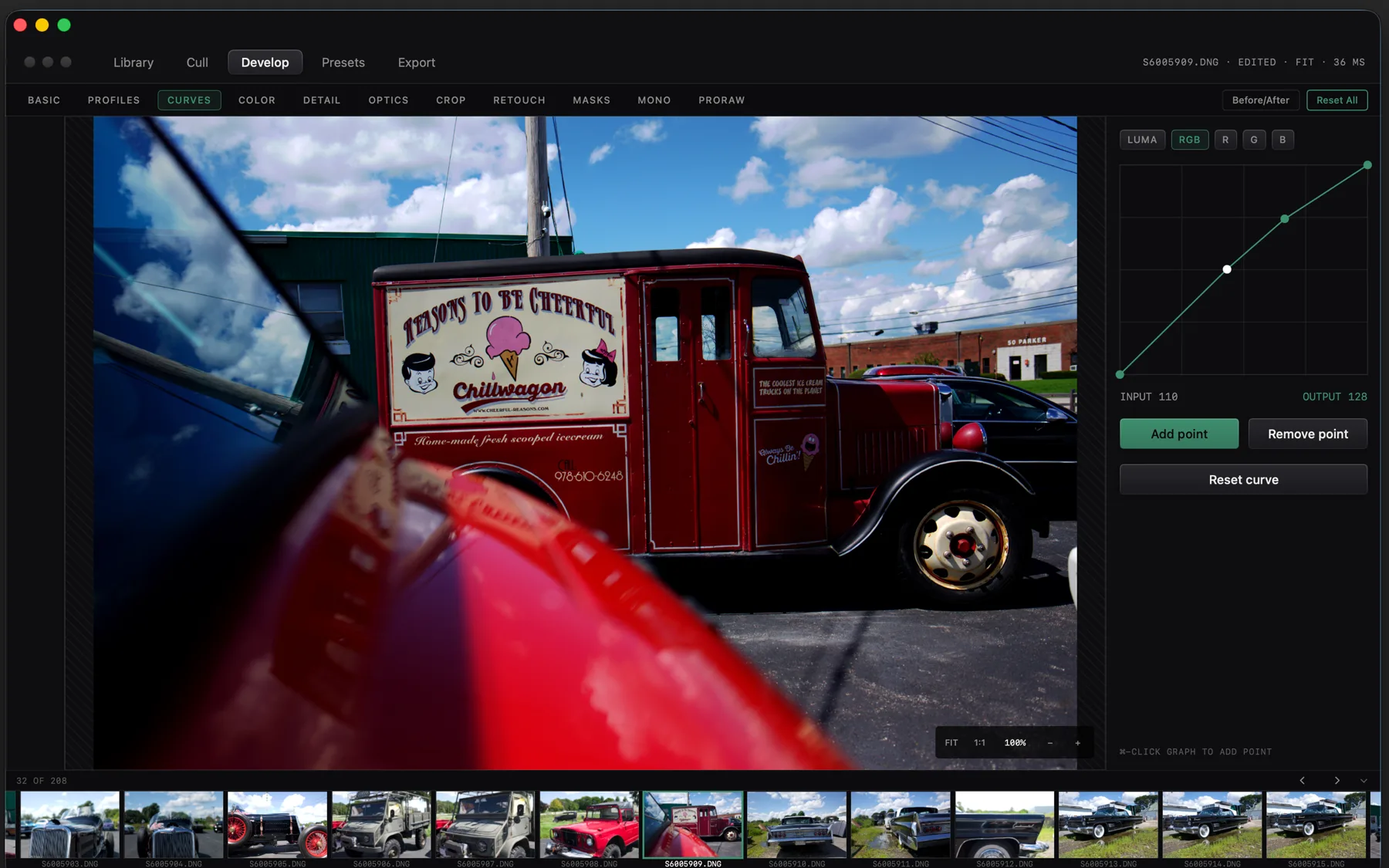
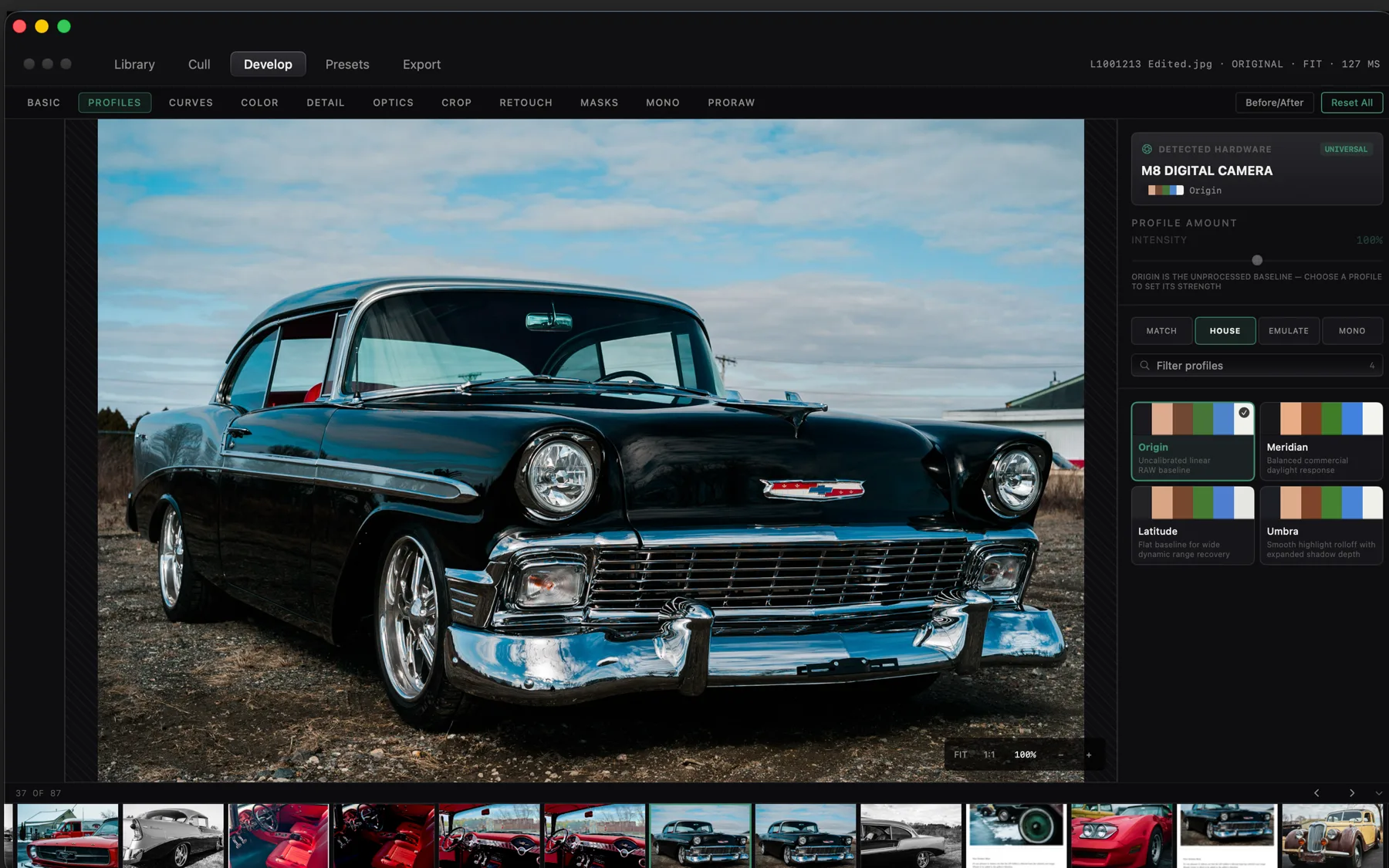
Shape exposure, tone curves, color balance, and sharpness in real time. The GPU renders changes without lag.
Fast subject masks
Isolate people, skies, or backgrounds in a fraction of a second using on-device machine learning to adjust lighting selectively.
Apple ProRAW support
Edit iPhone ProRAW files with native dynamic range, tone mapping, and portrait depth channels built in.
Batch export recipes
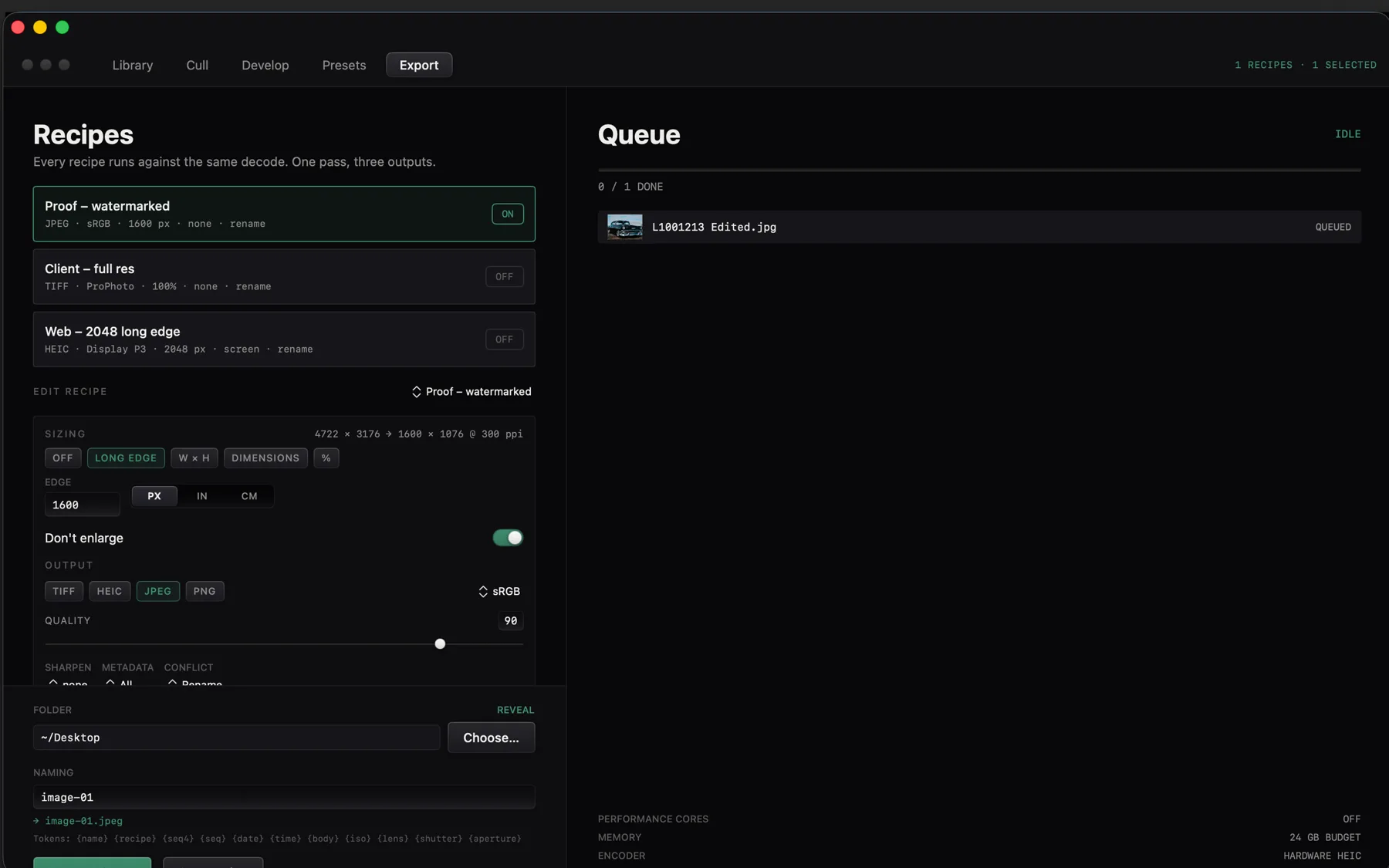
Export full shoots to JPEG, HEIC, PNG, or 16-bit TIFF with custom dimensions, watermarks, and output sharpening in one pass.
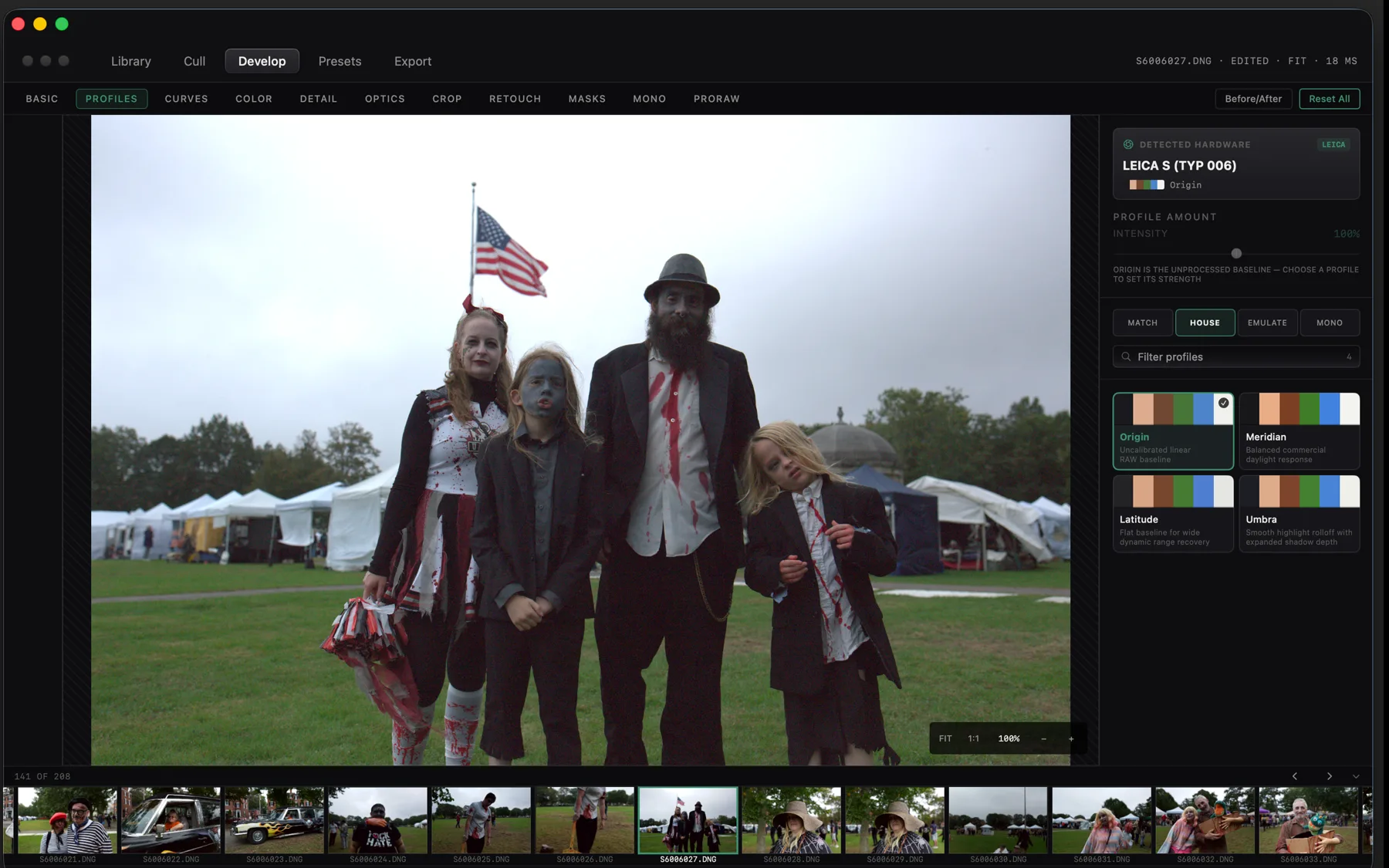
A look inside
Eight screens from the shipping build: the cull, the develop room, and the way a shoot is exported.
The download
One disk image, notarized by Apple. The link arrives on the page you are returned to as well as by email.
- .dmg macOS 15 or newer on Apple silicon. Signed and notarized, so it opens on the first double-click. Apple silicon
How buying works
Pay once through Stripe. You are returned to a page carrying your licence and the download, and the same licence arrives by email. Paste it into CaptureMood under Settings, Licence; the check happens on your own machine and never repeats, so the app keeps working whether or not this site does.
Updates
$24.99 covers CaptureMood 1.x for as long as it is maintained, every fix and every feature in that generation at no further cost. If a CaptureMood 2 ever ships it will be a separate purchase, and 1.x will keep working on the machine you installed it on.
Requirements
macOS 15 or newer, Apple silicon. RAW decoding, colour management and the neural masks all run on the machine, so nothing else has to be installed and nothing is fetched while you work.
Support & Refunds
Ask within 48 hours of buying and you get your money back, no case to argue. Anything about the app: hello@sixtwelve.studio. A real person answers, and there is no ticket portal.
SixTwelve Studio / Engage
macOS & Linux · No account · Free forever
Engage
A lightweight, GPU-accelerated terminal for developers who live at the command line. Engage renders every glyph directly on your graphics hardware at 120 frames per second. Keystrokes appear on screen in less than one millisecond, with a tactile spring cursor, split panes, calm color themes, and zero telemetry. Free forever.
Free · macOS and Linux · download without giving an address
- A gift from the studio
- Works offline
The macOS build is universal and notarized by Apple, so it opens on the first double-click on macOS 12 or newer. The Linux tarballs carry the binary, the desktop entry and the icon set, and their installer writes only inside your home directory.
~/studio/terminal-app ❯ cargo build --release
   Compiling engage v0.1.4
    Finished `release` profile in 4.24s

~/studio/terminal-app ❯ engage --bench
  keystroke → photon      0.71 ms
  frame budget            120 Hz
  resident set            21.4 MB
  glyph cache             warm, two faces

~/studio/terminal-app ❯ theme phosphor_amber
  ink · paper · obsidian · brass · amber · slate

~/studio/terminal-app ❯
What it does not do
A terminal is the one application that has no excuse for being slow or for being curious about you, and the list below is as much of the product as the features are.
- No account
- Nothing to sign into. The binary has no concept of a user.
- No telemetry
- No analytics, no crash upload, no update ping. It opens the sockets you open.
- No subscription
- Free, and free of the thing that usually follows. A licence is offered, never required.
- No lock-in
- One TOML file holds the configuration. Delete the app and the machine is as it was.
What it does
Spring cursor
The cursor moves with a smooth spring response rather than jumping abruptly, making rapid typing feel tactile and clear.
120 FPS GPU rendering
Draws text directly through Metal on macOS and Vulkan on Linux. Keystrokes reach the display in under one millisecond.
Split panes and tabs
Divide your workspace into side-by-side splits, open multiple tabs, and broadcast commands across panes when needed.
Command palette
Press Command-Shift-P to search and run any terminal action by name without memorizing obscure key combinations.
Six calm themes
Carefully balanced palettes including Ink, Paper, Obsidian, Brass, Amber, and Slate that stay comfortable during long coding sessions.
Integrated typography
Bundles JetBrains Mono with developer ligatures, sharp box-drawing glyphs, and native emoji rendering.
The download
Nothing is asked for. Take the build for the machine you are on.
- .dmg macOS 12 or newer, Apple silicon and Intel. Universal, signed and notarized by Apple. Download .dmg
- Linux x86-64 A tarball holding the binary, desktop entry, and icon set with an install.sh for ~/.local. Download tarball
- Linux arm64 The same package built for 64-bit ARM machines. Wayland or X11 via Vulkan. Download tarball
Requirements
macOS 12 or newer, Apple silicon or Intel.
Linux on x86-64 or arm64 · a Vulkan driver for your GPU · a desktop running Wayland or X11. The tarball installs into your home directory and needs no root.
A licence, if you want one on record
Engage does not check a licence and will not start asking, so this changes nothing about the copy you just downloaded. It is here because a licence is how everything else in the studio is owned, and some people would rather have the receipt than not.
One address, one licence, and it arrives by email as well. Lost it later? Ask for it again.
SixTwelve Studio / Specimen
macOS & Linux · No account · Free forever
Specimen
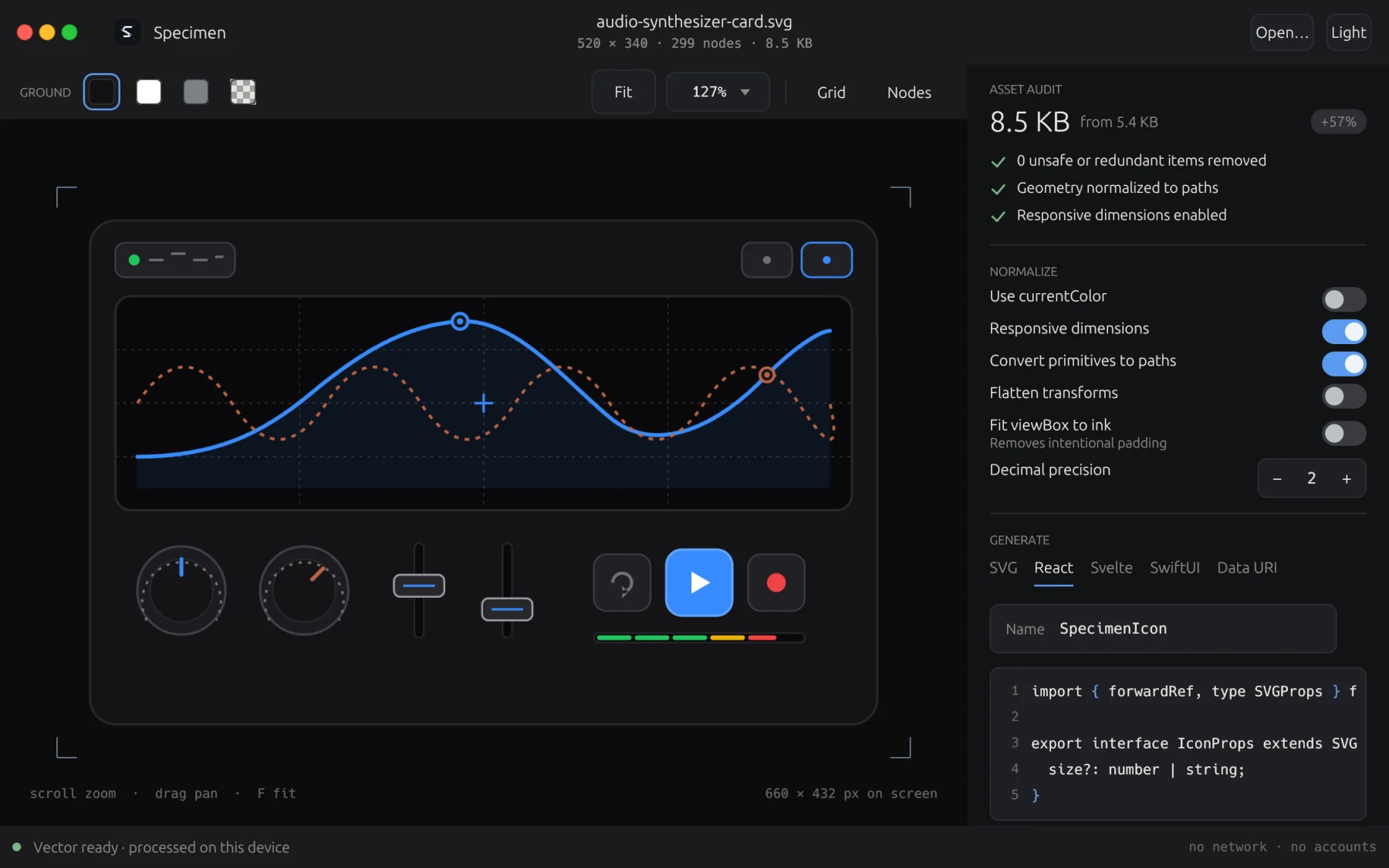
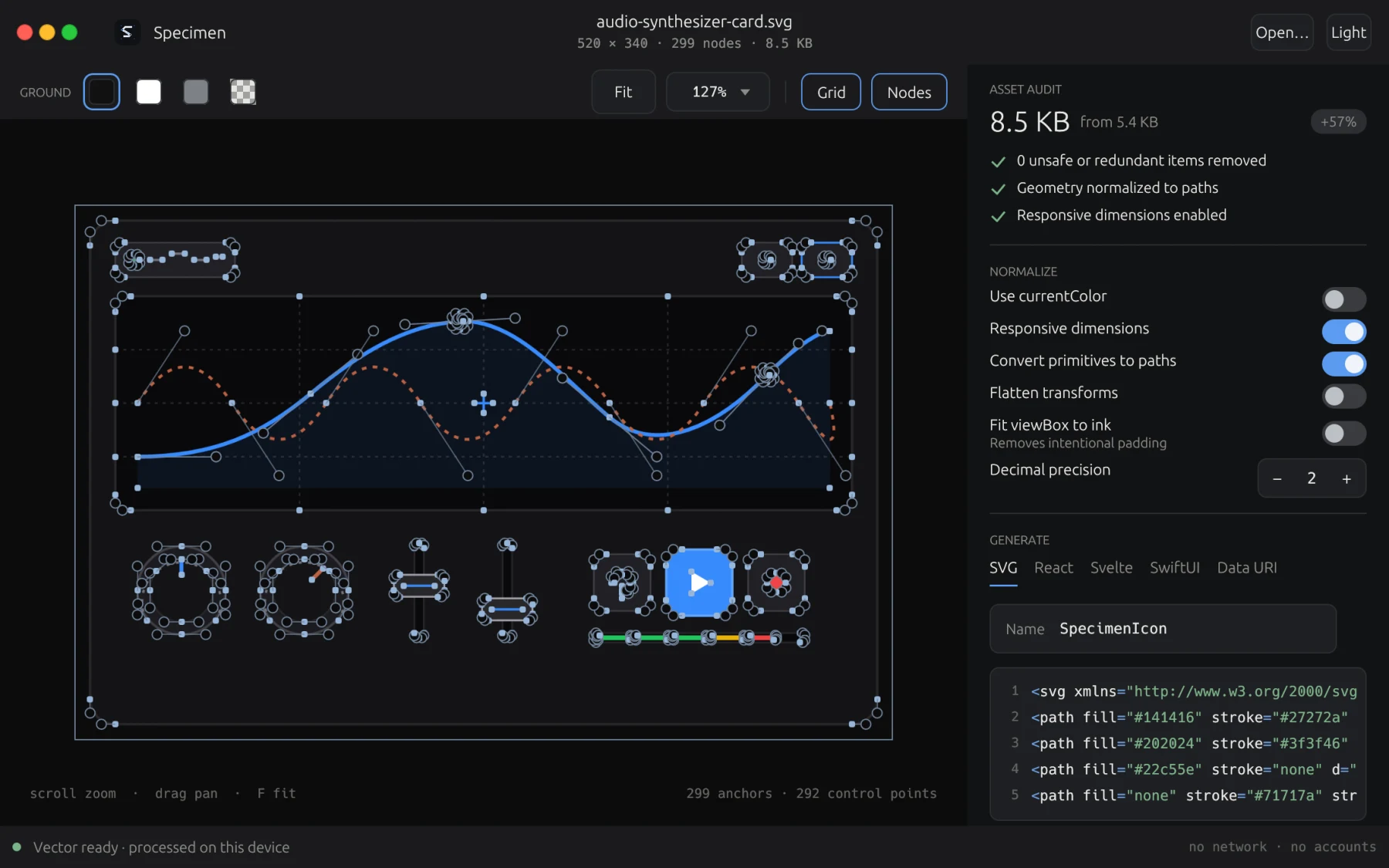
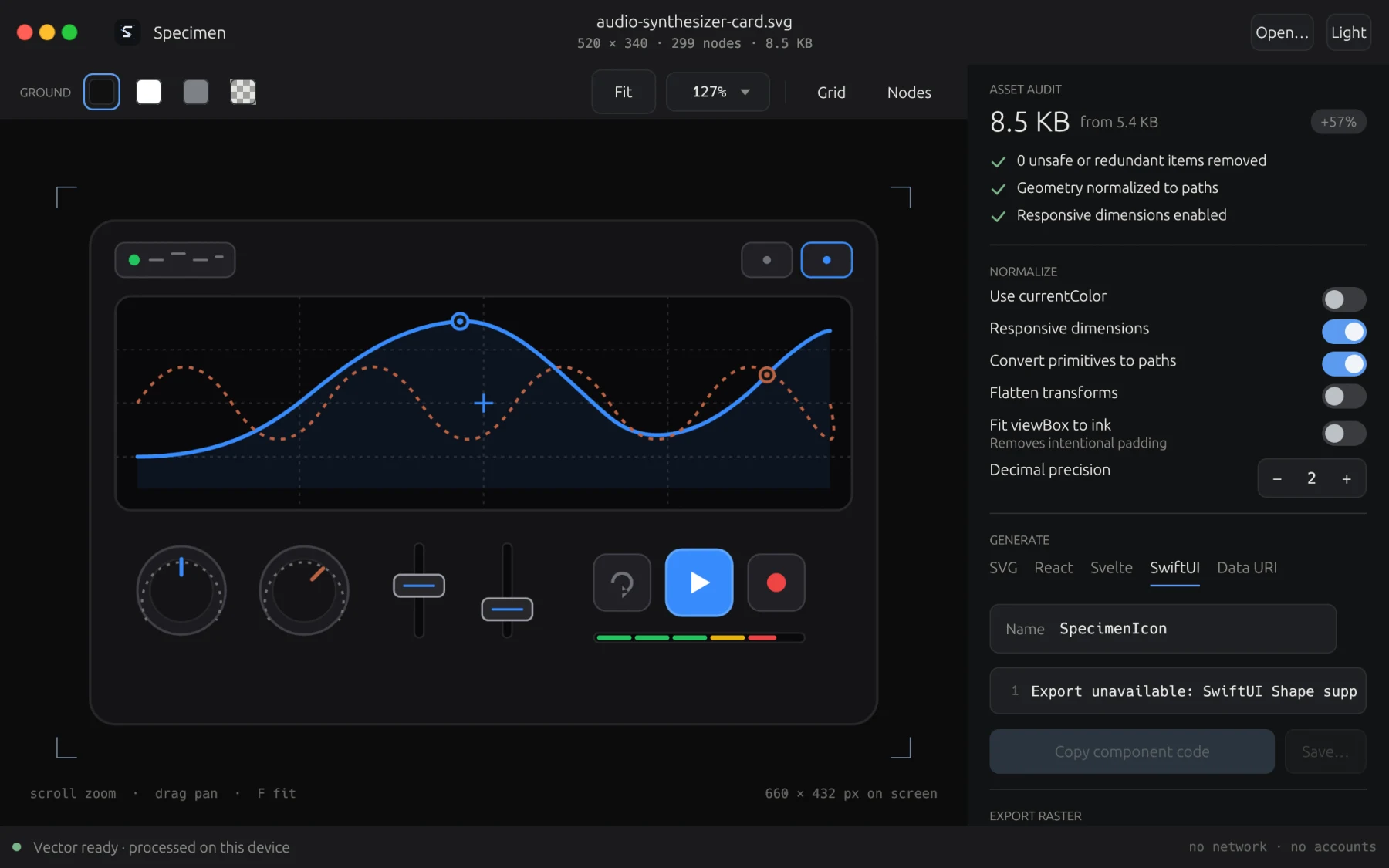
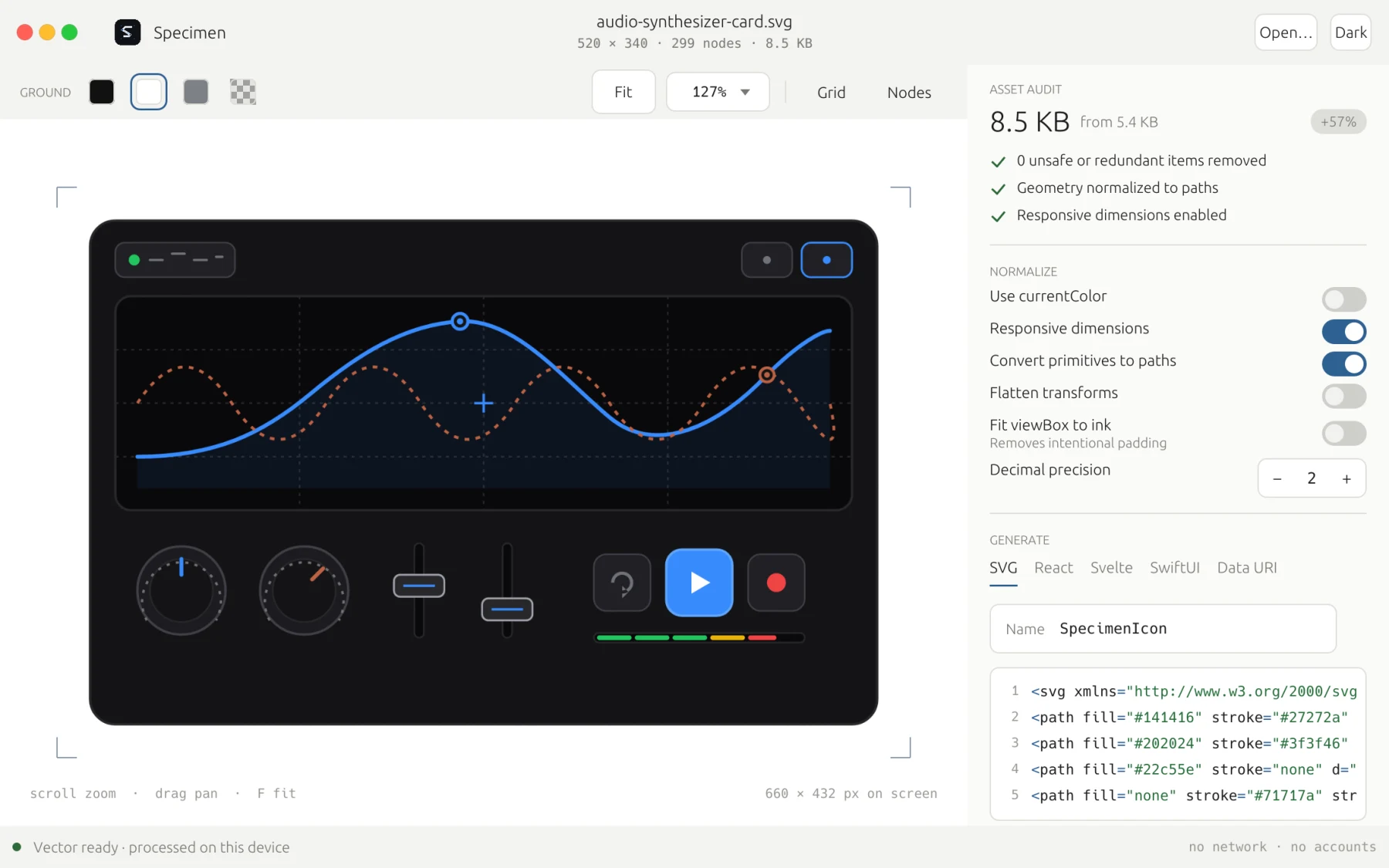
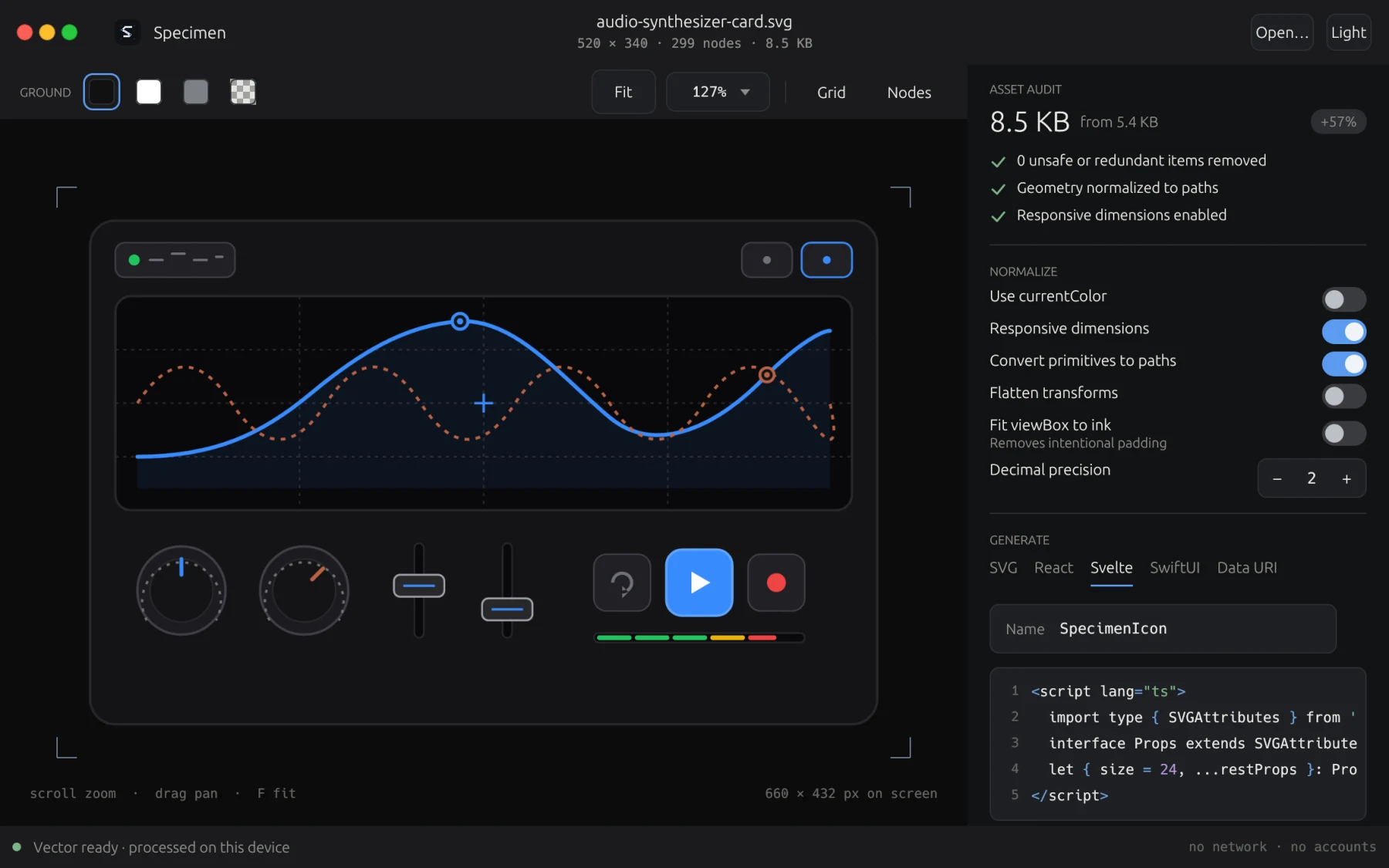
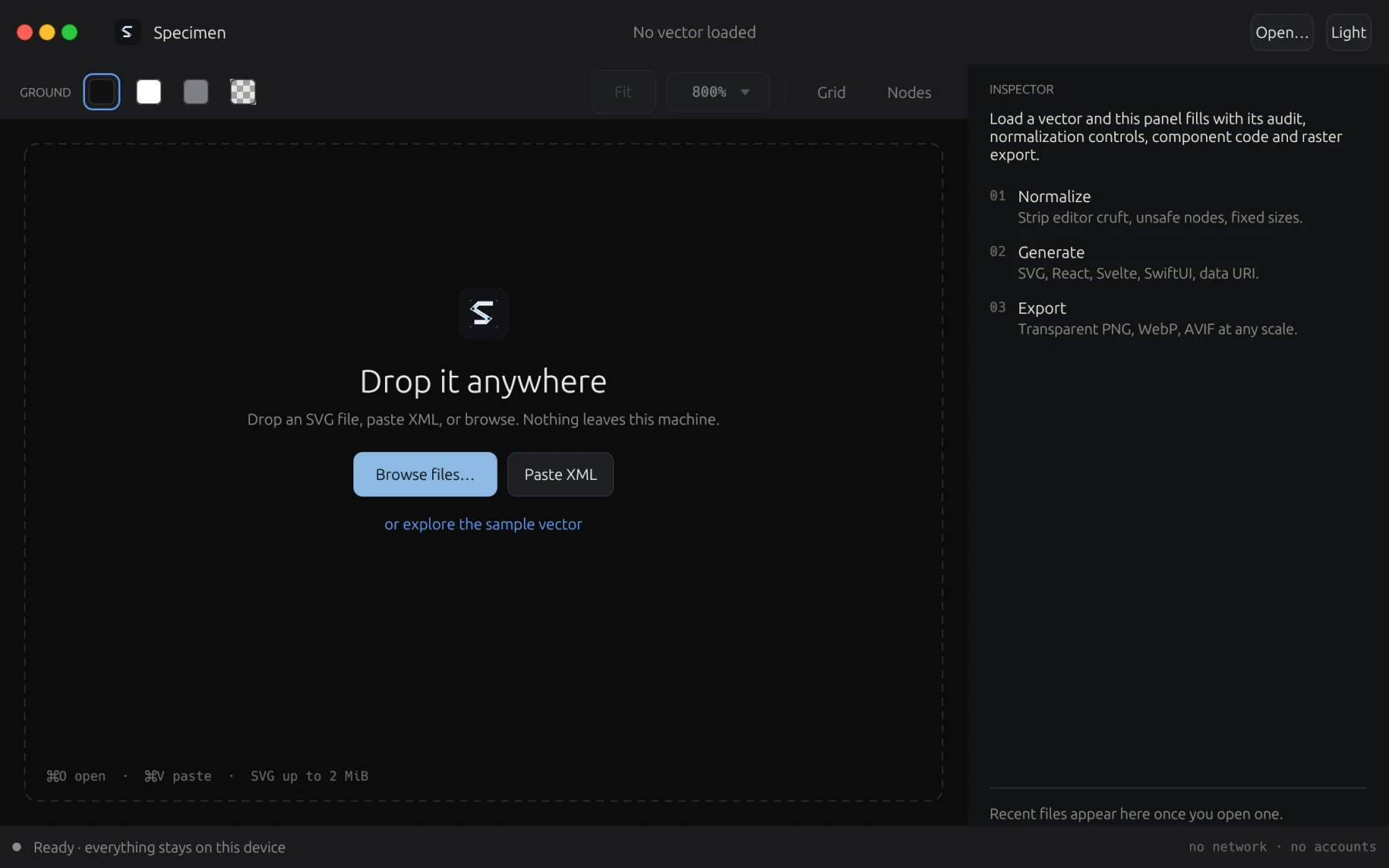
A loupe and precision workshop for SVG icons, logos, and vector illustrations. Inspect anchor points and curves with smooth zoom, automatically strip out hidden junk code, and export clean components for React, SwiftUI, or Svelte in seconds. Free for macOS and Linux.
Free · macOS and Linux · download without giving an address
- A gift from the studio
- Works offline
The macOS build is signed and notarized by Apple, opening on the first double-click on macOS 11 or newer. The Linux tarballs carry the desktop workbench and headless CLI, desktop entry, and icon set for ~/.local.
What it does not do
Specimen runs completely on your computer. It never connects to an external network and never transmits your graphics.
- No account
- Nothing to sign into. Works immediately out of the box.
- No telemetry
- No analytics, no ping home, zero tracking or data collection.
- No network
- Purely offline processing. Untrusted SVG cannot make outbound requests or trigger SSRF.
- No lock-in
- Standard SVG and native framework components. Everything runs locally.
What it does
Cleans SVG markup
Strips out invisible tracking tags, editor junk, and unsafe scripts from downloaded vector files so they stay lightweight and safe.
Precision canvas zoom
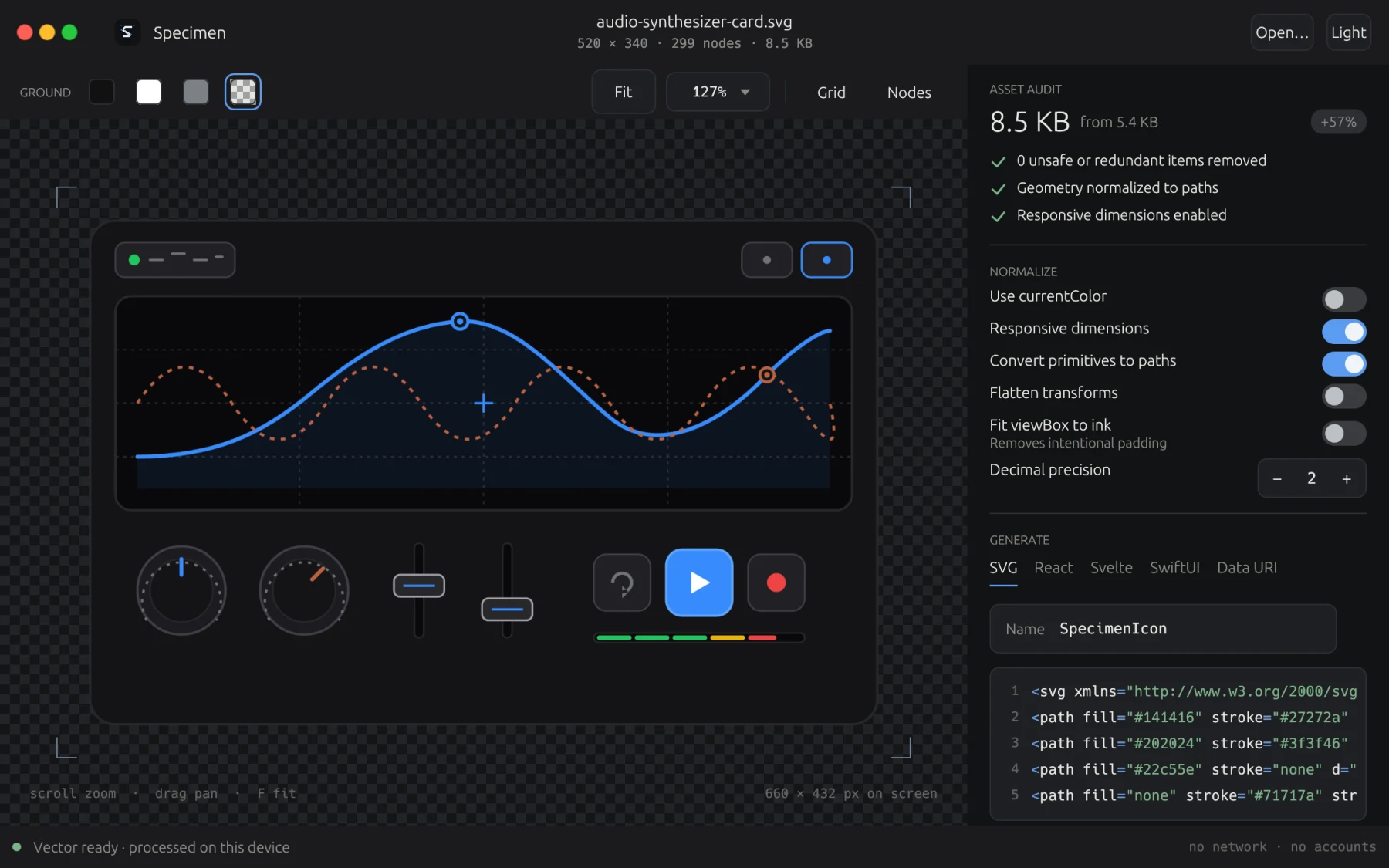
Inspect vector curves and anchor handles at deep zoom levels. Test shapes across five ground contrasts and inspect coordinates.
Exports to eight frameworks
Generate clean component code for React, React Native, Svelte, Vue, SwiftUI, Jetpack Compose, Flutter, and optimized SVG.
Theme-adaptive color
Replaces fixed color values with currentColor so your icons automatically adjust to light and dark modes in your applications.
Sharp bitmap exports
Render crisp PNG, WebP, and AVIF images at 1x, 2x, and 3x scale with perfect pixel alignment.
Desktop app and CLI
Inspect and edit graphics visually in the desktop app, or run the included command-line binary in your automated build scripts.
A look inside
Eight screens captured directly from the shipping build: workbench canvas, vector anchors, code export, and ground contrasts.
The download
Nothing is asked for. Take the build for the machine you are on.
- .dmg macOS 11 or newer, Apple silicon and Intel. Signed and notarized by Apple. Download .dmg
- Linux x86-64 A tarball holding the workbench, headless CLI, desktop entry, and icon set for ~/.local. Download tarball
- Linux arm64 The same package built for 64-bit ARM Linux systems. Wayland or X11 desktop integration. Download tarball
Requirements
macOS 11 or newer, Apple silicon or Intel.
Linux on x86-64 or arm64 · desktop running Wayland or X11. The tarball installs into your home directory and needs no root.
A licence, if you want one on record
Specimen is completely free and requires no licence to run. A licence is offered if you would like an official record of ownership in the studio registry.
One address, one licence, and it arrives by email as well. Lost it later? Ask for it again.
SixTwelve Studio / Marlin
macOS & Linux · No account · Available now
Marlin
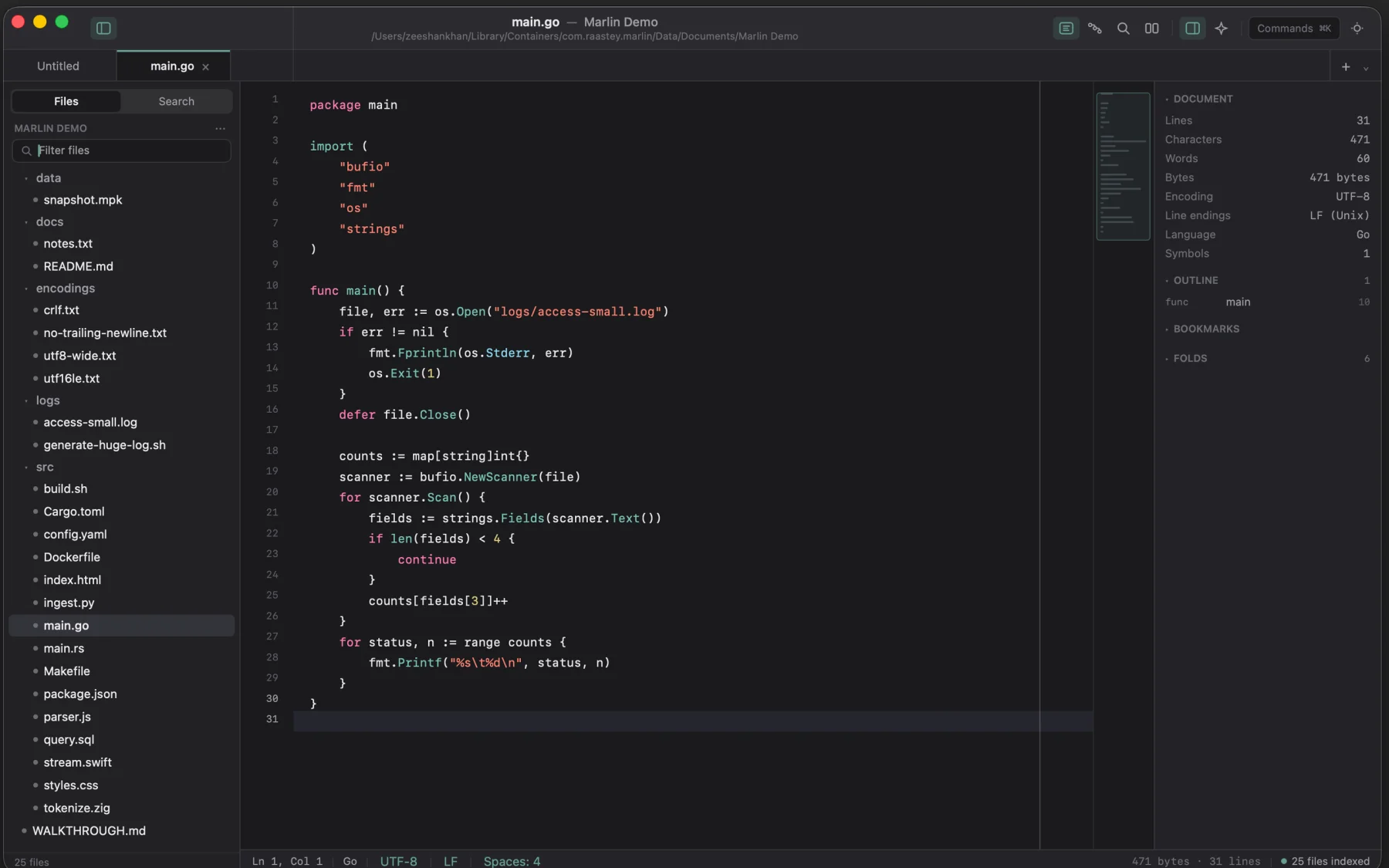
A high-speed native editor for the massive files that make ordinary editors freeze. Open multi-gigabyte server logs, datasets, or codebases in one second flat. Filter and transform rows step by step, inspect binary files in hex mode, and preview Markdown documentation with zero cloud dependencies.
$19.99 one-time · macOS & Linux
- Yours to keep
- Works offline
- Refund within 48 hours
Universal macOS (Apple silicon & Intel, macOS 14+) and Linux (x86_64 & arm64). Signed and notarized. One licence unlocks both platforms on every machine you own.
What it does not do
Most text editors freeze or crash when you open giant log files. Marlin stays light and fast on your computer.
- No freezing
- Opens multi-gigabyte files instantly without eating up your computer's memory.
- No cloud tracking
- Your files stay safely on your computer. Zero tracking, zero outside servers, zero accounts.
- No risky scripts
- Search, sort, and diff tools run safely inside the app without launching extra programs.
- No subscription
- Buy it once, keep it forever. Your licence checks offline and never phones home.
What it does
Opens massive files instantly
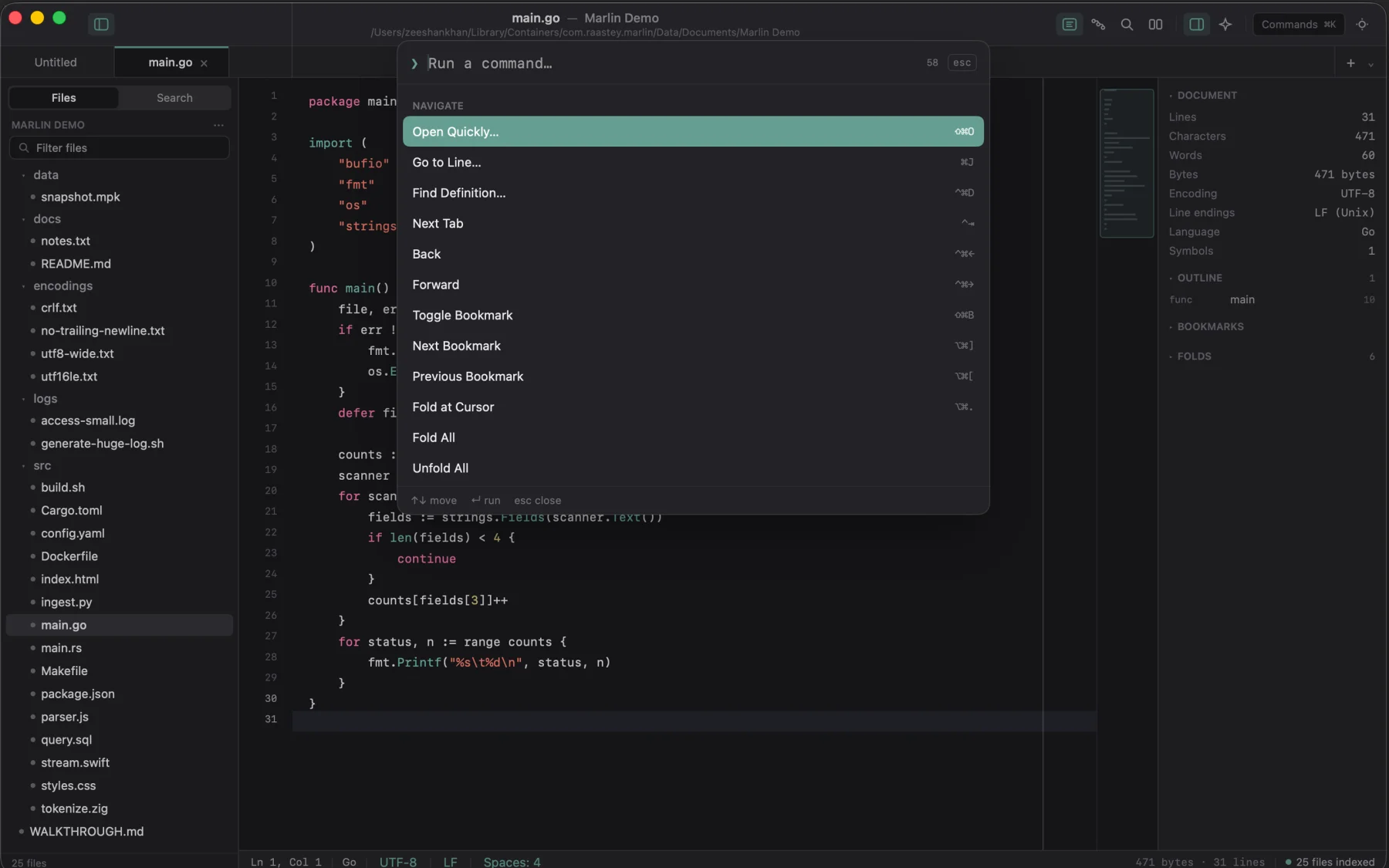
Open multi-gigabyte log files and database dumps in under one second. Scroll smoothly through millions of lines and edit without memory strain.
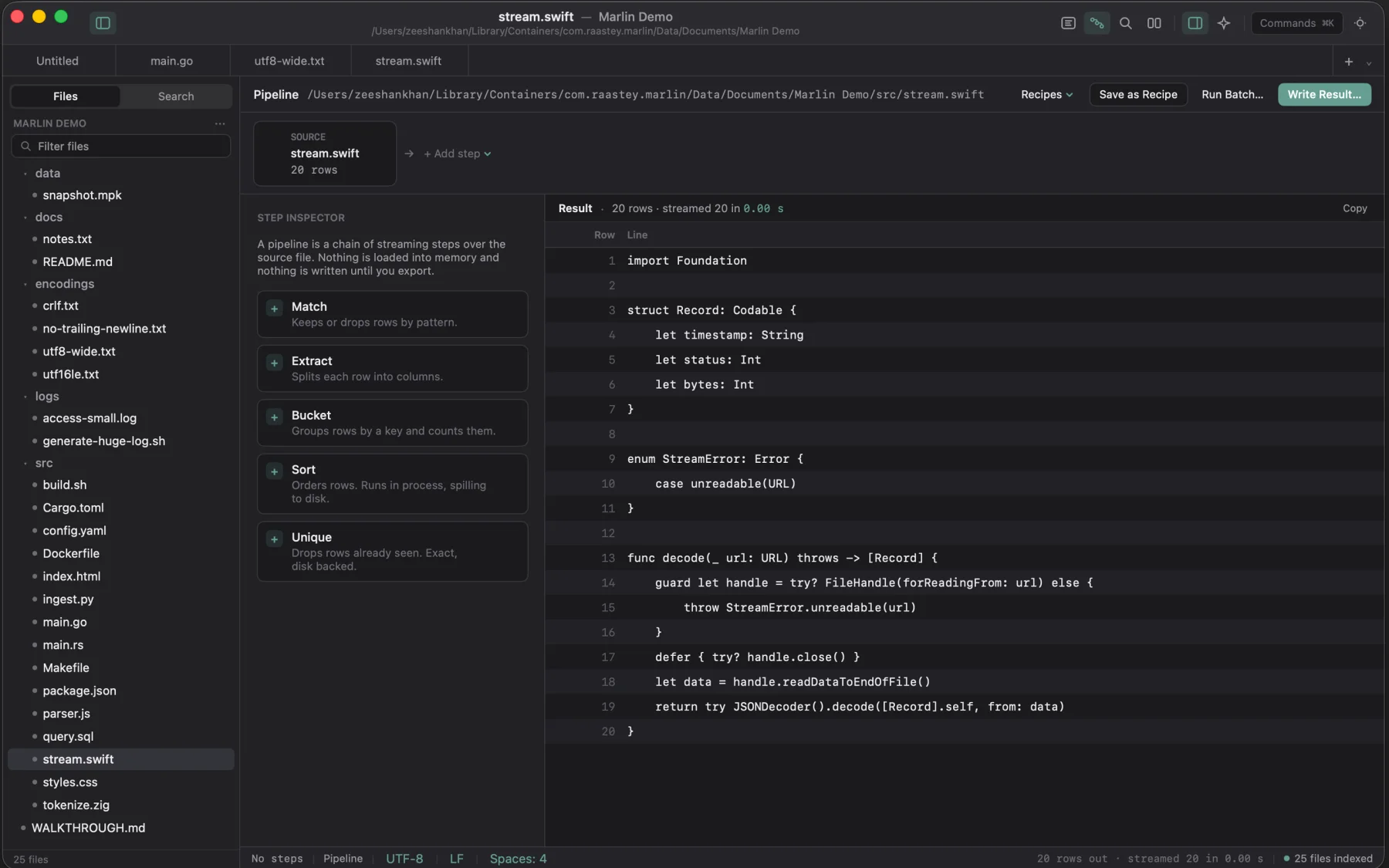
Step-by-step text filters
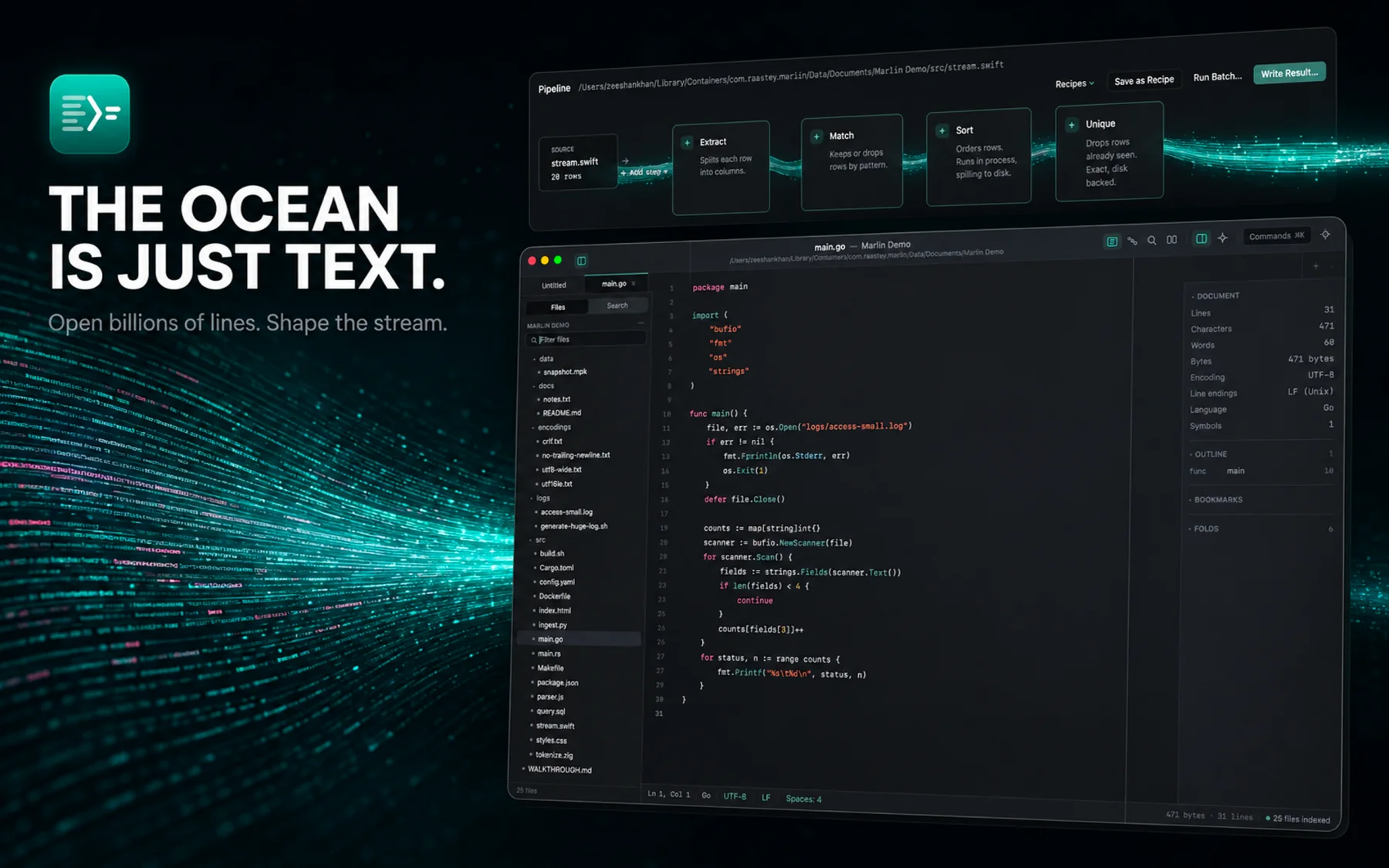
Build a sequence of filters to extract patterns, match text, and sort records. See row counts update live at every stage.
Local text assistant
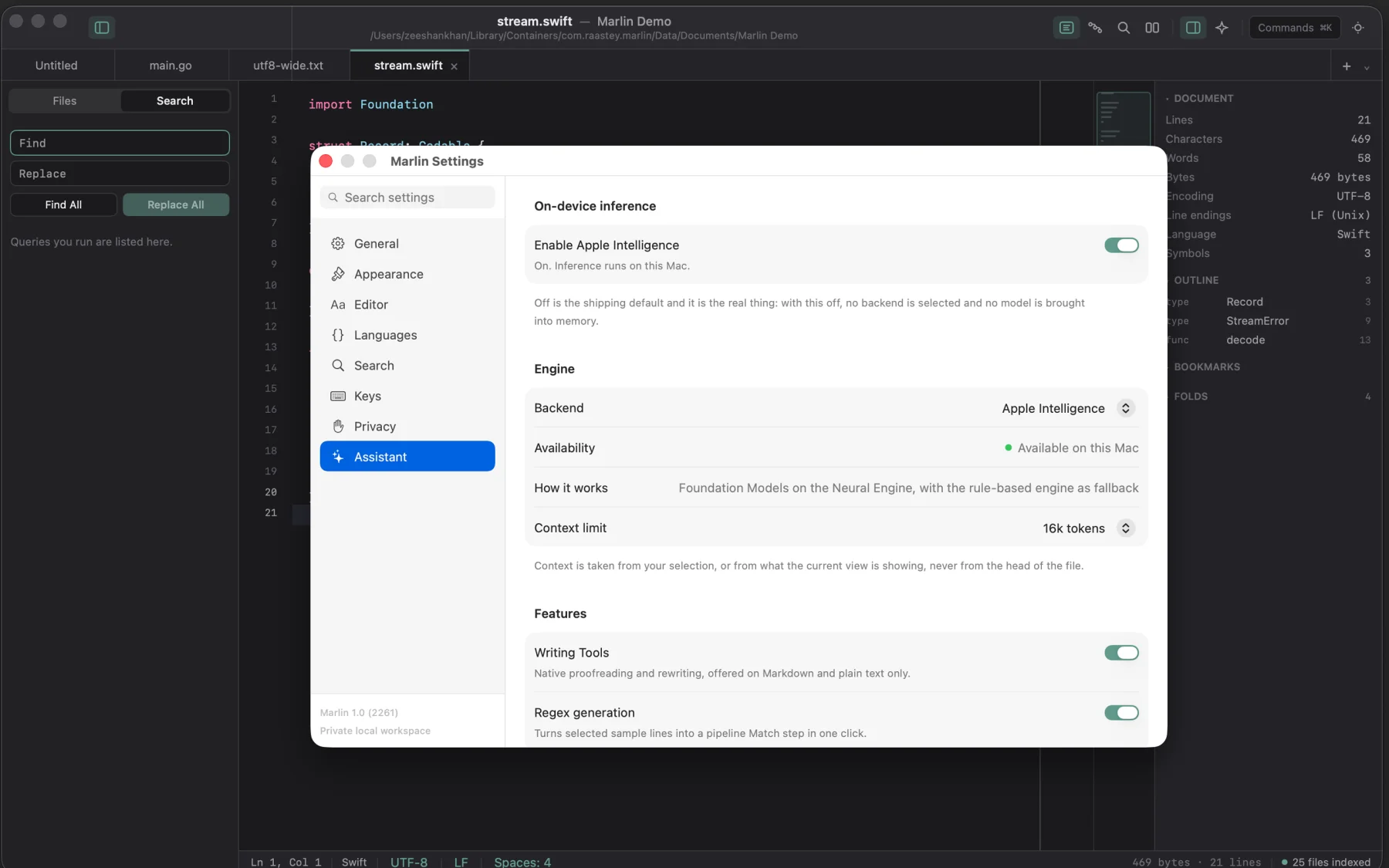
Summarize log sections, explain error codes, and restructure text directly on your Mac with an on-device language model. No data leaves your machine.
Live Markdown preview
Write documentation or notes with a split preview that renders formatted text and tables in real time as you type.
Folder and asset browser
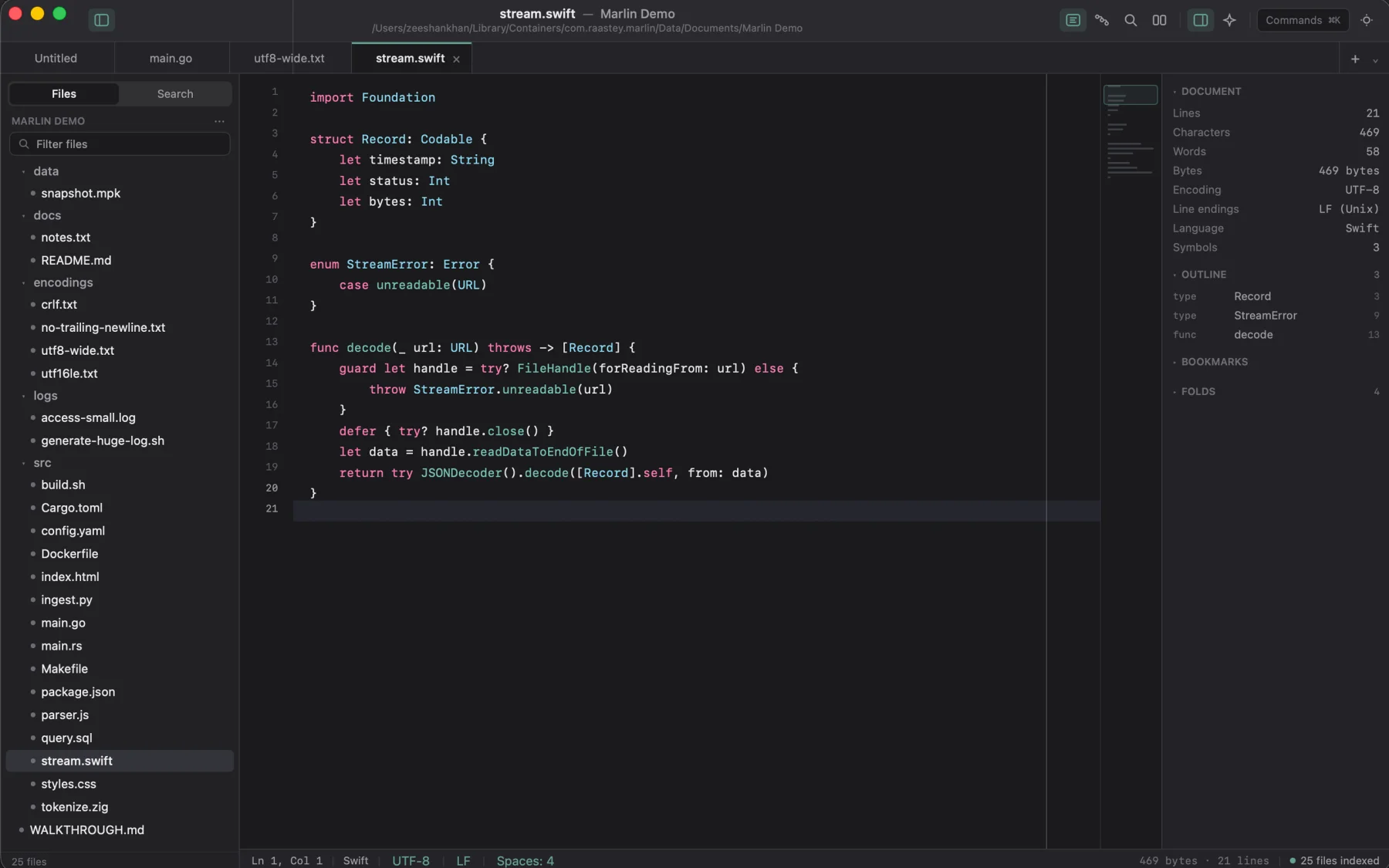
Navigate project folders, create and rename files, and preview image formats like PNG, JPEG, and SVG right inside the editor.
Hex and binary inspector
Switch to hex mode to inspect binary files, examine byte offsets, and diagnose data corruption.
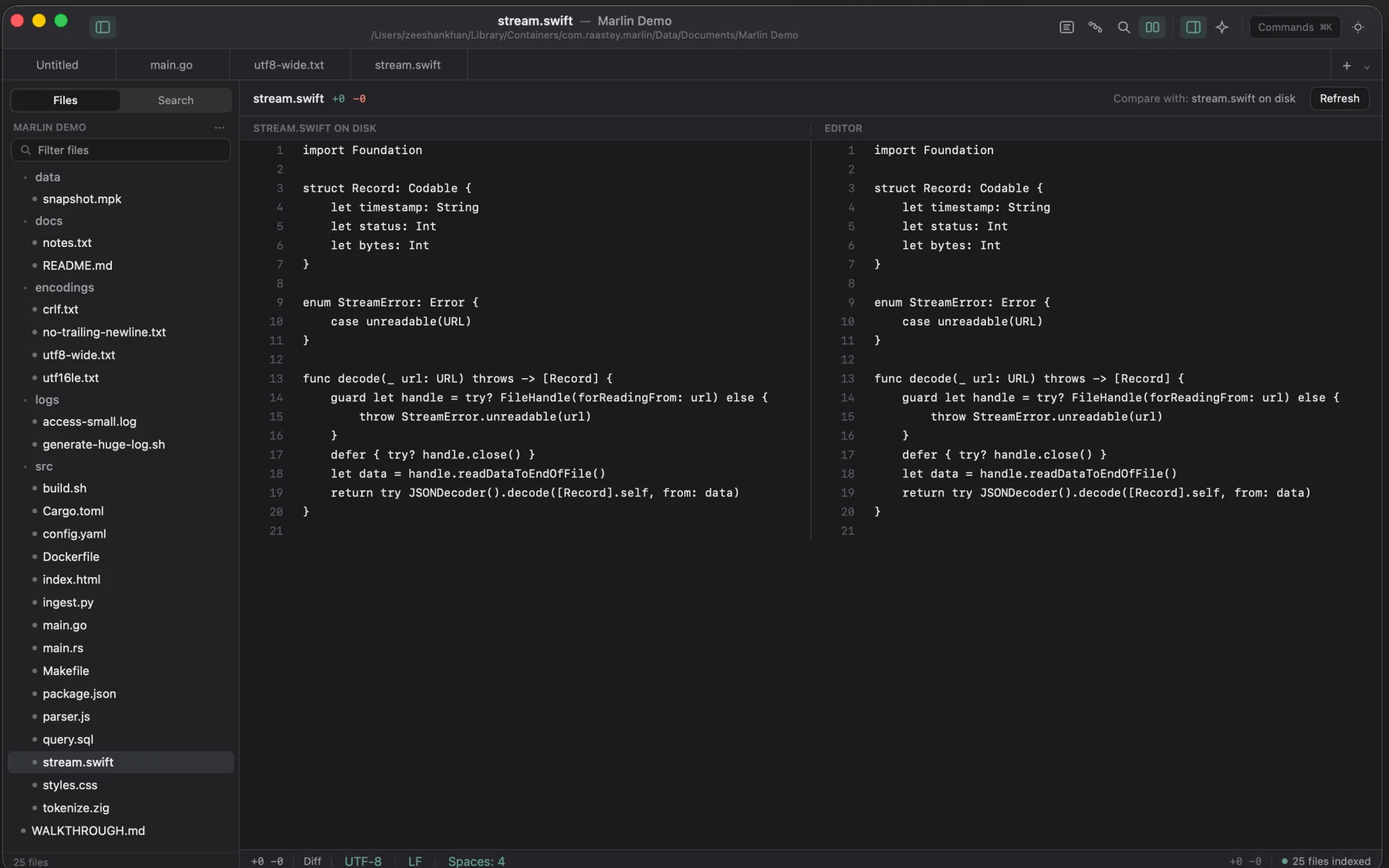
Colored file differences
Inspect changes against the saved version on disk with clear side-by-side color highlights before saving.
Native desktop speed
Built as a lean native application for macOS and Linux. Launches instantly with low memory usage and zero web-engine overhead.
A look inside
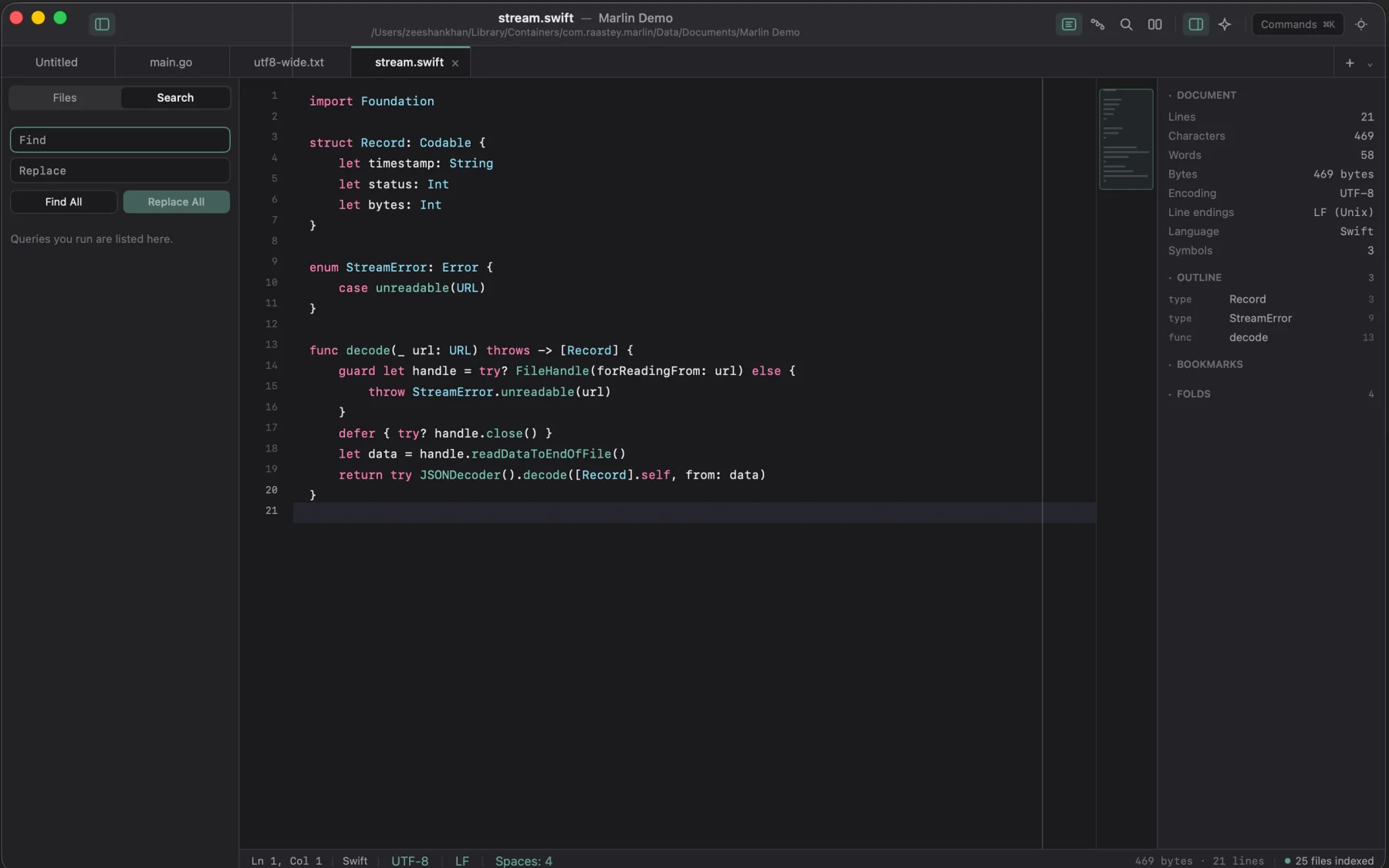
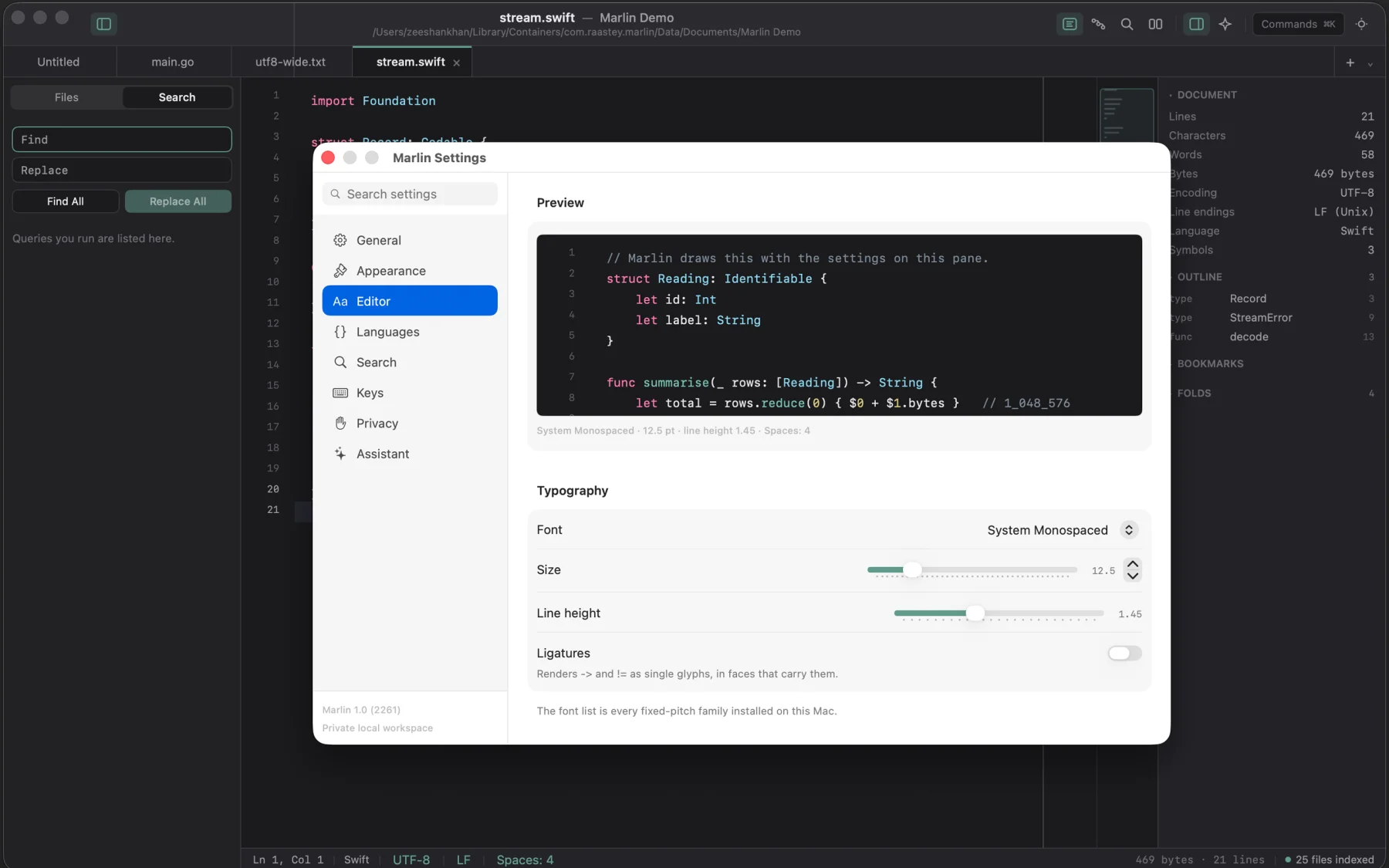
Ten screens from the shipping build: huge files, pipelines, diffing, and hex analysis.
The download
Every build below is covered by the one purchase, and the links arrive on the page you are returned to as well as by email.
- .dmg macOS 14 or newer on Apple silicon and Intel. Universal, signed and notarized by Apple. universal
- AppImage Any x86-64 distribution. One file, made executable, double-clicked. x86-64
- .deb Debian and Ubuntu. Installs the desktop entry, system icon pack, and CLI companion. x86-64
- .deb The same package built for 64-bit ARM machines (arm64 desktop or board). arm64
The disk image is notarized, so macOS opens it without a warning. The Linux packages include the standalone GTK 4 application, terminal CLI companion, and system desktop integration.
Updates
$19.99 covers Marlin 2.x for as long as it is maintained, every fix and every feature in that generation at no further cost.
Support & Refunds
Ask within 48 hours of buying and you get your money back, no case to argue. Anything about either build: hello@sixtwelve.studio. A real person answers, and there is no ticket portal.
SixTwelve Studio / Mocksyy
macOS · No account · Available now (Linux & App Store in dev)
Mocksyy
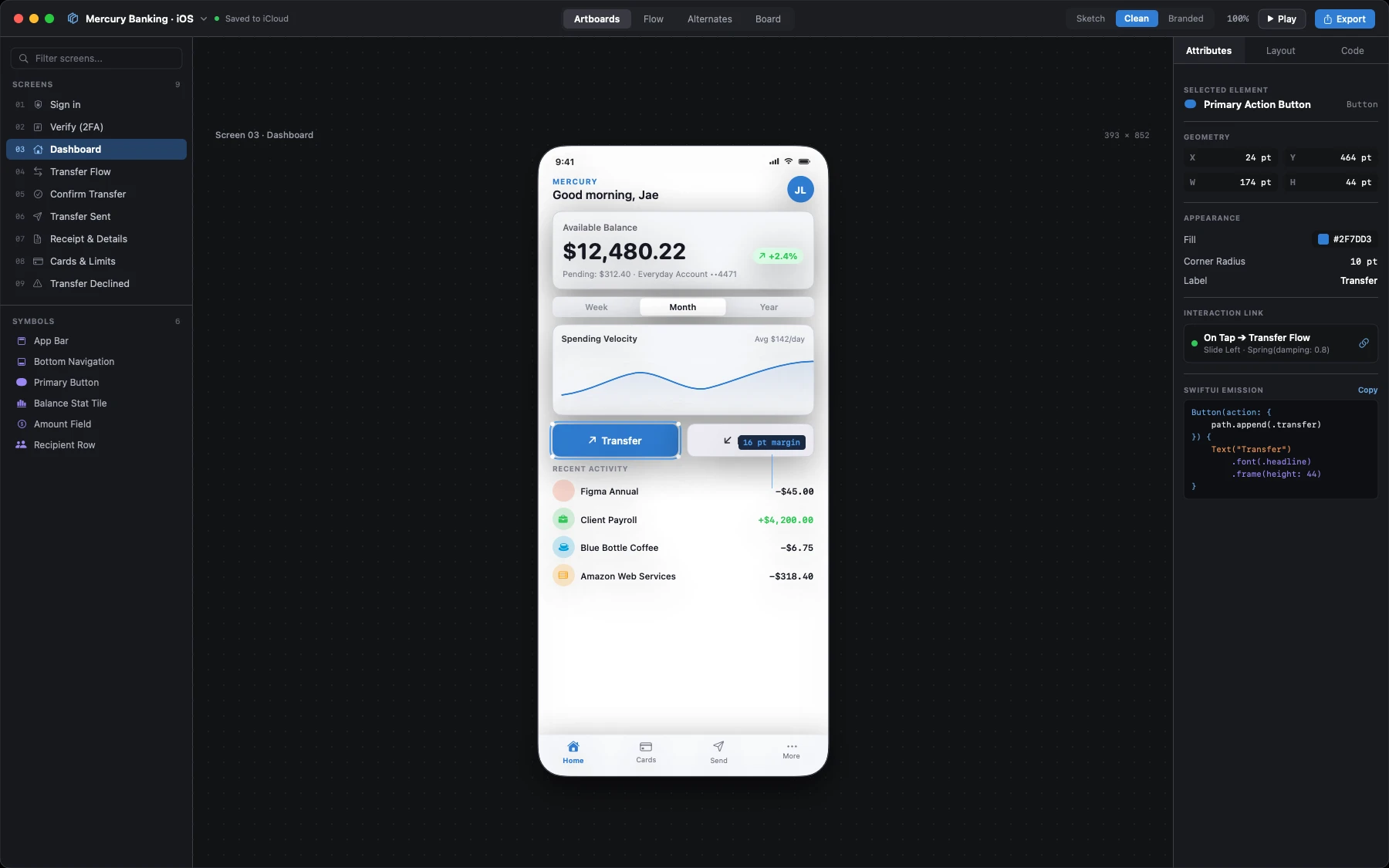
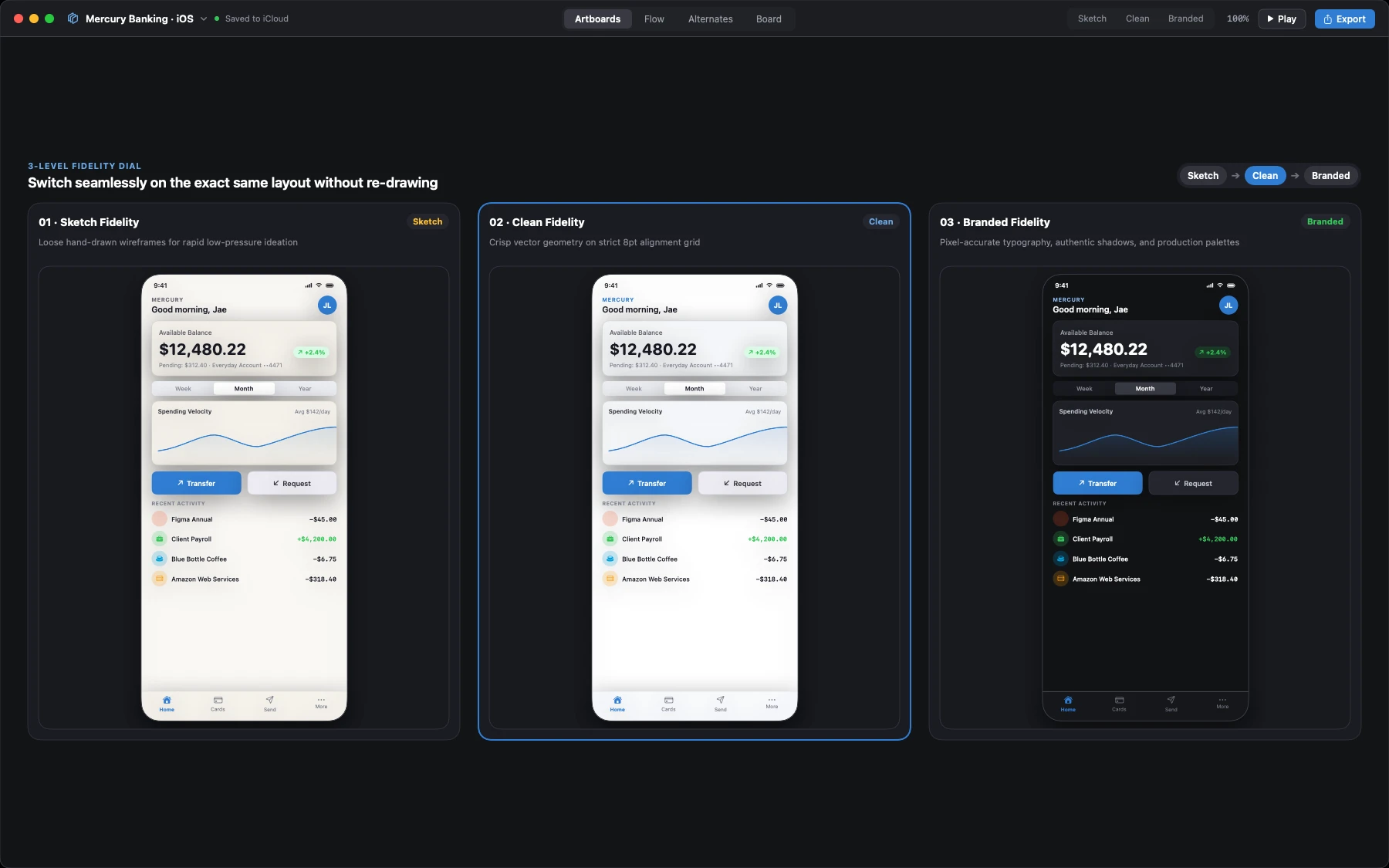
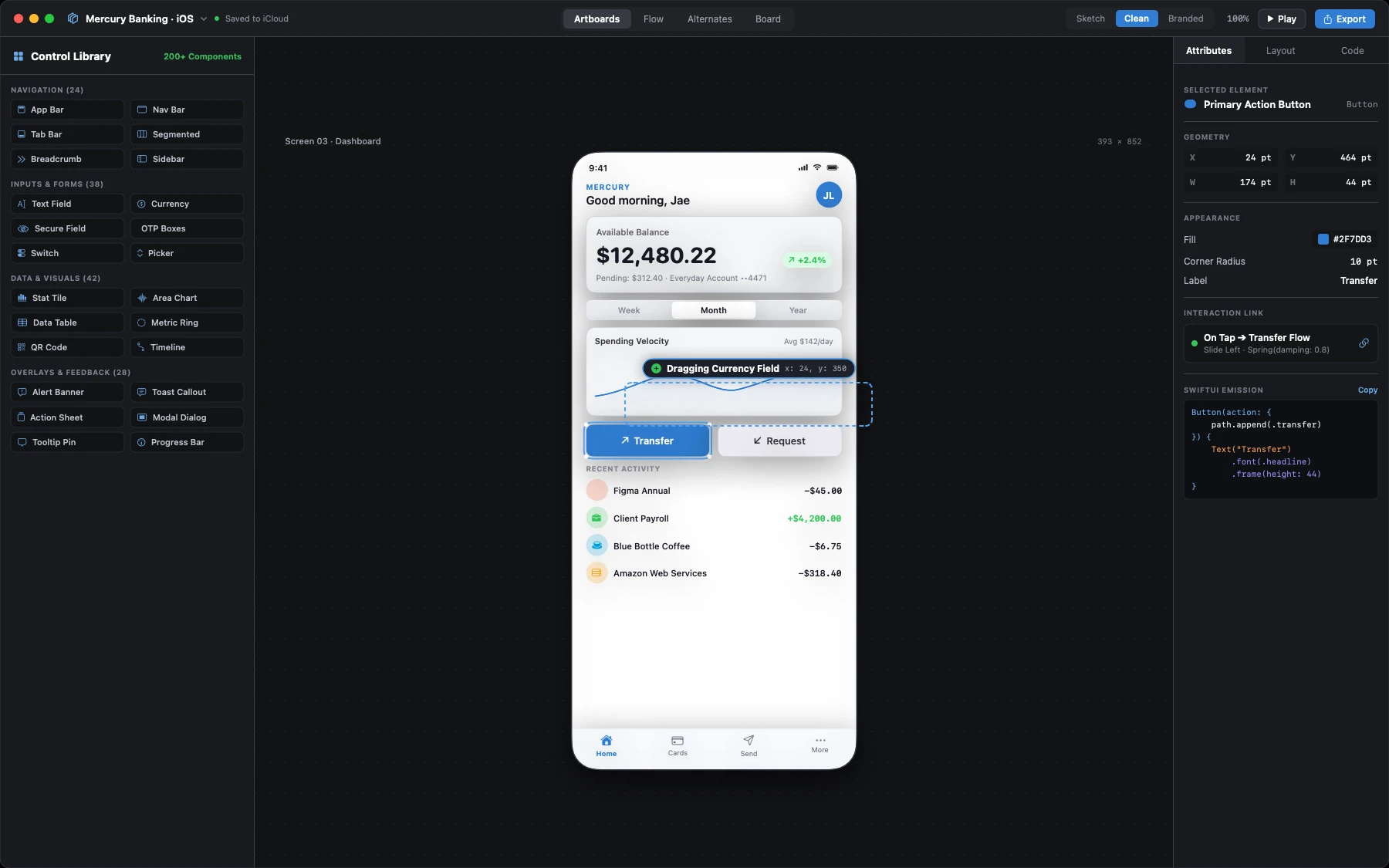
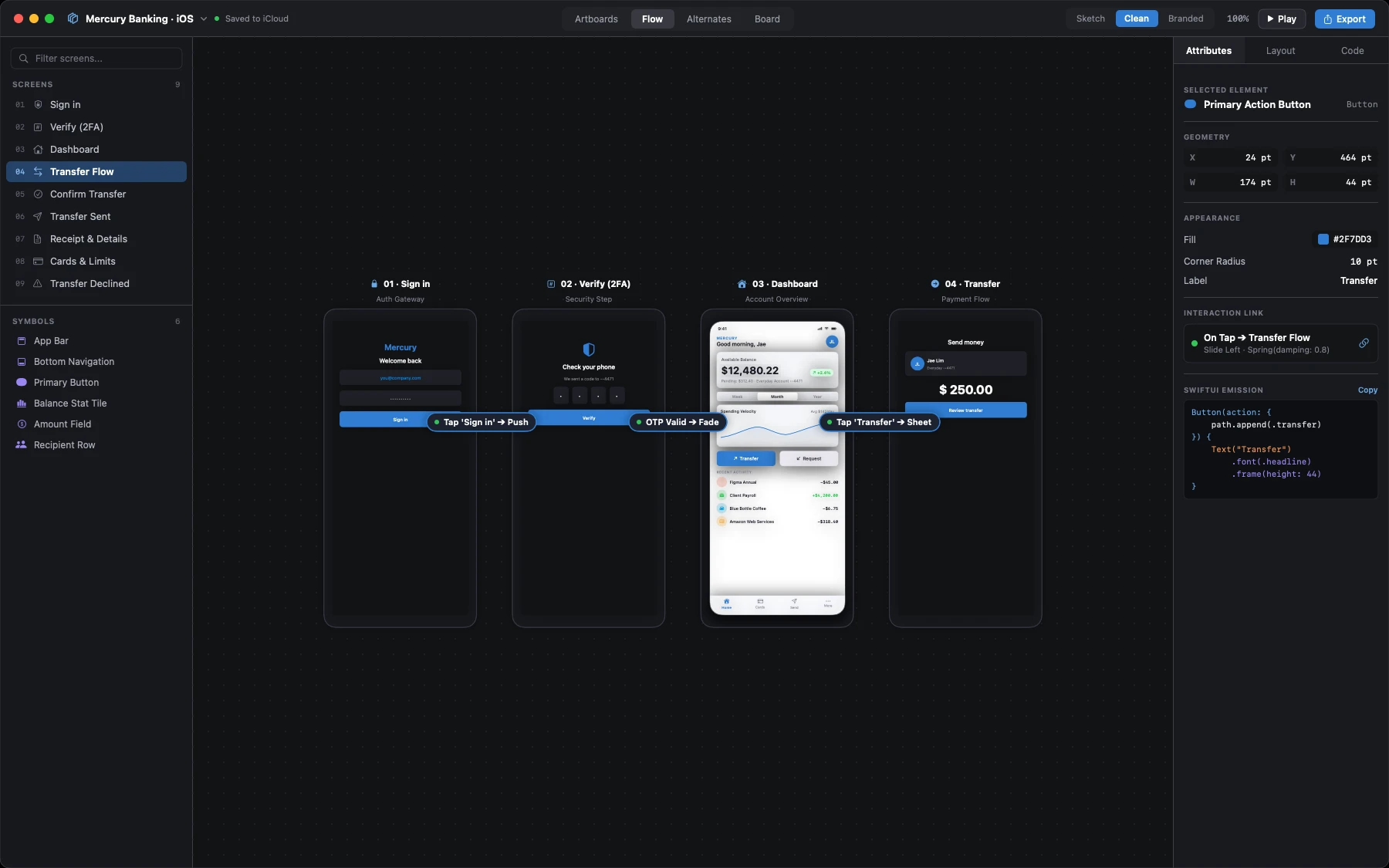
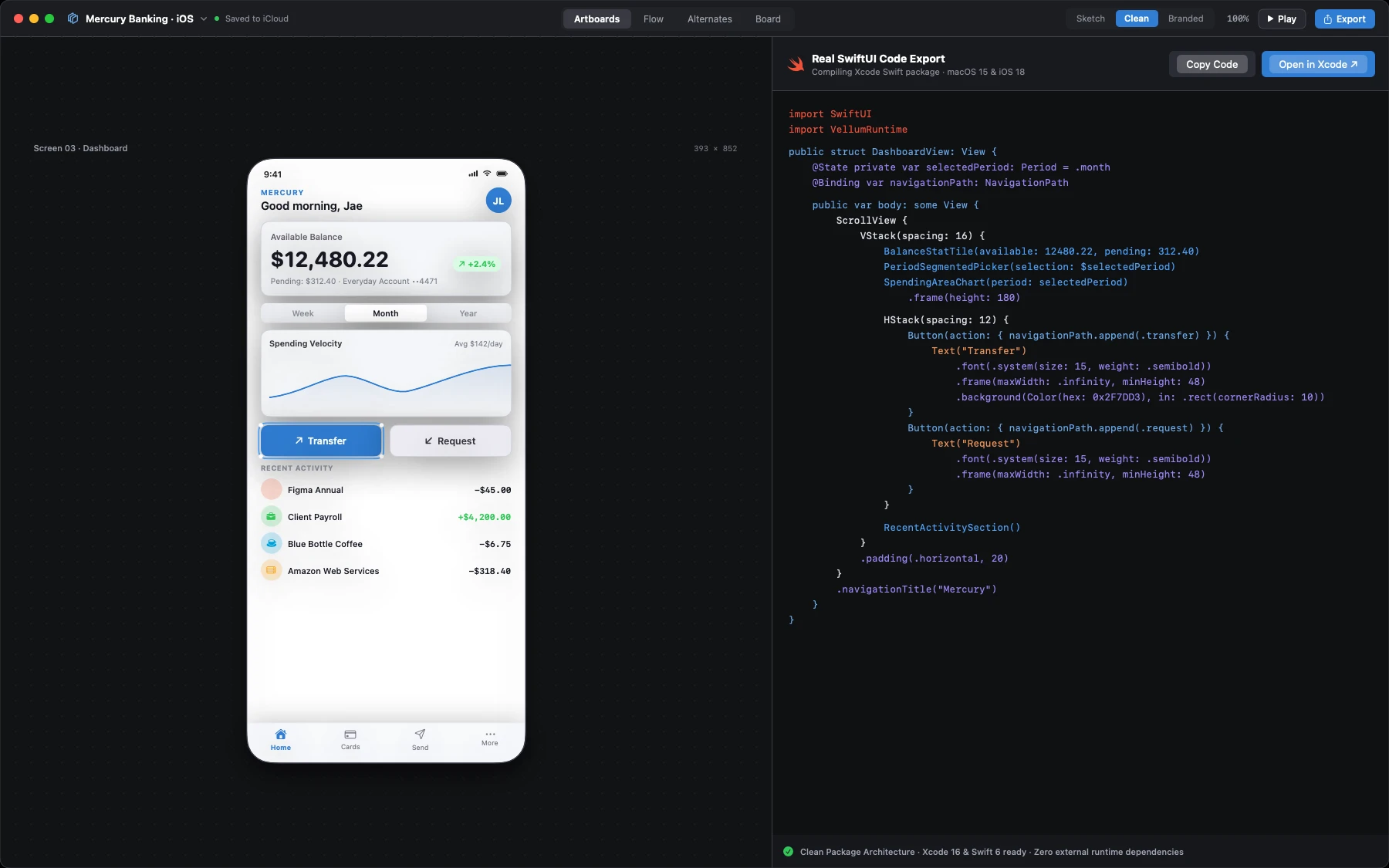
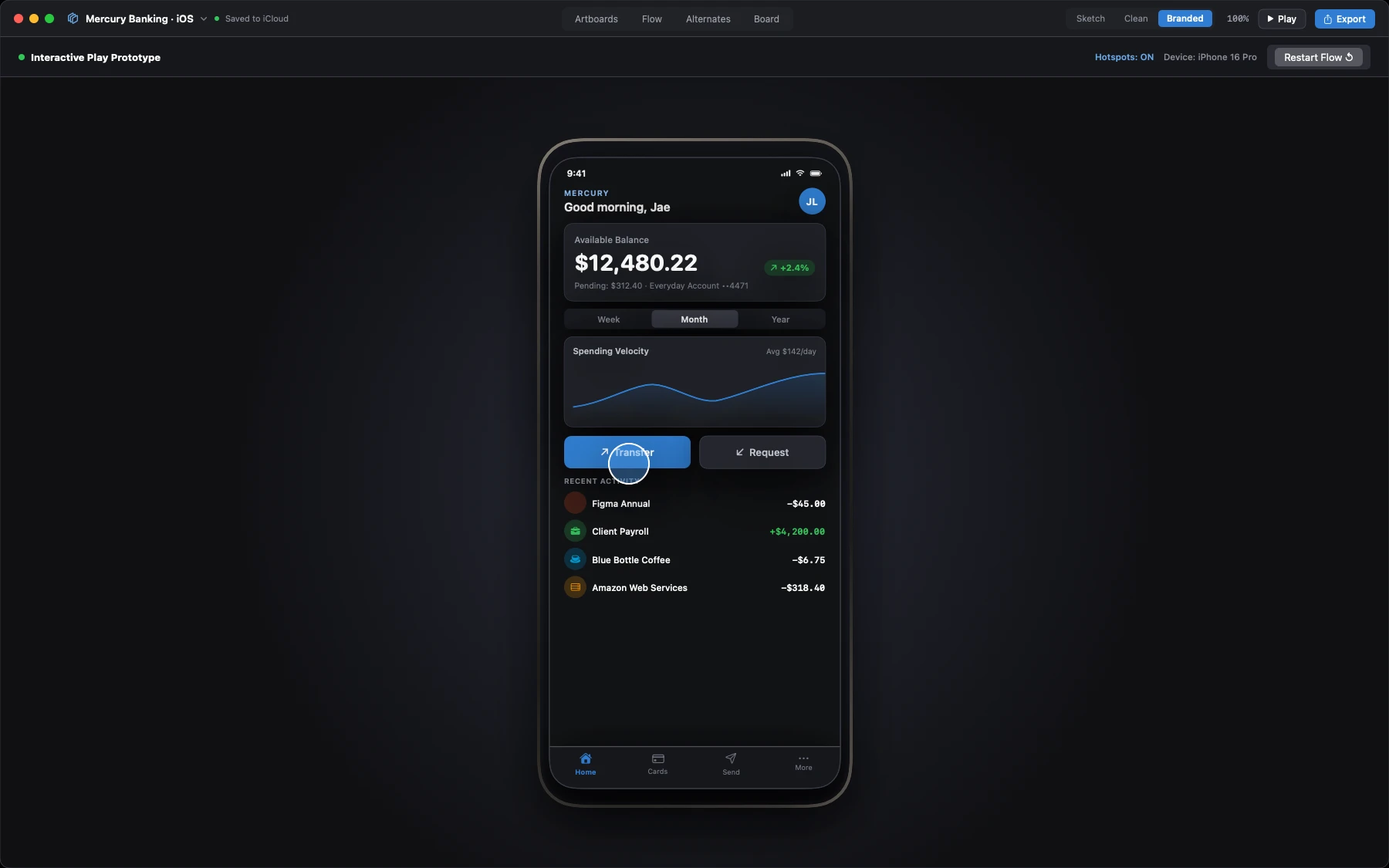
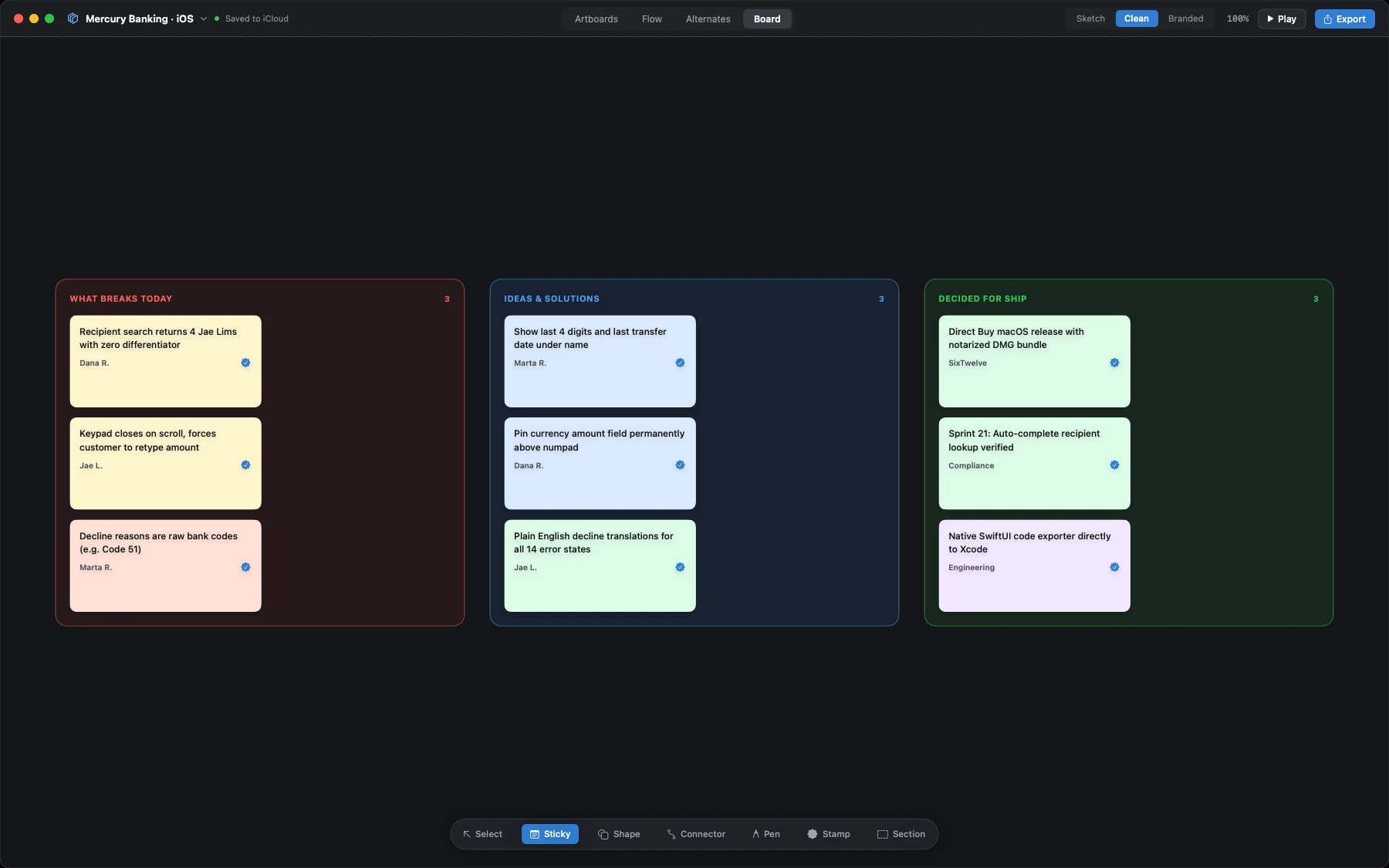
A native wireframe and app mockup studio for macOS. Sketch interface ideas on an infinite canvas with over 200 ready-to-use controls. Glide from rough hand-drawn concepts to clean production wireframes with the fidelity dial, link screens into clickable prototypes, and export clean, working SwiftUI packages directly to Xcode. No subscriptions and no cloud accounts.
$29.99 one-time · macOS
- Yours to keep
- Works offline
- Refund within 48 hours
macOS 15 or newer on Apple silicon and Intel, signed and notarized by Apple. Linux and Mac App Store versions remain in active development. One licence covers every Mac you own.
What it does not do
Most design apps force you into monthly subscriptions and store your work in someone else's cloud. Mocksyy is a private desktop app.
- No account
- Nothing to sign into. Open the app and start designing right away.
- No cloud lock-in
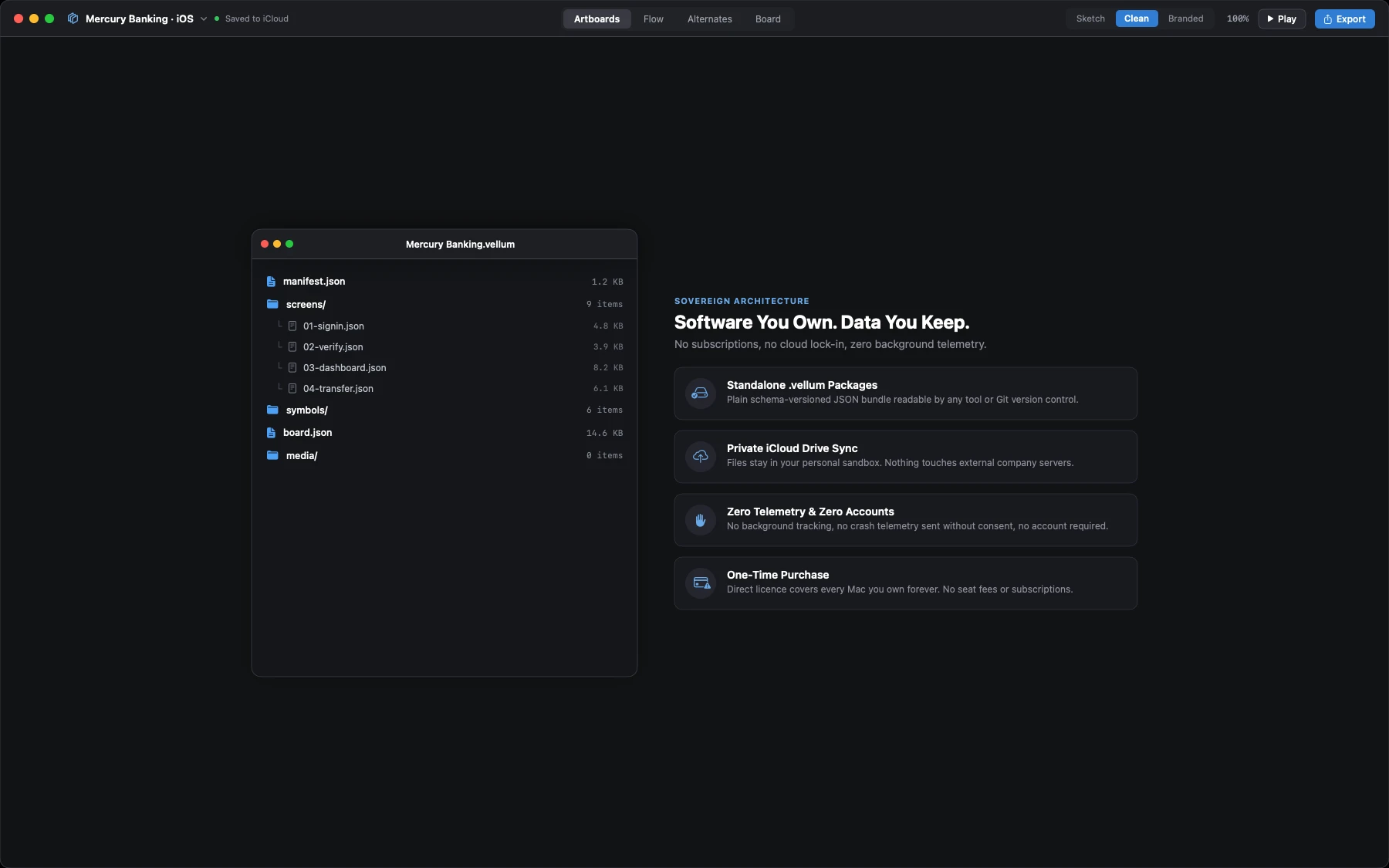
- Your mockups save directly to your computer as clean .vellum project files.
- No telemetry
- Zero tracking, zero analytics, and zero snooping while you build.
- No subscription
- Buy it once, keep it forever. No monthly seat fees or recurring bills.
What it does
200+ native Apple controls
Drag and drop real navigation bars, buttons, list rows, pickers, and sheets for iPhone, iPad, and Mac. Everything snaps to alignment guides.
Three-level fidelity dial
Shift your design between a hand-drawn sketch style, clean geometric wireframes, or branded layouts on the exact same artboard with one click.
Real SwiftUI code export
Export your screens as clean Swift packages that compile directly in Xcode. You get real SwiftUI view code with previews, not static pictures.
Clickable prototype flows
Draw connection arrows between buttons and target screens. Test user journeys inside a realistic device frame with touch interactions.
Ideation whiteboard
Map out product requirements, user journeys, and architecture notes using sticky notes and connectors directly beside your screens.
Local .vellum project files
Every project saves as a local file bundle on your Mac or private iCloud Drive. Easy to back up, share, or track in version control.
A look inside
Screenshots of the build that is on sale today, taken on an active project inside macOS.
The download
Direct release for macOS. The download link is provided immediately after checkout and sent by email.
- .dmg macOS 15 or newer, Apple silicon and Intel. Signed with Developer ID and notarized by Apple. Available now. Universal
- Linux Native port in development. Standalone Slint/GTK package for x86_64 and arm64 coming soon. In Dev
- App Store Mac App Store and iPadOS universal purchase bundle in development. In Dev
How buying works
Pay once through Stripe. You are returned to a fulfillment page carrying your licence and download link, and the same licence arrives by email. Paste it into Mocksyy under Settings, Licence; the check happens on your own machine and never repeats.
Updates
$29.99 covers Mocksyy 1.x for as long as it is maintained, every fix and every feature in that generation at no further cost. If a major Mocksyy 2 ever ships, it will be a separate optional purchase, and 1.x will keep working indefinitely on your machine.
Requirements
macOS 15 or newer on Apple silicon or Intel. Standalone native binary with zero external dependencies.
Support & Refunds
Ask within 48 hours of buying and you get your money back, no questions asked. Direct contact: hello@sixtwelve.studio.
SixTwelve Studio / Folio
macOS · No account · Available now (Linux in dev)
Folio
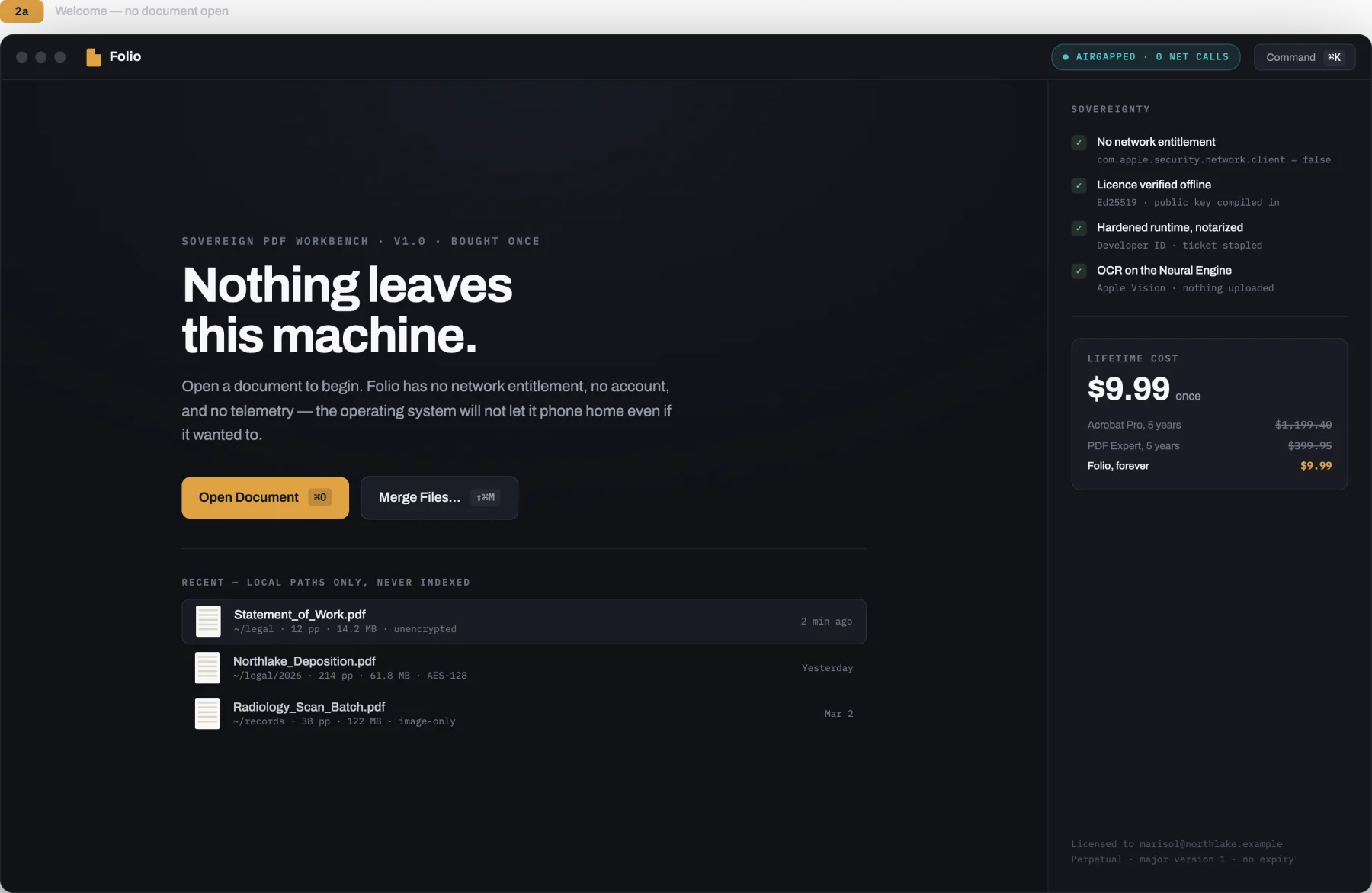
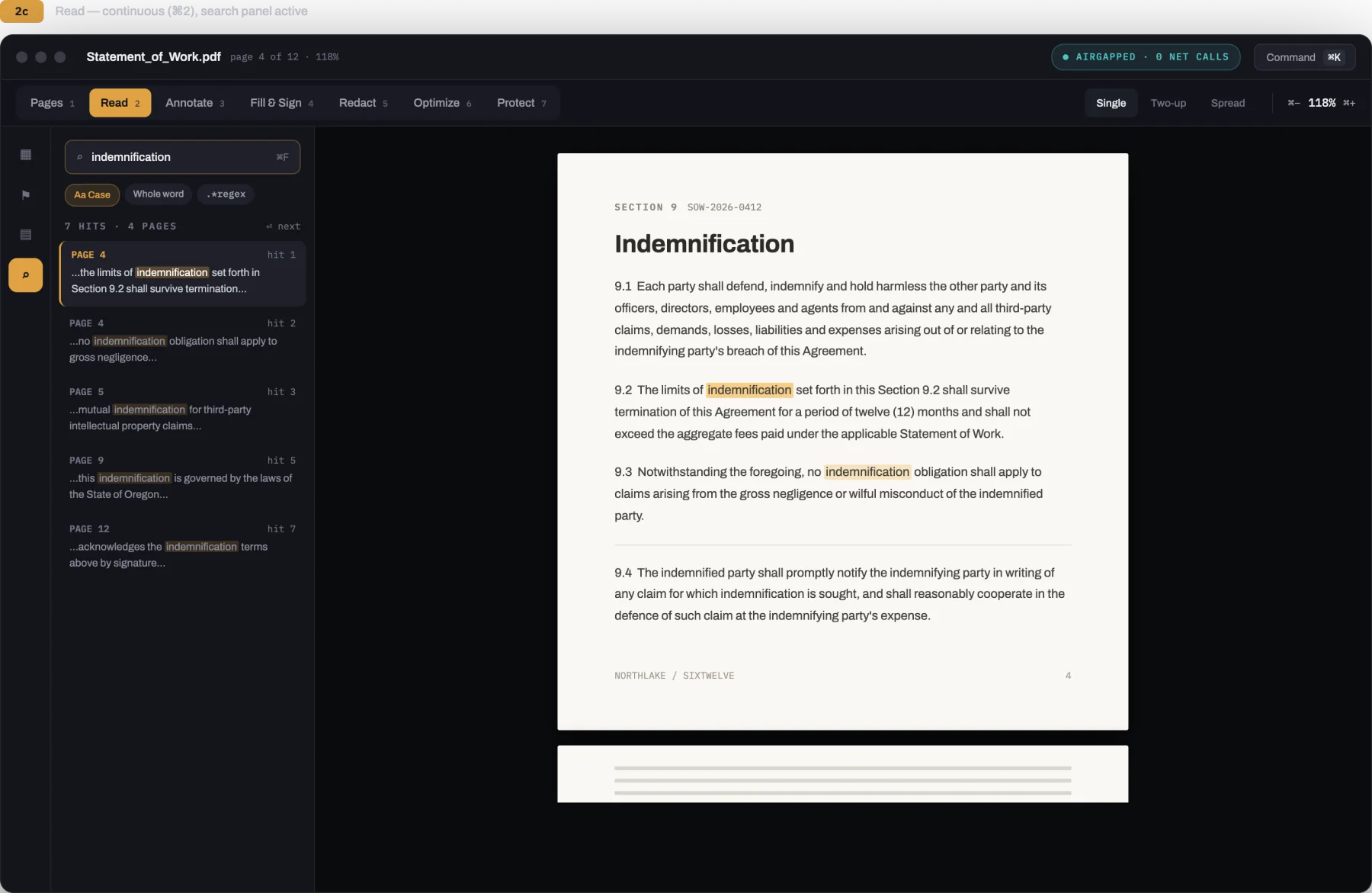
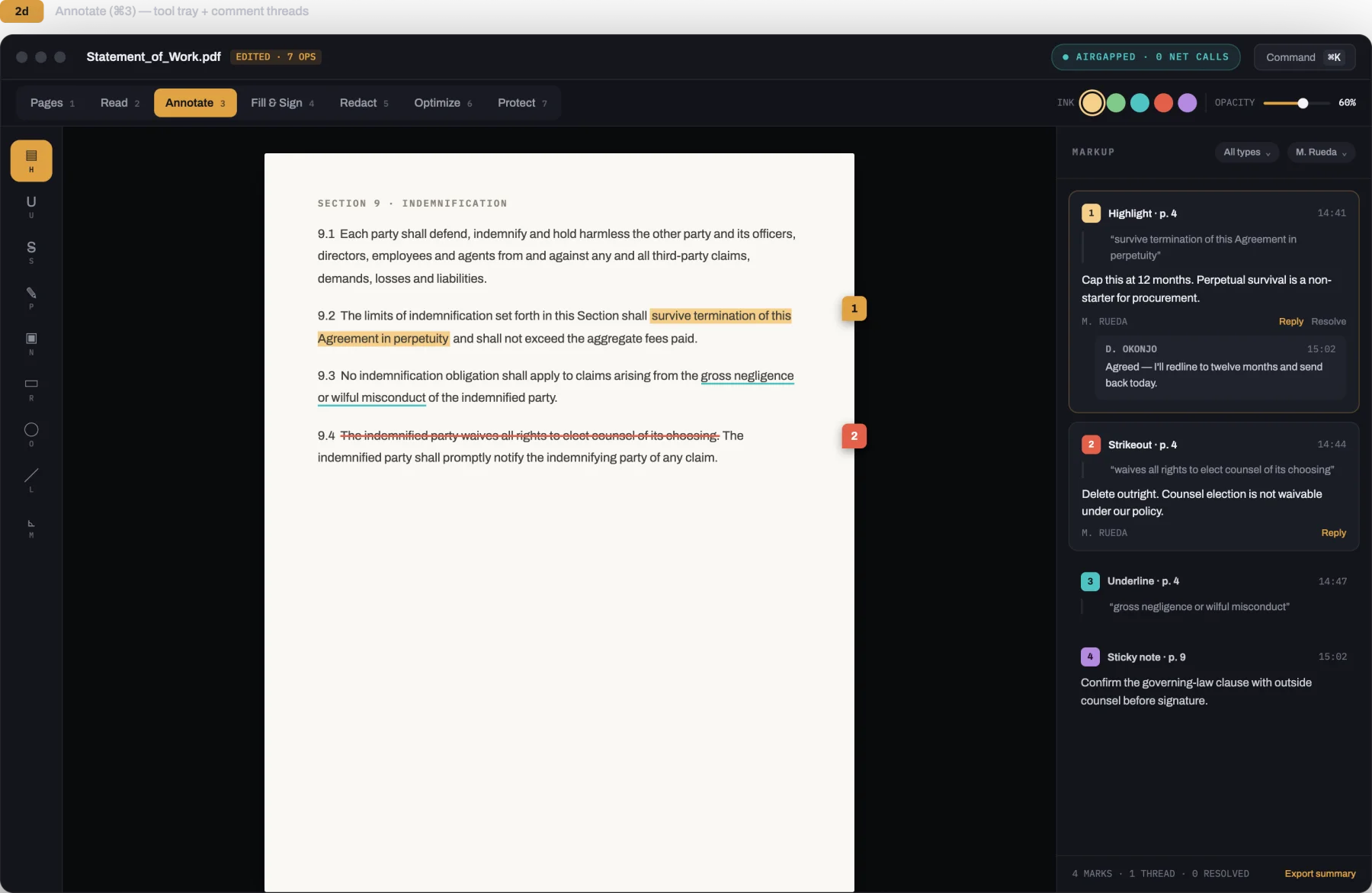
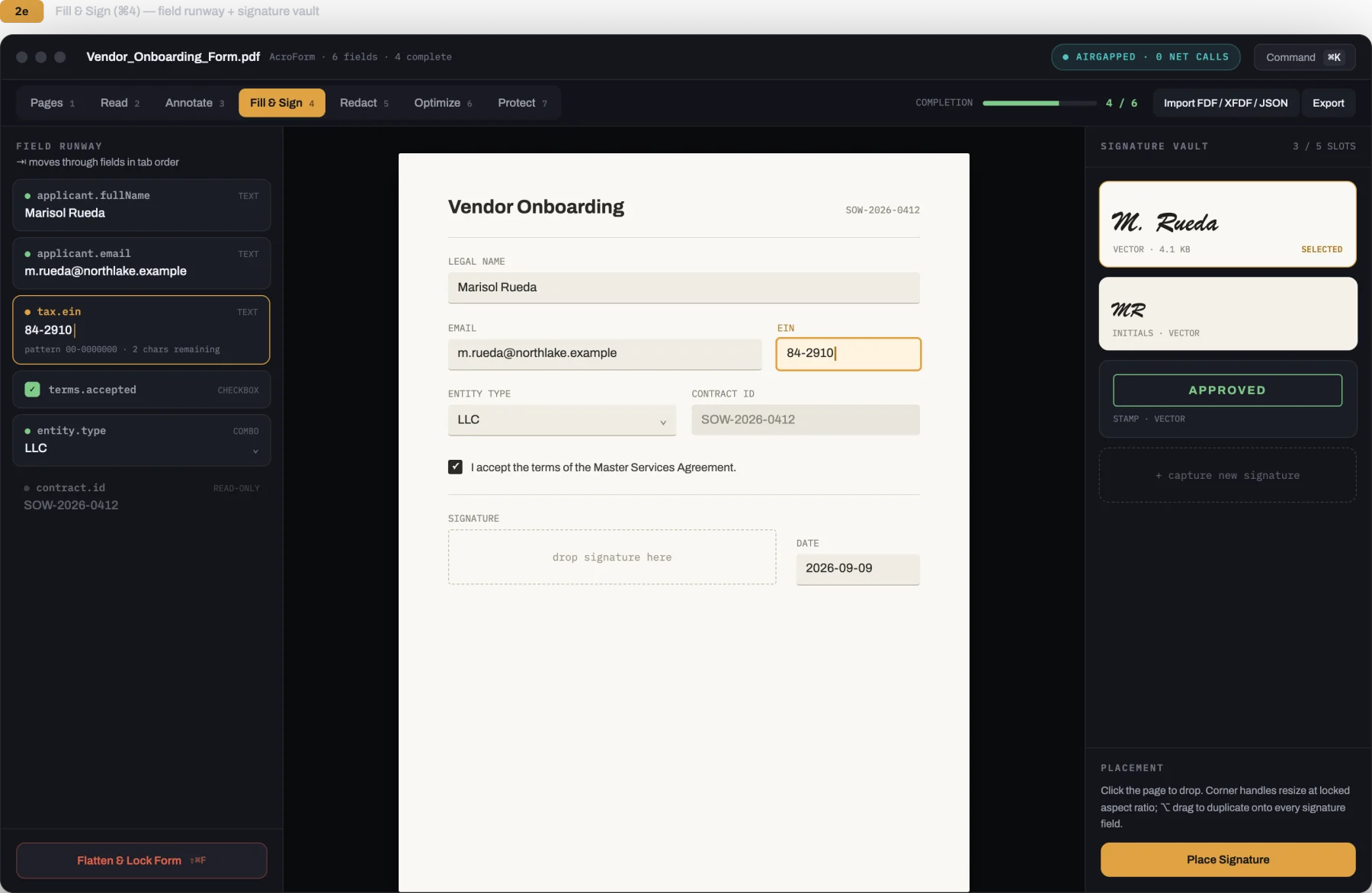
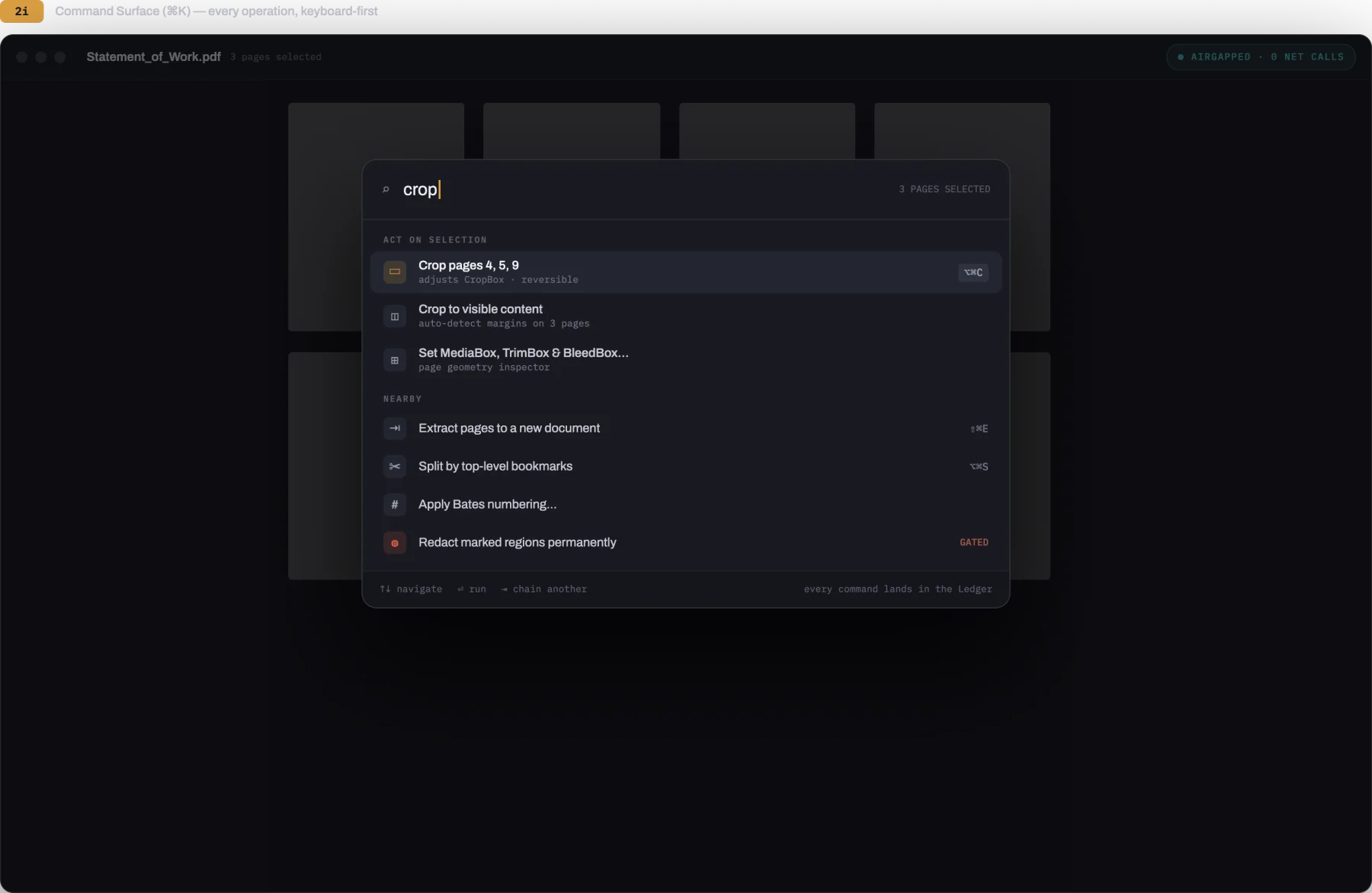
A private, sovereign PDF workbench for macOS. Reorder, rotate, and merge pages on a visual light table, fill and sign legal contracts, permanently erase sensitive information at the byte level, and sanitize metadata before sending. Professional document tools without monthly subscriptions or cloud uploads.
$9.99 one-time · macOS
- Yours to keep
- Works offline
- Refund within 48 hours
macOS 14 Sonoma or newer on Apple silicon and Intel. Signed and notarized by Apple. Linux version remains in active development. One licence covers every Mac you own.
What it does not do
Most PDF tools charge monthly subscription fees and upload your confidential documents to cloud servers. Folio is a private, sovereign utility that runs entirely on your Mac.
- No cloud upload
- Every operation runs locally on your machine. Your private documents never touch the internet.
- No subscription
- Pay once and keep Folio forever. Zero recurring monthly or annual fees.
- No account
- No account creation, no email sign-in, and zero analytics or telemetry tracking.
- No fake redaction
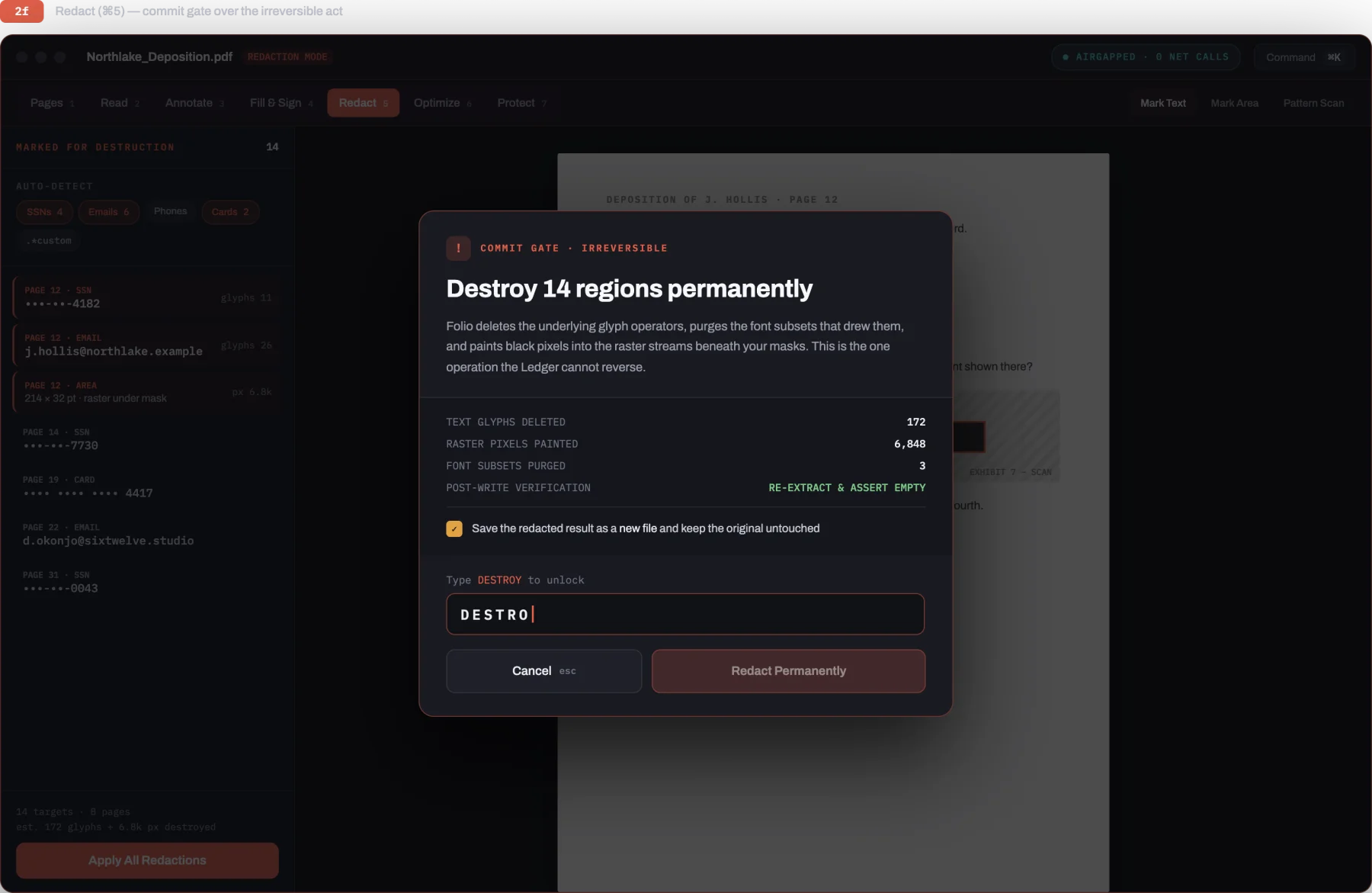
- Redacted words and figures are erased at the raw byte level, not simply hidden behind black boxes.
What it does
Visual light table
Drag, reorder, rotate, split, and merge pages across multiple PDF documents with responsive thumbnail previews.
True irreversible redaction
Permanently erase private names, tax numbers, and financial details. Folio deletes the underlying characters and pixels from the file bytes.
Form filling and signatures
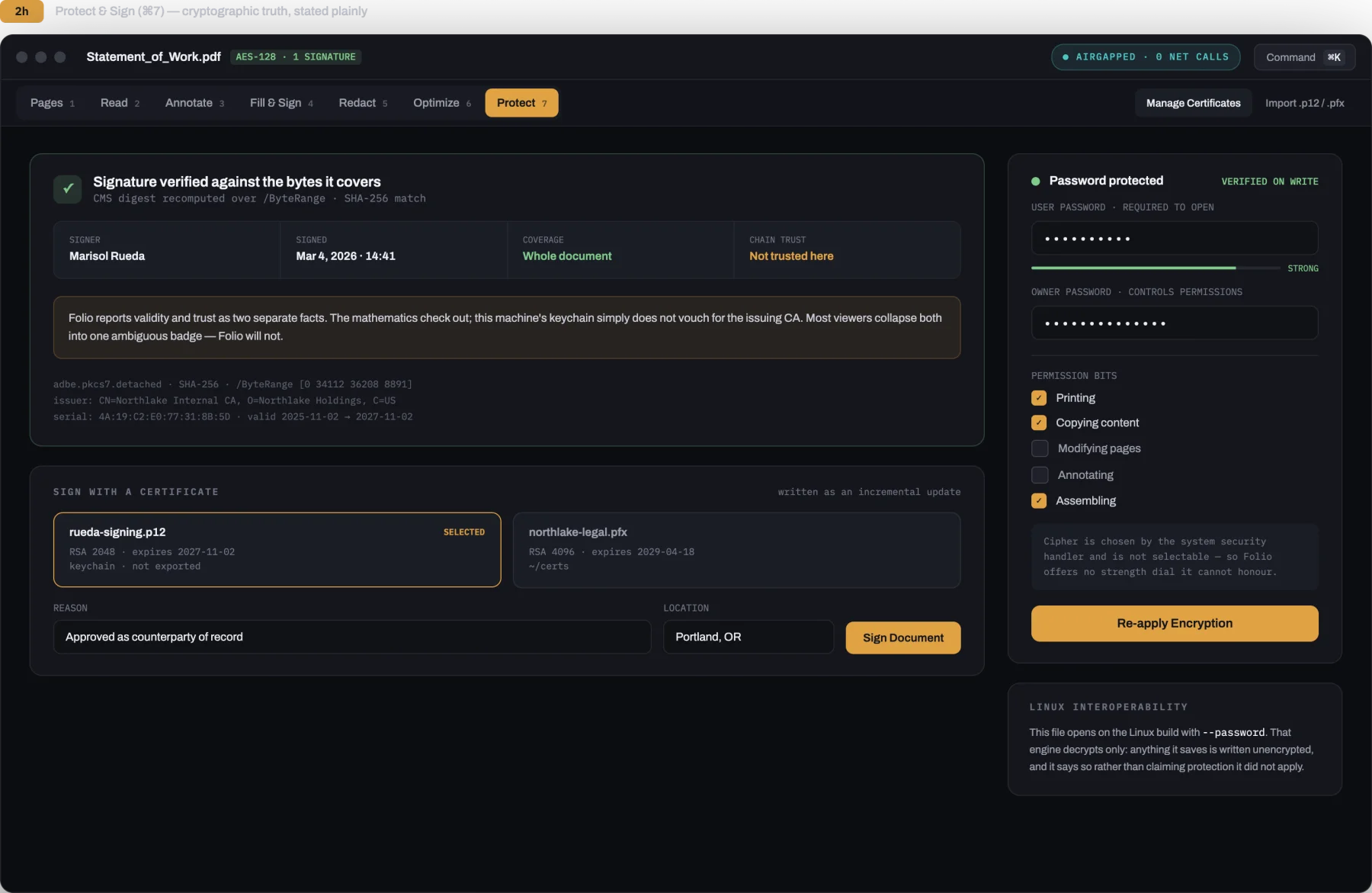
Complete interactive form fields, flatten forms for safe distribution, and sign documents with PKCS#12 digital certificates.
Privacy and metadata cleaner
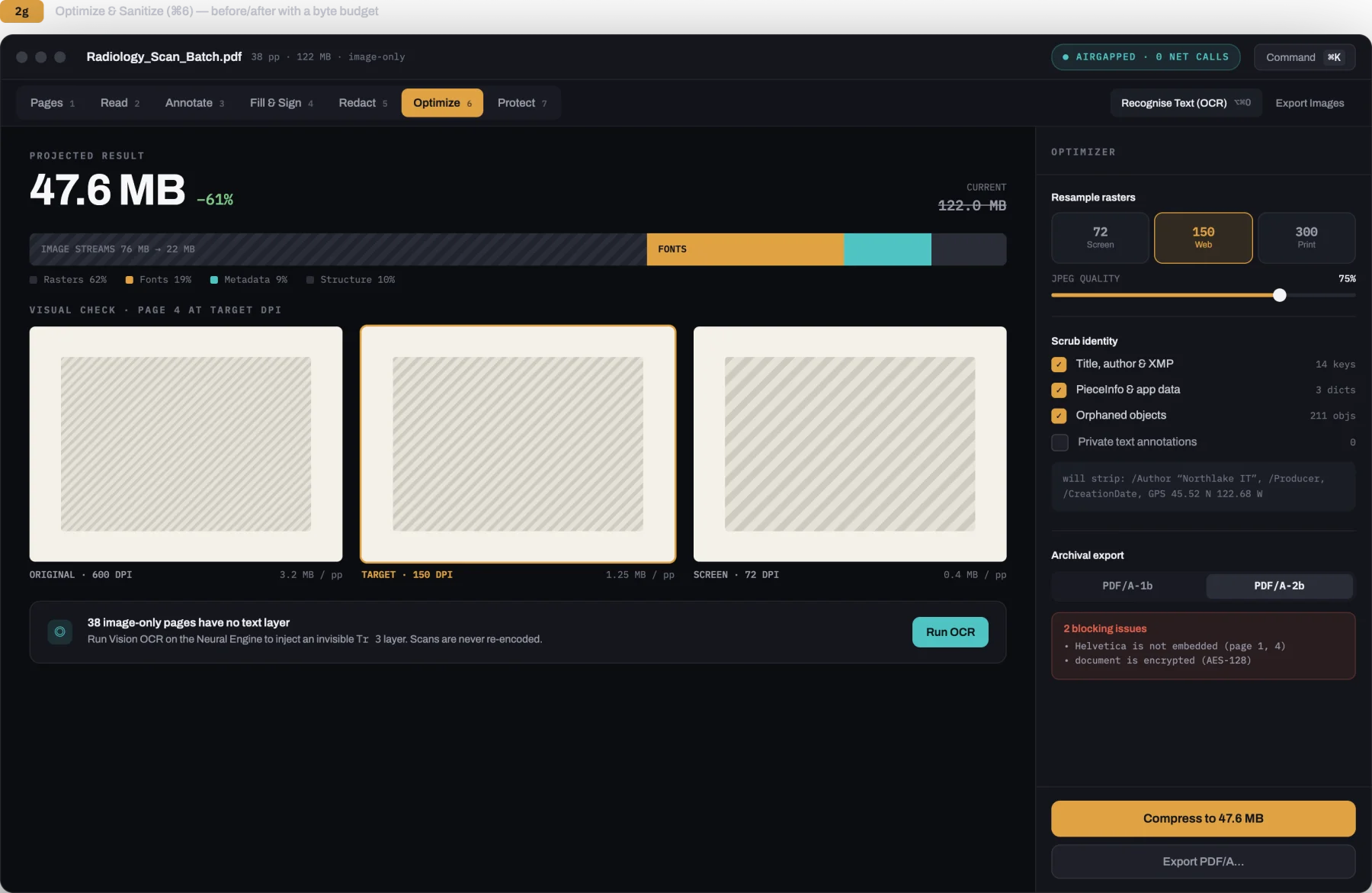
Strip author names, edit histories, printer marks, and GPS location data before sharing confidential documents.
On-device text recognition
Turn scanned receipts and documents into selectable, searchable text using Apple Vision. Everything runs locally on your Mac.
Crash-safe atomic saves
Changes write to a temporary file before replacing the original document, protecting your files against corruption if power cuts out.
A look inside
Screenshots of Folio in action on macOS Sonoma and Sequoia.
The download
Direct release for macOS. The download link is provided immediately after checkout and sent by email.
- .dmg macOS 14 Sonoma or newer, Apple silicon and Intel. Signed with Developer ID and notarized by Apple. Available now. Universal
- Linux Native port in development. Standalone binary for x86_64 and aarch64 coming soon. In Dev
How buying works
Pay once through Stripe. You are returned to a fulfillment page carrying your licence and download link, and the same licence arrives by email. Paste it into Folio under Settings, Licence; the check happens on your own machine and never repeats.
Updates
$9.99 covers Folio 1.x for as long as it is maintained, every fix and every feature in that generation at no further cost. If a major Folio 2 ever ships, it will be a separate optional purchase, and 1.x will keep working indefinitely on your machine.
Requirements
macOS 14 Sonoma or newer on Apple silicon or Intel. Sandboxed native binary with zero network access entitlements.
Support & Refunds
Ask within 48 hours of buying and you get your money back, no questions asked. Direct contact: hello@sixtwelve.studio.
SixTwelve Studio / roono
macOS · Writing IDE · Available now
roono
A native writing IDE for investigative journalists, essayists, and novelists. Evidence pins beside every claim, an encrypted local Vault for confidential documents that never touches the network, and offline licence activation. Professional longform prose tools without recurring subscriptions.
$50 one-time · macOS
- Yours to keep
- Works offline
- Refund within 48 hours
macOS 14 Sonoma or newer on Apple silicon and Intel. Signed and notarized by Apple. One licence covers every Mac you own.
What it does not do
Most writing software forces cloud synchronization, extracts telemetry, or locks your work behind monthly subscriptions. roono is an offline-first writing sanctuary.
- No forced cloud
- Your drafts, notes, and investigative materials stay strictly on your local disk. Nothing is uploaded to remote servers.
- No subscription
- Pay once and keep the app forever. Zero recurring monthly or annual fees.
- No hidden AI edits
- Assistants only propose structured diffs that you inspect and accept. Text is never altered automatically.
- No telemetry
- Zero behavioral telemetry, zero keyloggers, and zero network calls during your writing sessions.
The Writing Desk
Instruments built for deep manuscripts, investigative dossiers, and books.
Direct Purchase & Activation
- Pay once: Complete checkout through Stripe. No subscription or account required.
- Immediate delivery: You immediately receive your private download link and your cryptographically signed licence token.
- Offline activation: Open roono on your Mac, paste your licence in Settings → License, and the app unlocks permanently on that machine.
- Maintenance updates: Free same-major updates download directly with your active licence.
Support & Refunds
Ask within 48 hours of buying and you get your money back, no questions asked. Direct contact: hello@sixtwelve.studio.
Also from SixTwelve
Cameras that remember what film felt like.
Spool gives you a roll of twelve and asks you to wait for the contact sheet. Half pairs two moments in one frame. SixtyFive sees the world in wide cinema. They live on the iPhone, in the App Store.
Meet the cameras ↗