SixTwelve Studio / Verso Markdown

macOS & Linux · No account · Available now
Verso Markdown
It opens a folder, not a library. Your writing stays plain Markdown on your own disk, exactly where you put it, and Verso never sends it anywhere.
$3.99 one-time · macOS and Linux in one purchase
macOS 14 or newer, signed and notarized by Apple. On Linux the AppImage runs on any x86-64 distribution, and Debian and Ubuntu 24.04+ can use the .deb, which is built for x86-64 and for arm64. One licence covers every download, so moving between machines costs nothing.
What it does not do
Most editors are a service with a text box attached. Verso is a text editor. The list below is the product.
- No account
- Nothing to sign into. The app has no concept of a user.
- No cloud
- Your folder is the document store. Verso reads and writes it in place.
- No telemetry
- The binary opens no sockets while you write. Reading mode renders locally.
- No lock-in
- Plain Markdown files. Delete Verso and every document still opens anywhere.
What it does
Reading mode
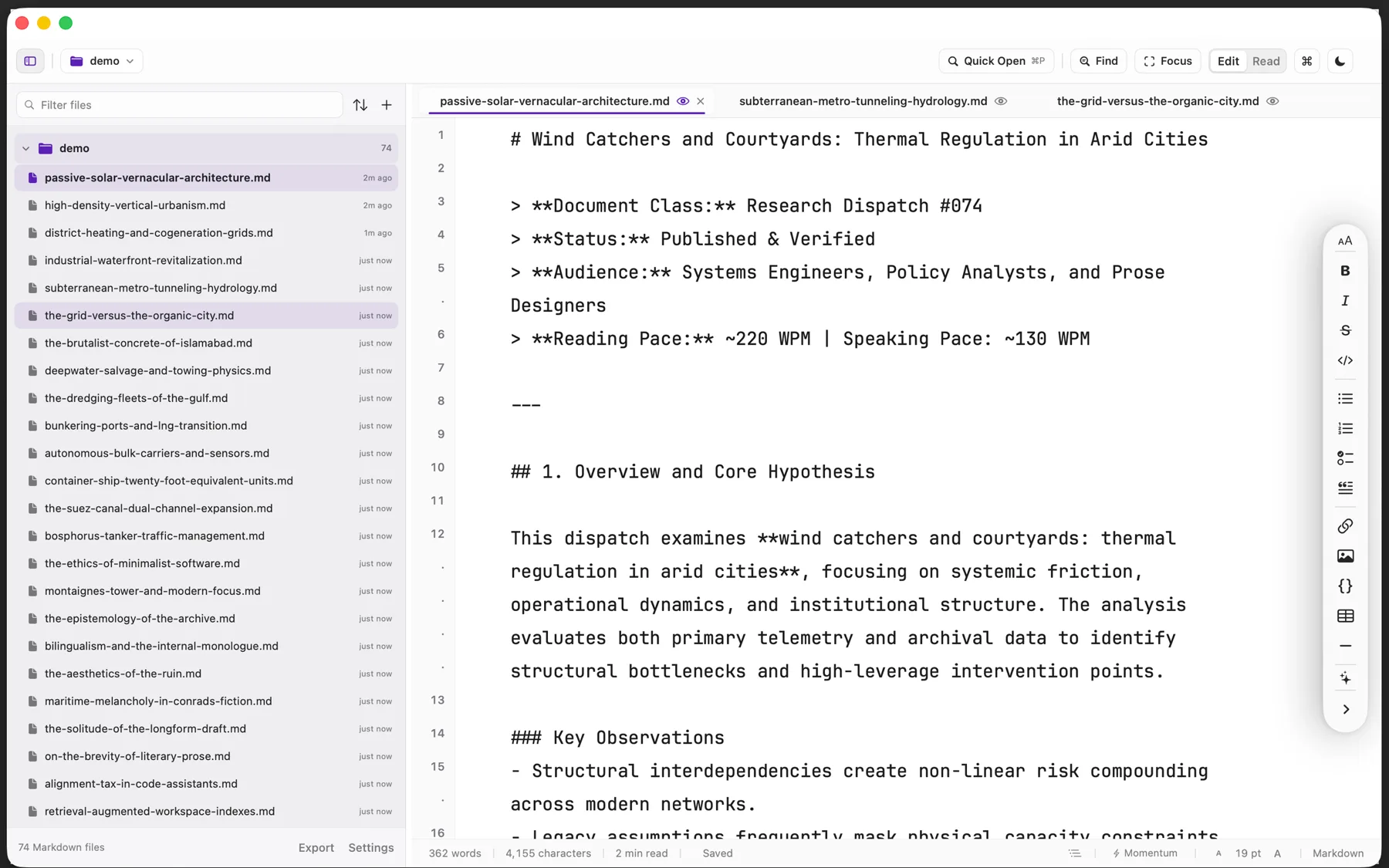
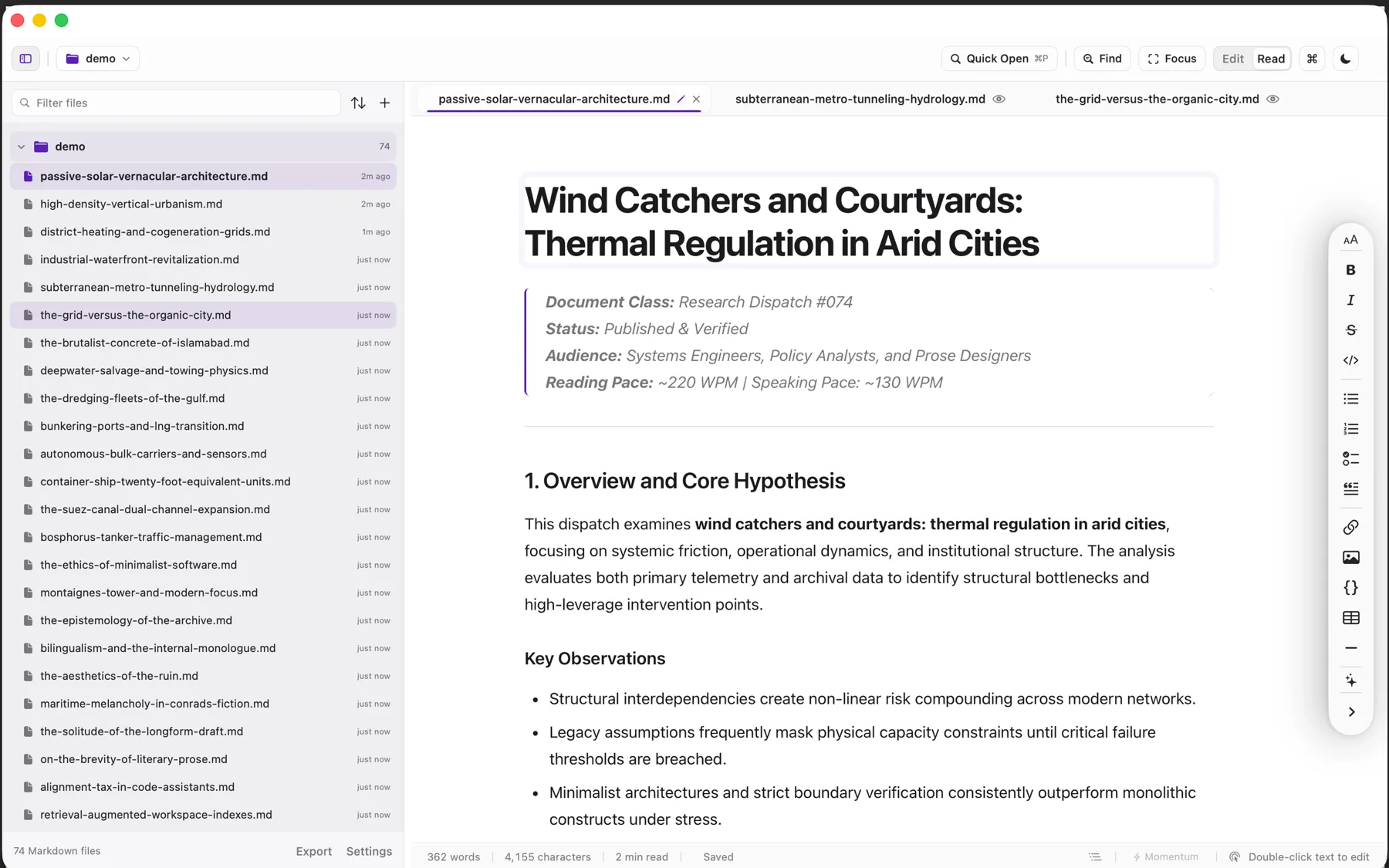
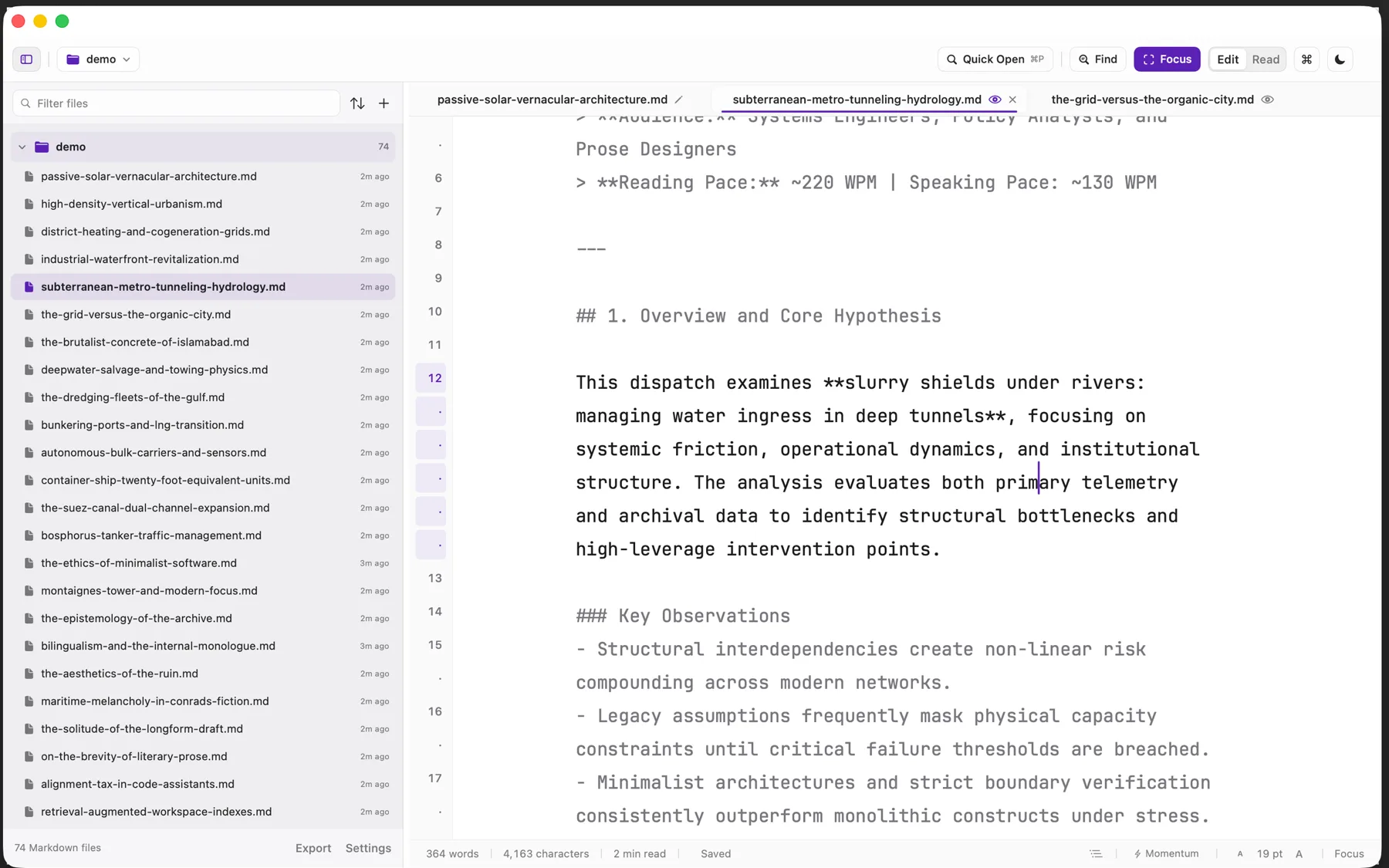
A typographic render of the document you are writing, set at a real measure with proper hierarchy. Click any paragraph to jump the cursor back to its source line.
Momentum
A drafting mode that will not let you delete behind the frontier. You can write forward or stop; you cannot spend the session re-polishing the first sentence.
Focus
Everything but the paragraph under the cursor dims. The measure narrows. The chrome stays where it was so nothing jumps.
The folder
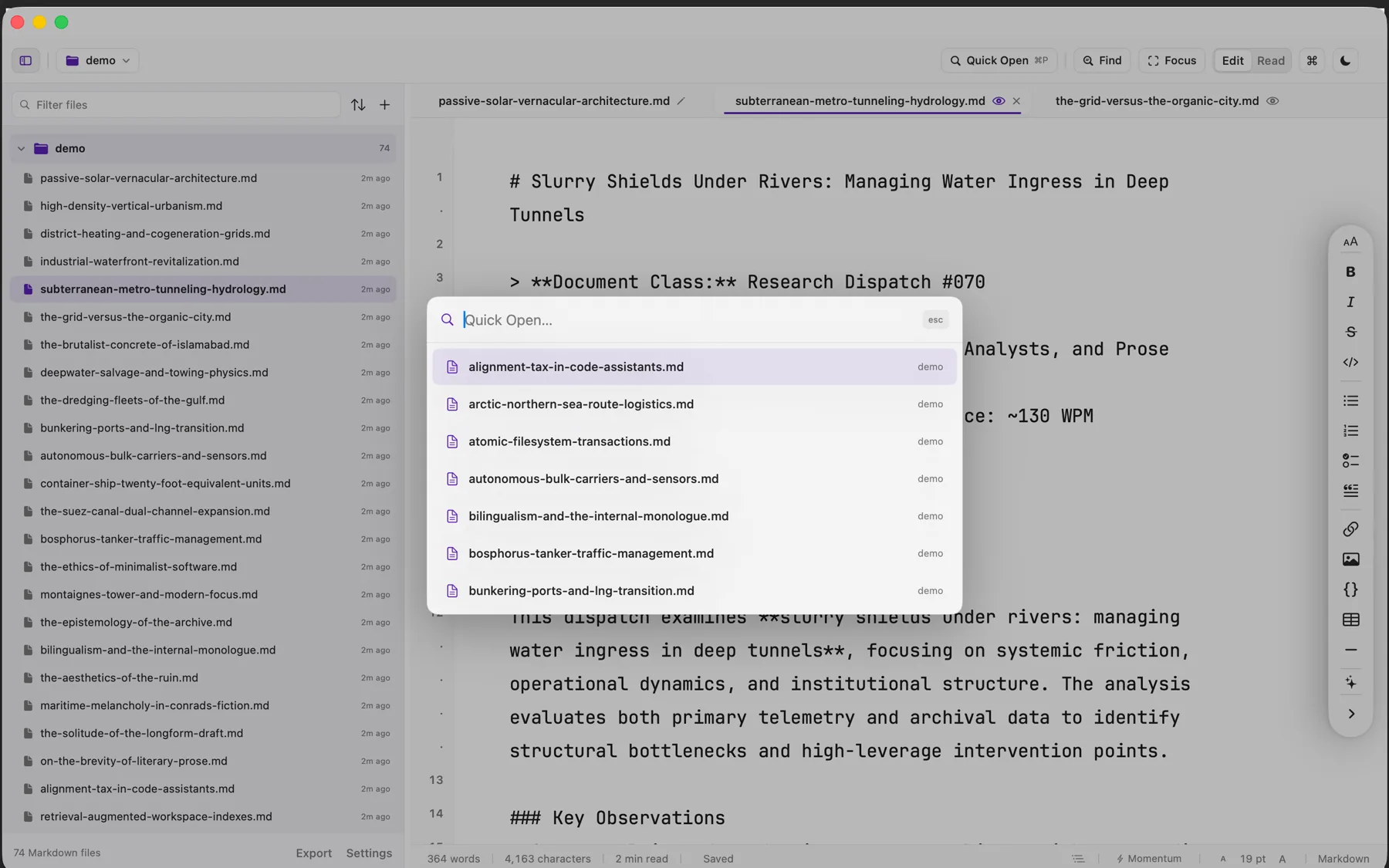
Nested folders, expanded where you left them, filtered as you type. Build directories are skipped, so opening a repository shows documents rather than artefacts.
Find and replace
Literal or regular expression, with a live match count and replace-all across the document.
Outline and analytics
Jump by heading. Words written this session, and the rate you wrote them at, when you want the number.
A look inside
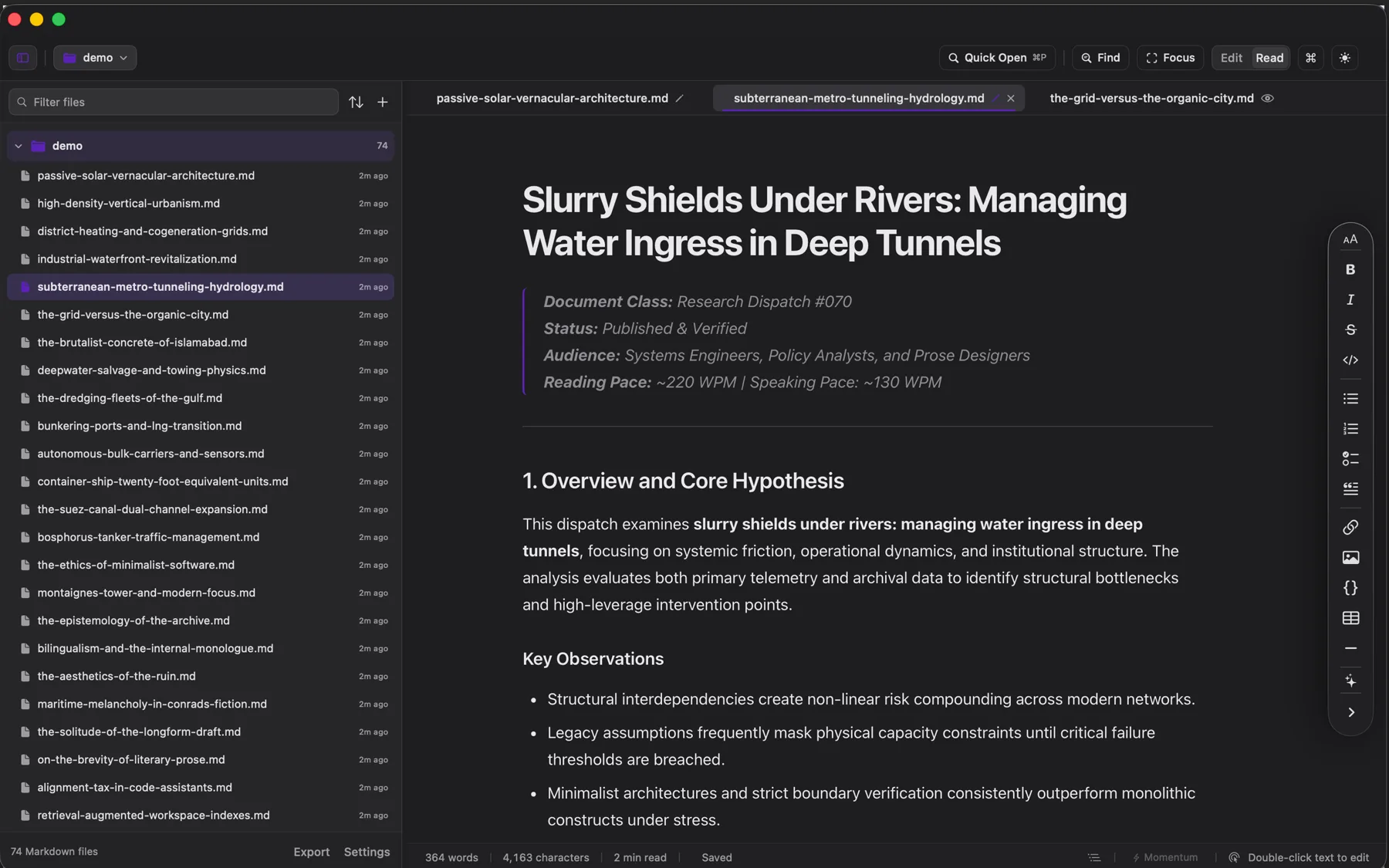
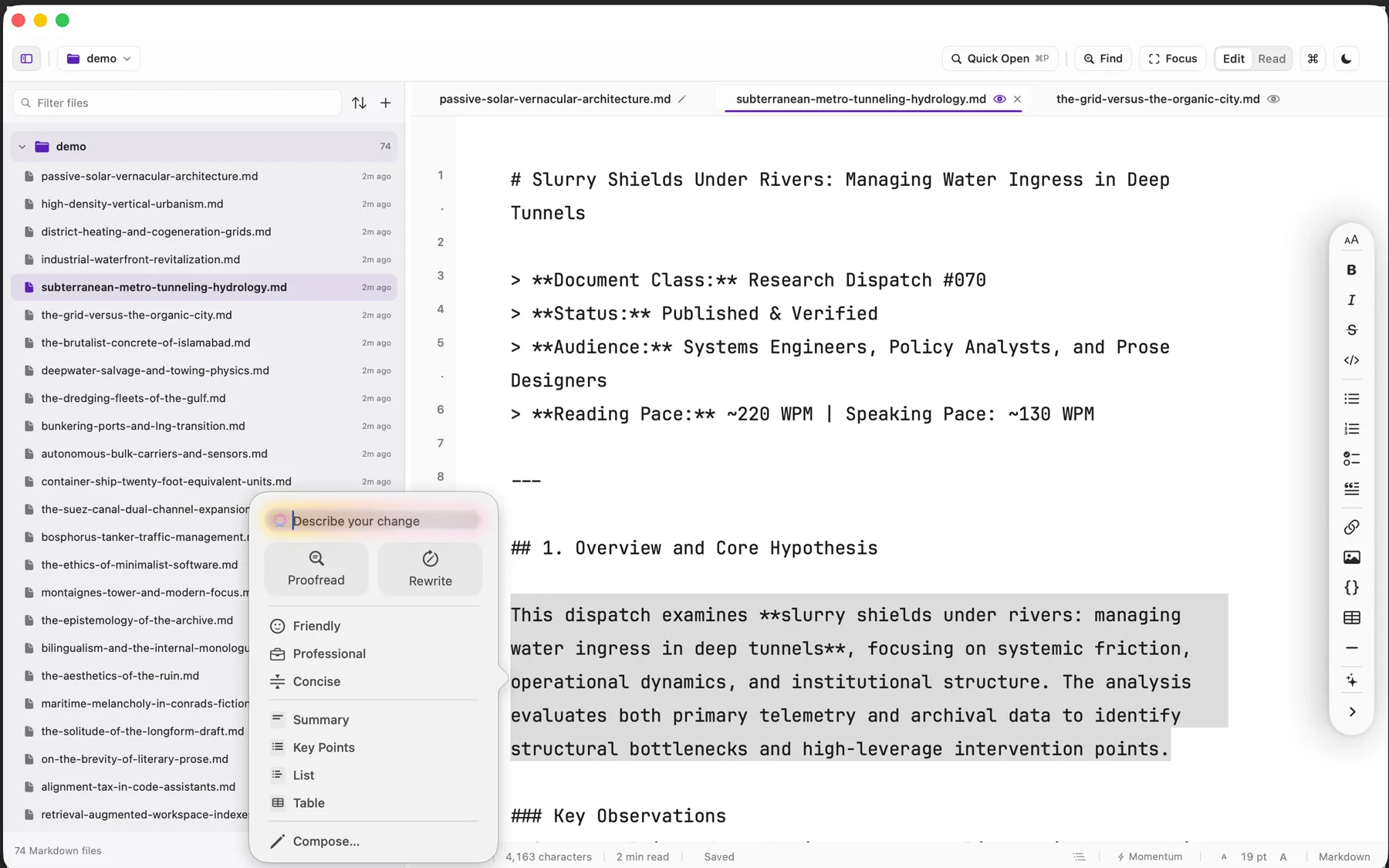
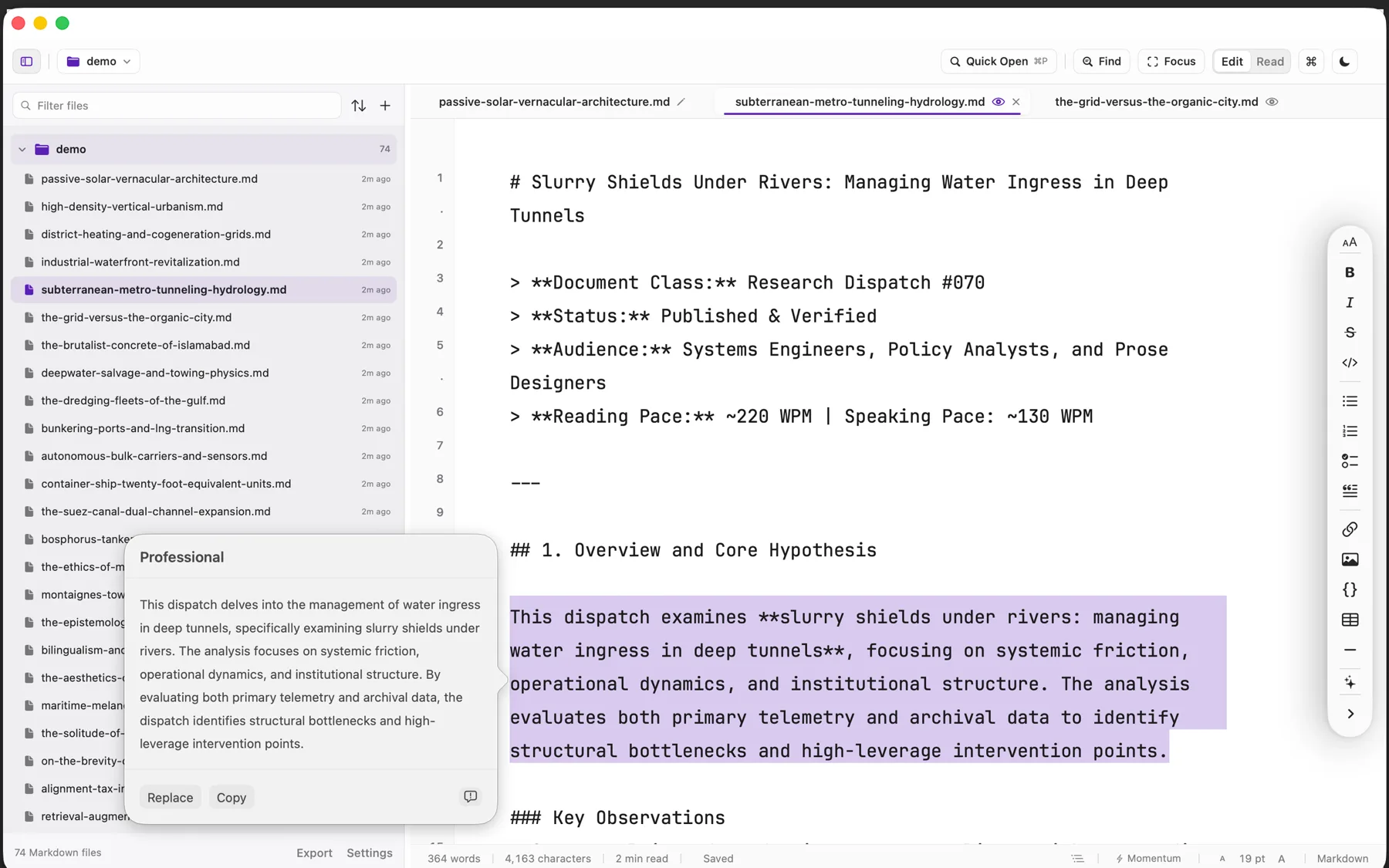
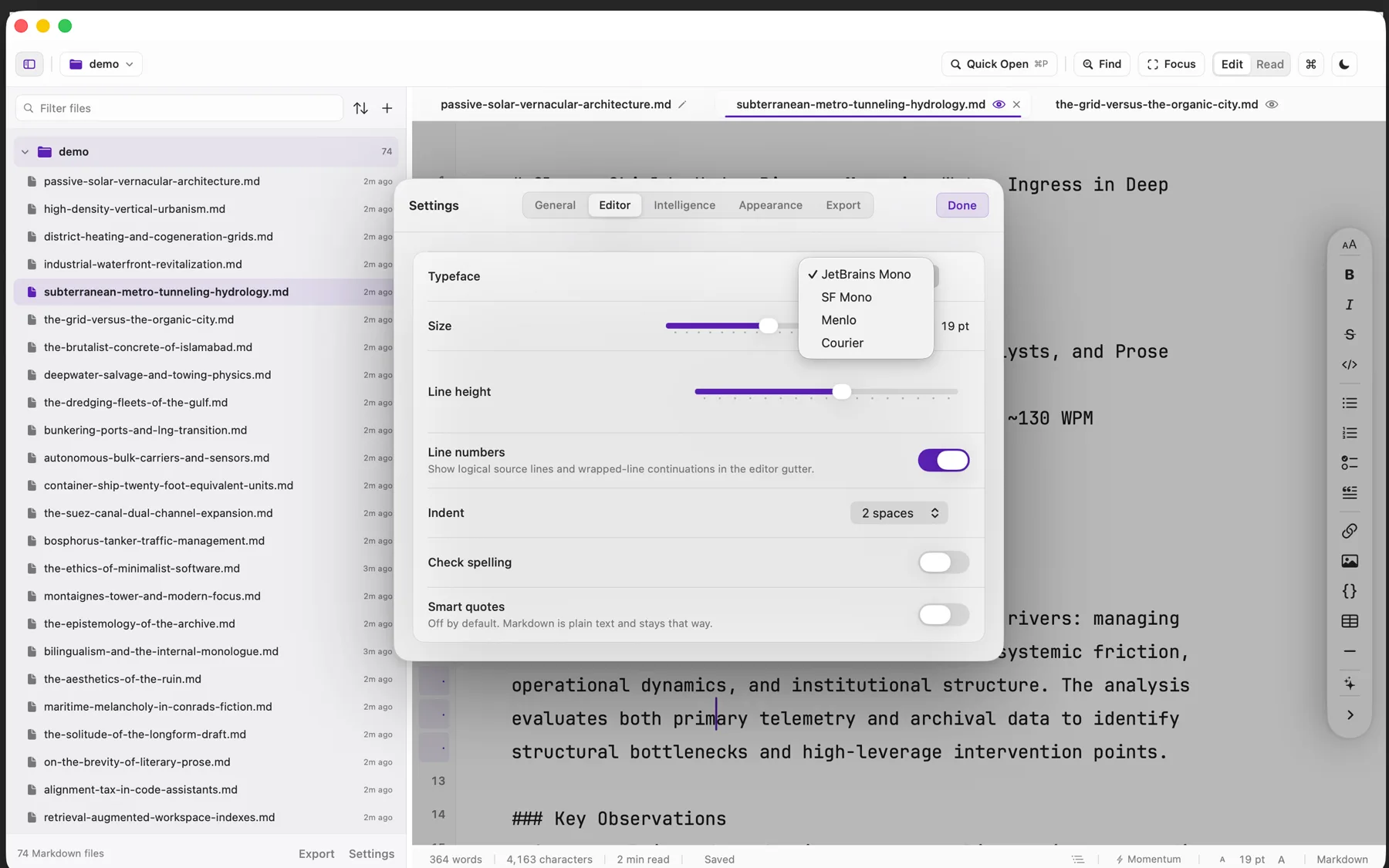
Screenshots of the build that is on sale today, taken on a real folder of real writing.
The download
Every build below is covered by the one purchase, and the links arrive on the page you are returned to as well as by email.
- .dmg macOS 14 or newer, Apple silicon and Intel. Signed and notarized by Apple, so it opens on the first double-click. Universal
- AppImage Any x86-64 distribution. One file, made executable, double-clicked. Built and tested on Ubuntu 24.04+. x86-64
- .deb Debian and Ubuntu 24.04 or newer. Installs the desktop entry, system icon pack, and native menu entries. x86-64
- .deb The same package built for 64-bit ARM machines, for an arm64 desktop or a Raspberry Pi class board. arm64
The disk image is notarized, so macOS opens it without a warning. The AppImage carries its own GTK 4, WebKit, and fonts, which is why it is self-contained: nothing is installed system-wide and nothing is left behind when you delete the file.
How buying works
Pay once through Stripe. You are returned to a page carrying your licence and every download, and the same licence arrives by email. Verso checks the licence on your own machine and never asks again, so the app keeps working whether or not this site does.
Verso is also coming to the Mac App Store. It is the same app; buying here means you have it now, and it is the only way to run it on Linux.
Updates
$3.99 covers Verso 1.x for as long as it is maintained, every fix and every feature in that generation, at no further cost. If a Verso 2 ever ships it will be a separate purchase at an upgrade price, and 1.x will keep working on the machine you installed it on.
Requirements
macOS 14 or newer, Apple silicon or Intel.
Linux on x86-64 or arm64 · GTK 4.12 or newer · Libadwaita 1.5 · a desktop running Wayland or X11. Built and tested on Ubuntu 24.04. The AppImage is x86-64 only and needs no system libraries beyond the graphics stack your desktop already provides; arm64 machines take the .deb.
Support & Refunds
Ask within 48 hours of buying and you get your money back, no case to argue. Anything about either build: hello@sixtwelve.studio. A real person answers, and there is no ticket portal.
SixTwelve Studio / CaptureMood
macOS · No account · Available now
CaptureMood
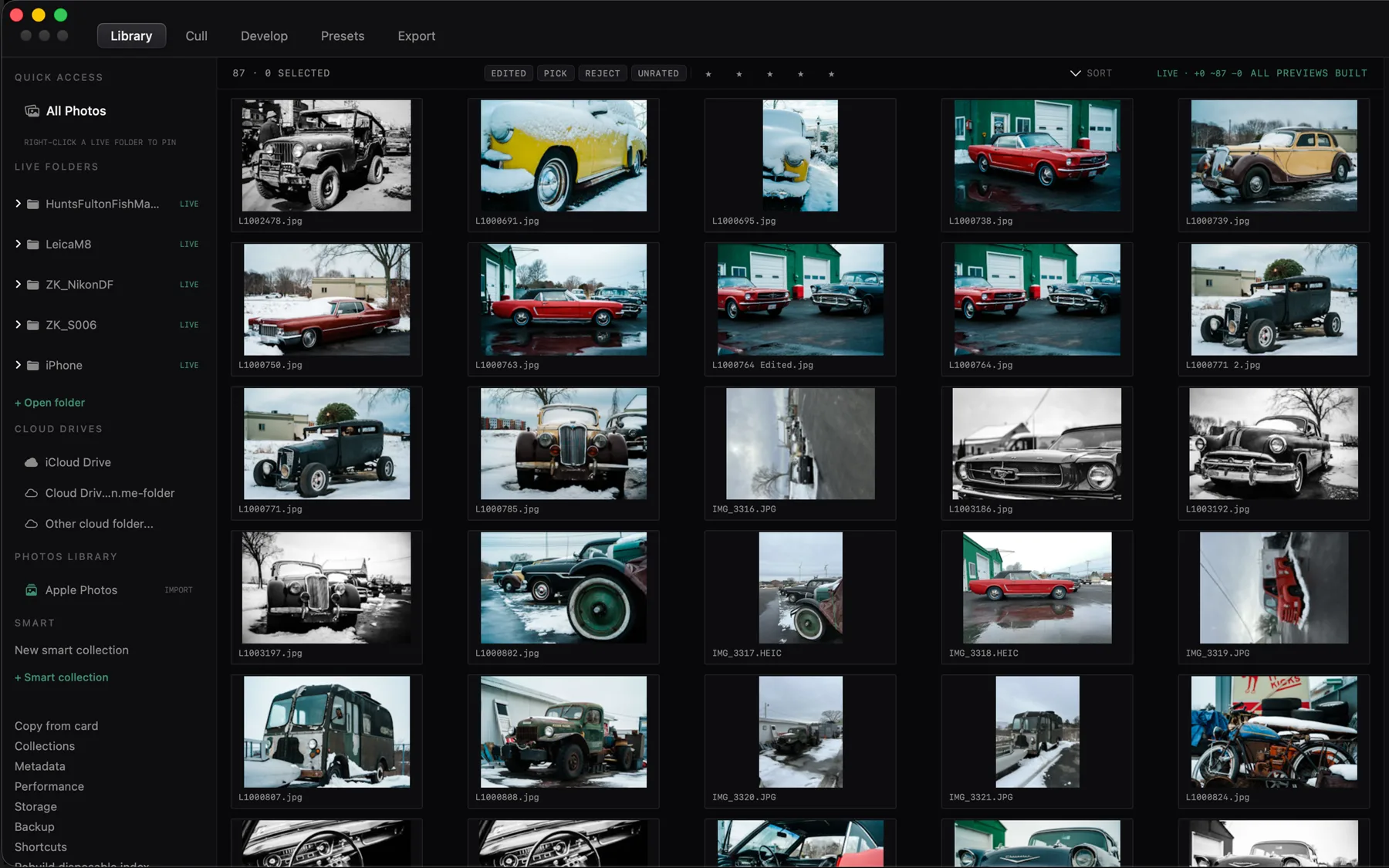
A RAW workroom that reads the folders you already have. Your originals stay where you put them, every edit is written beside the file as plain text, and the catalogue is a disposable index you can throw away without losing a frame.
$24.99 one-time · macOS
macOS 15 or newer on Apple silicon, signed and notarized by Apple. RAW decoding is built in, so nothing has to be installed alongside it, and one licence covers every machine you own.
What it does not do
A photo library usually wants to own your pictures. CaptureMood reads them. The list below is the product.
- No import step
- Point it at a folder and work. Nothing is copied into a vault first.
- No catalogue lock-in
- Edits are plain
.s612sidecars beside each original. Delete the index and rebuild it. - No cloud
- Your drives are the storage. Cloud folders are read as folders, not as a service.
- No subscription
- One purchase. The app checks its licence on your own machine and never asks again.
What it does
Live folders
Any folder becomes a shoot as soon as you open it, and stays reconciled in the background as the filesystem changes underneath you.
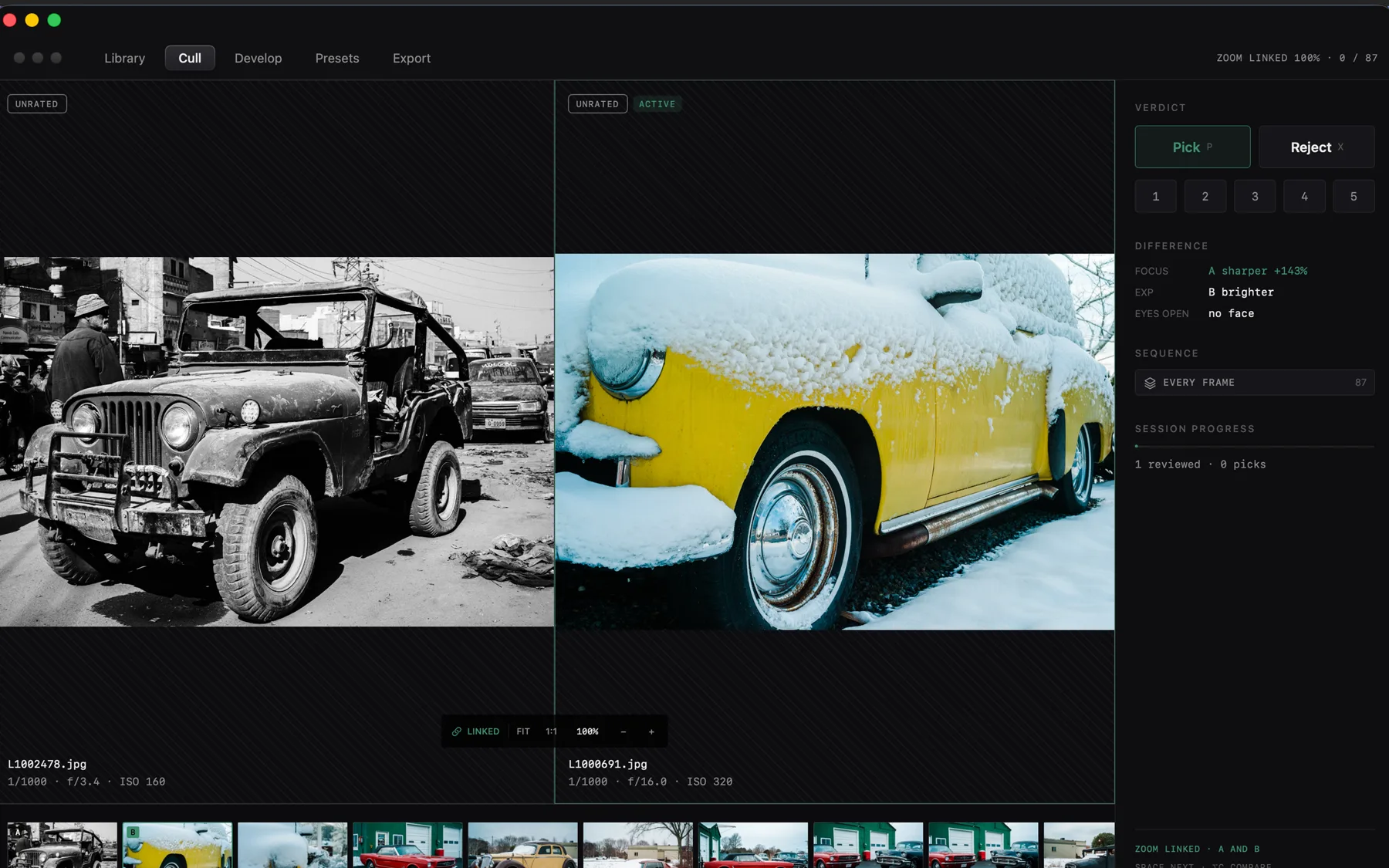
Cull
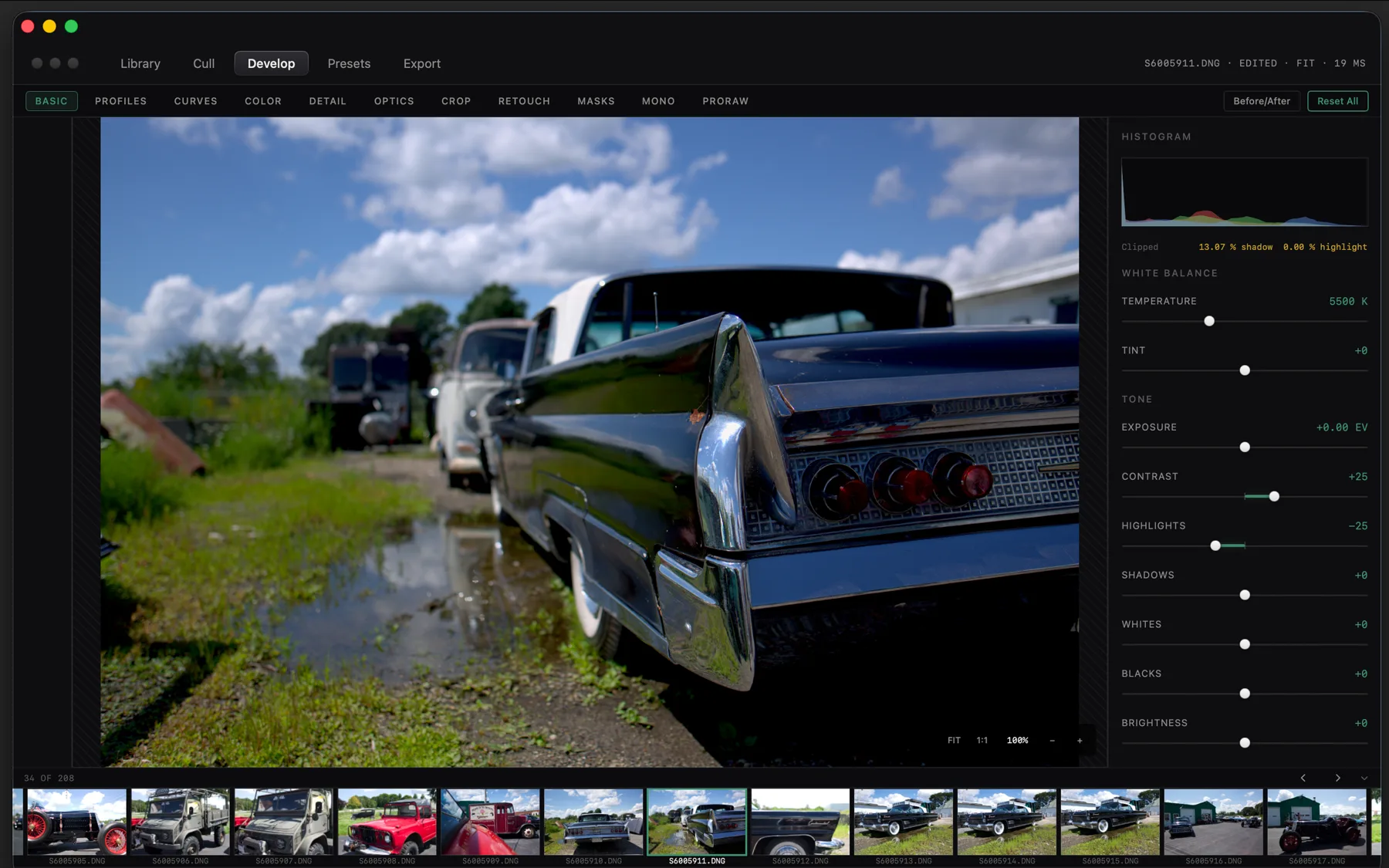
A two-up compare with locked zoom and pan, pick and reject on one keystroke, star ratings on the number row, and a focus and exposure read on the pair in front of you.
Develop
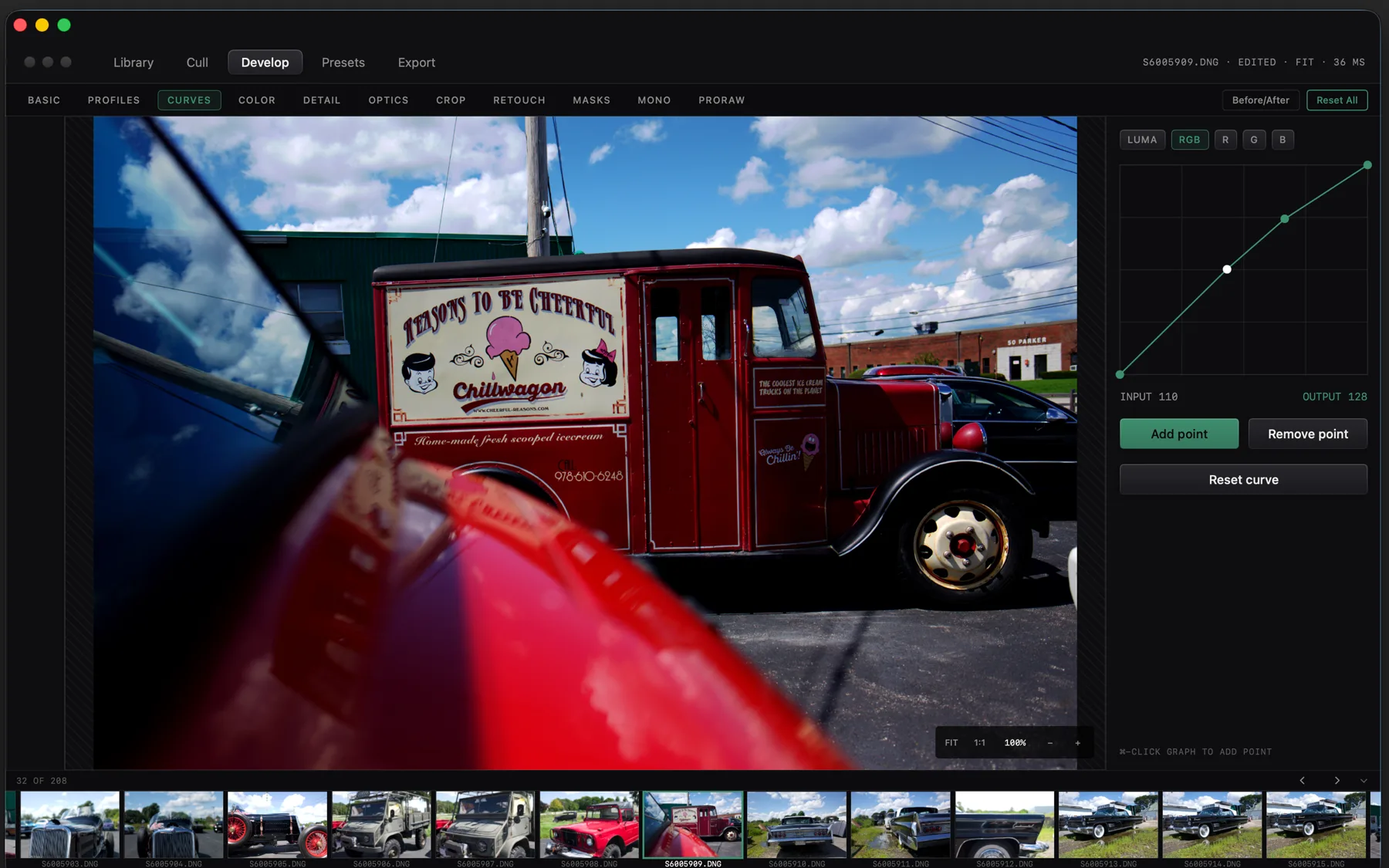
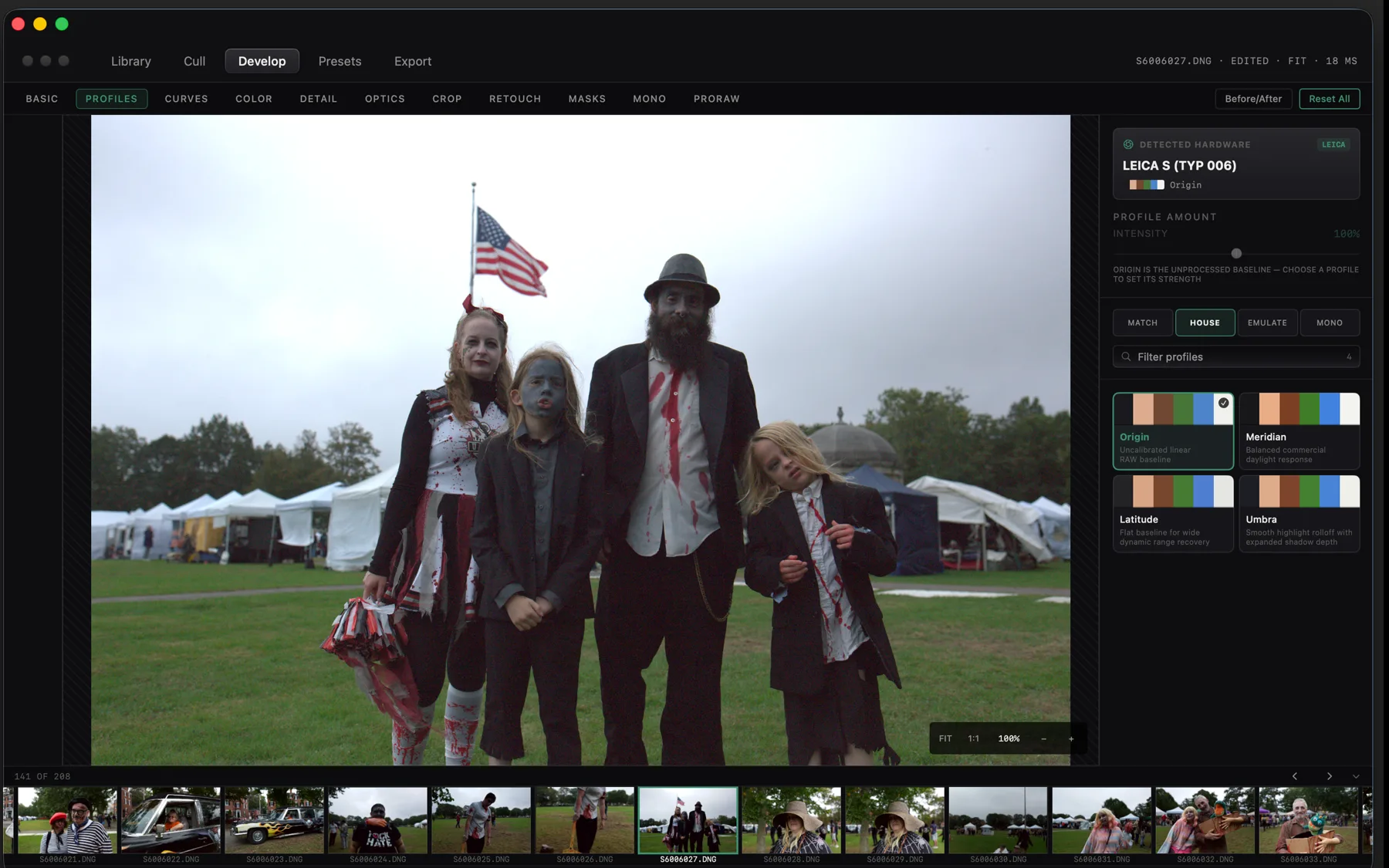
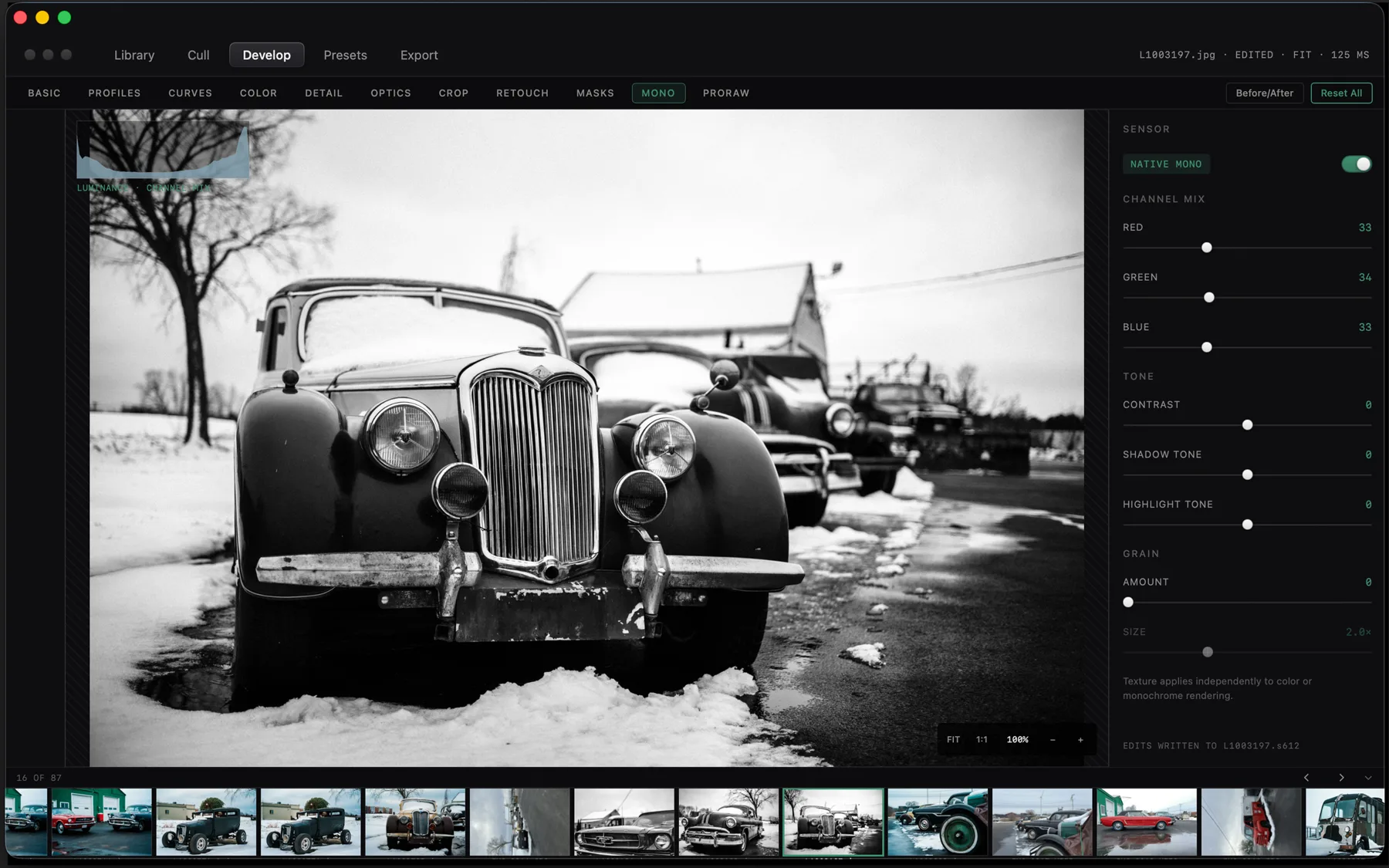
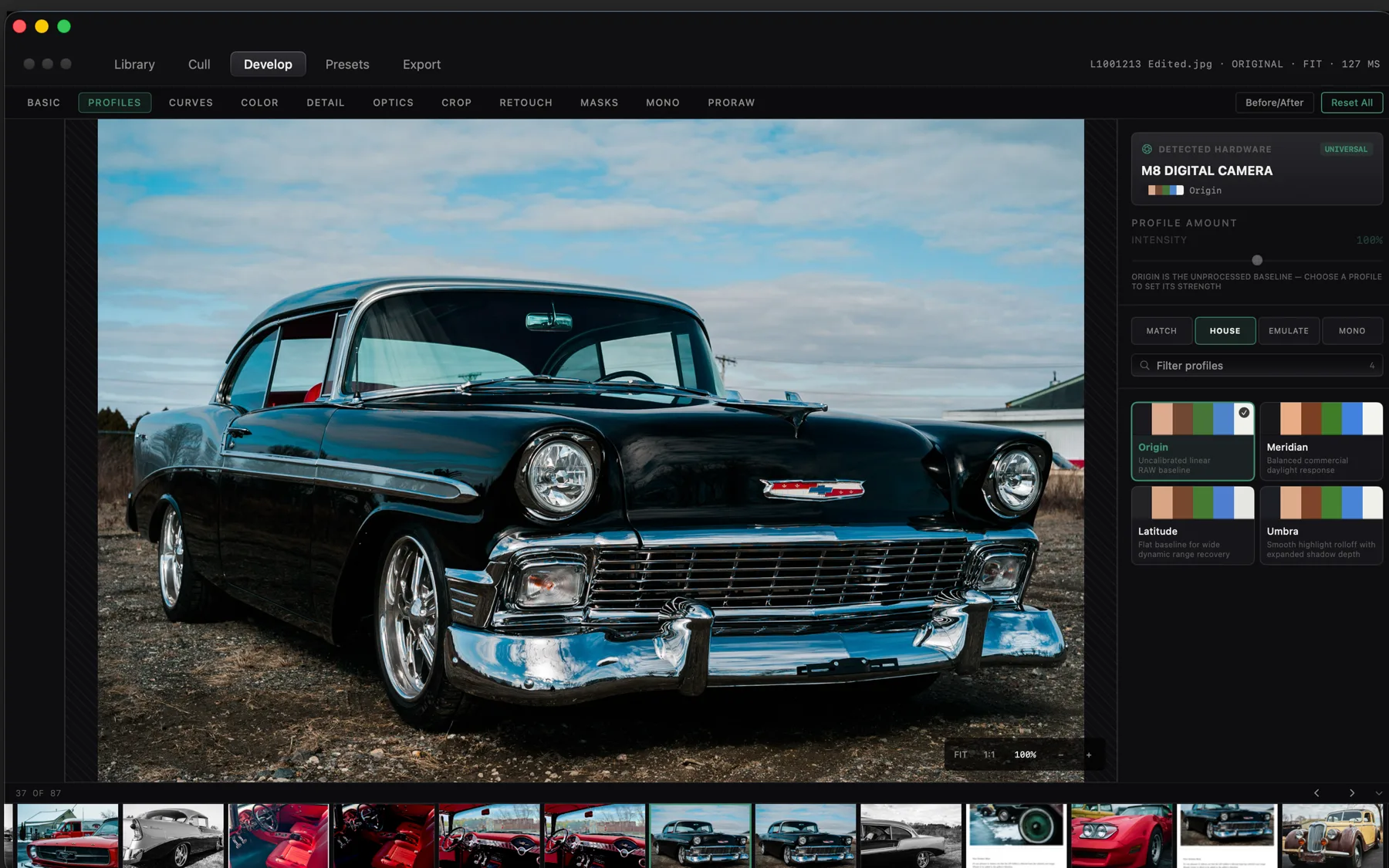
Tone, curves per channel, eight-sector colour, detail, lens and geometry, retouch pins, and monochrome mixing, drawn on the GPU with high-precision refinement behind the interactive pass.
Neural masks
Subject, background, sky and skin, generated on the Neural Engine in about a quarter of a second, editable as ordinary masks afterwards.
Apple ProRAW
A dedicated path for iPhone files: RAW-stage white balance, scene-linear grading, gain-map HDR, and the semantic mattes the file already carries.
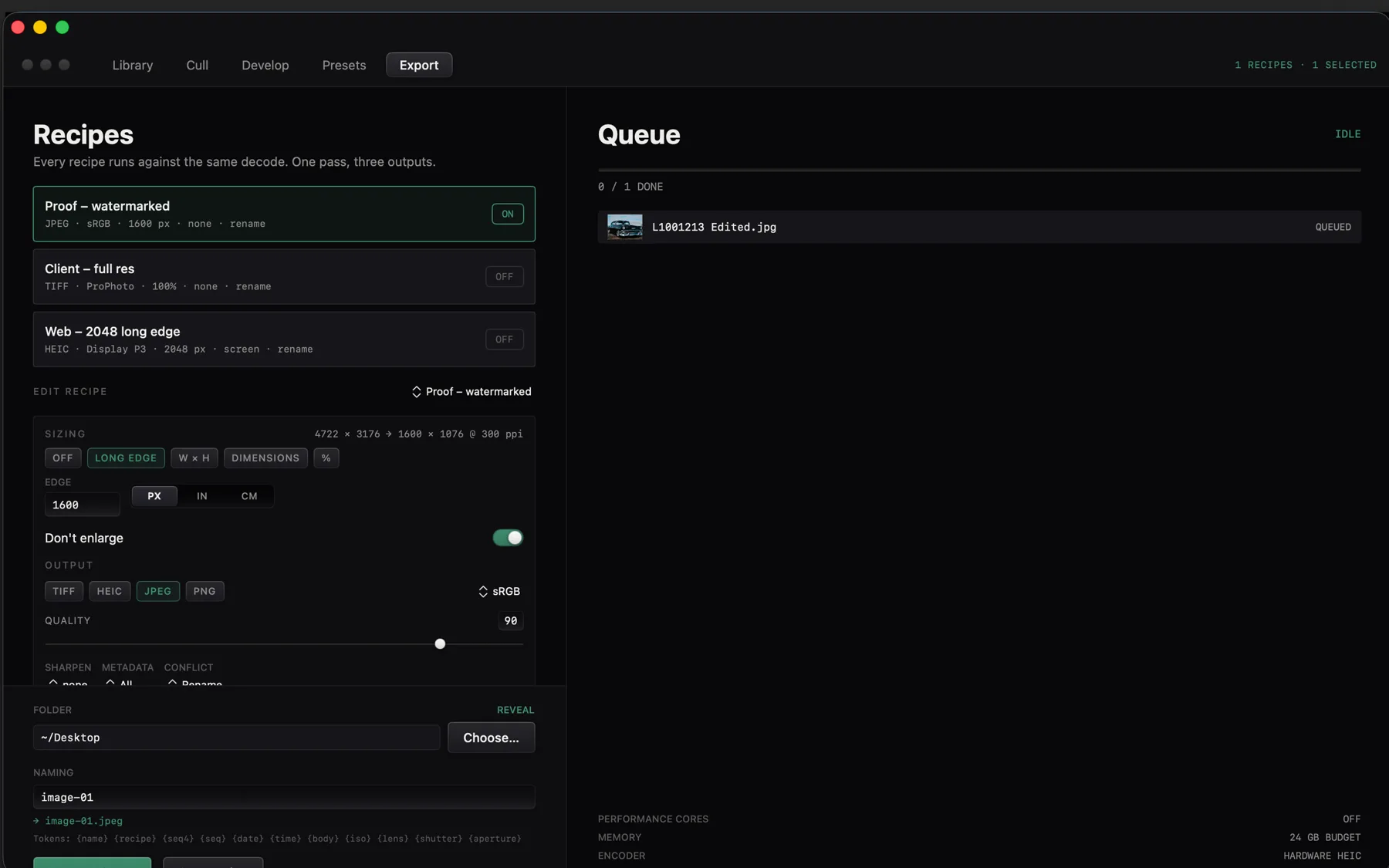
Batch export
Several recipes off one decode, into JPEG, HEIC, PNG or 8 and 16-bit TIFF, in sRGB, Display P3, Adobe RGB or ProPhoto, with watermarking and output sharpening.
A look inside
Eight screens from the shipping build: the cull, the develop room, and the way a shoot is exported.
The download
One disk image, notarized by Apple. The link arrives on the page you are returned to as well as by email.
- .dmg macOS 15 or newer on Apple silicon. Signed and notarized, so it opens on the first double-click. Apple silicon
How buying works
Pay once through Stripe. You are returned to a page carrying your licence and the download, and the same licence arrives by email. Paste it into CaptureMood under Settings, Licence; the check happens on your own machine and never repeats, so the app keeps working whether or not this site does.
Updates
$24.99 covers CaptureMood 1.x for as long as it is maintained, every fix and every feature in that generation at no further cost. If a CaptureMood 2 ever ships it will be a separate purchase, and 1.x will keep working on the machine you installed it on.
Requirements
macOS 15 or newer, Apple silicon. RAW decoding, colour management and the neural masks all run on the machine, so nothing else has to be installed and nothing is fetched while you work.
Support & Refunds
Ask within 48 hours of buying and you get your money back, no case to argue. Anything about the app: hello@sixtwelve.studio. A real person answers, and there is no ticket portal.
SixTwelve Studio / Engage
macOS & Linux · No account · Free forever
Engage
A terminal drawn on the GPU and written in systems Rust, holding a frame budget the way an instrument holds a tolerance.
Free · macOS and Linux · download without giving an address
The macOS build is universal and notarized by Apple, so it opens on the first double-click on macOS 12 or newer. The Linux tarballs carry the binary, the desktop entry and the icon set, and their installer writes only inside your home directory.
~/studio/terminal-app ❯ cargo build --release
   Compiling engage v0.1.3
    Finished `release` profile in 4.24s

~/studio/terminal-app ❯ engage --bench
  keystroke → photon      0.71 ms
  frame budget            120 Hz
  resident set            21.4 MB
  glyph cache             warm, two faces

~/studio/terminal-app ❯ theme phosphor_amber
  ink · paper · obsidian · brass · amber · slate

~/studio/terminal-app ❯
What it does not do
A terminal is the one application that has no excuse for being slow or for being curious about you, and the list below is as much of the product as the features are.
- No account
- Nothing to sign into. The binary has no concept of a user.
- No telemetry
- No analytics, no crash upload, no update ping. It opens the sockets you open.
- No subscription
- Free, and free of the thing that usually follows. A licence is offered, never required.
- No lock-in
- One TOML file holds the configuration. Delete the app and the machine is as it was.
What it does
Spring cursor
The cursor travels under a critically damped spring rather than jumping, and it stretches along the axis of travel while it moves, so position reads as motion instead of a block that teleported.
Retained scene
A blink repaints the cursor’s own rectangle and copies the rest of the frame forward, so a still terminal costs a scissored region rather than a full redraw.
Splits and tabs
A split tree with real geometry, tabs that own their own layouts, and broadcast input for when the same command belongs in every pane at once.
Command palette
Every action reachable by name, over a ground that blurs the session behind it rather than covering it.
Six themes
SixTwelve Ink and Paper, Obsidian Forge for OLED, Atelier Brass, Phosphor Amber 1982, and Slate. Ground in pigment rather than in neon.
The face travels with it
JetBrains Mono is bundled, and the fallback chain covers scripts beyond it, including the colour bitmap strikes that system emoji actually ship as.
The download
Nothing is asked for. Take the build for the machine you are on.
- .dmg macOS 12 or newer, Apple silicon and Intel. Universal, signed and notarized by Apple. Download .dmg
- Linux x86-64 A tarball holding the binary, desktop entry, and icon set with an install.sh for ~/.local. Download tarball
- Linux arm64 The same package built for 64-bit ARM machines. Wayland or X11 via Vulkan. Download tarball
Requirements
macOS 12 or newer, Apple silicon or Intel.
Linux on x86-64 or arm64 · a Vulkan driver for your GPU · a desktop running Wayland or X11. The tarball installs into your home directory and needs no root.
A licence, if you want one on record
Engage does not check a licence and will not start asking, so this changes nothing about the copy you just downloaded. It is here because a licence is how everything else in the studio is owned, and some people would rather have the receipt than not.
One address, one licence, and it arrives by email as well. Lost it later? Ask for it again.
SixTwelve Studio / Specimen
macOS & Linux · No account · Free forever
Specimen
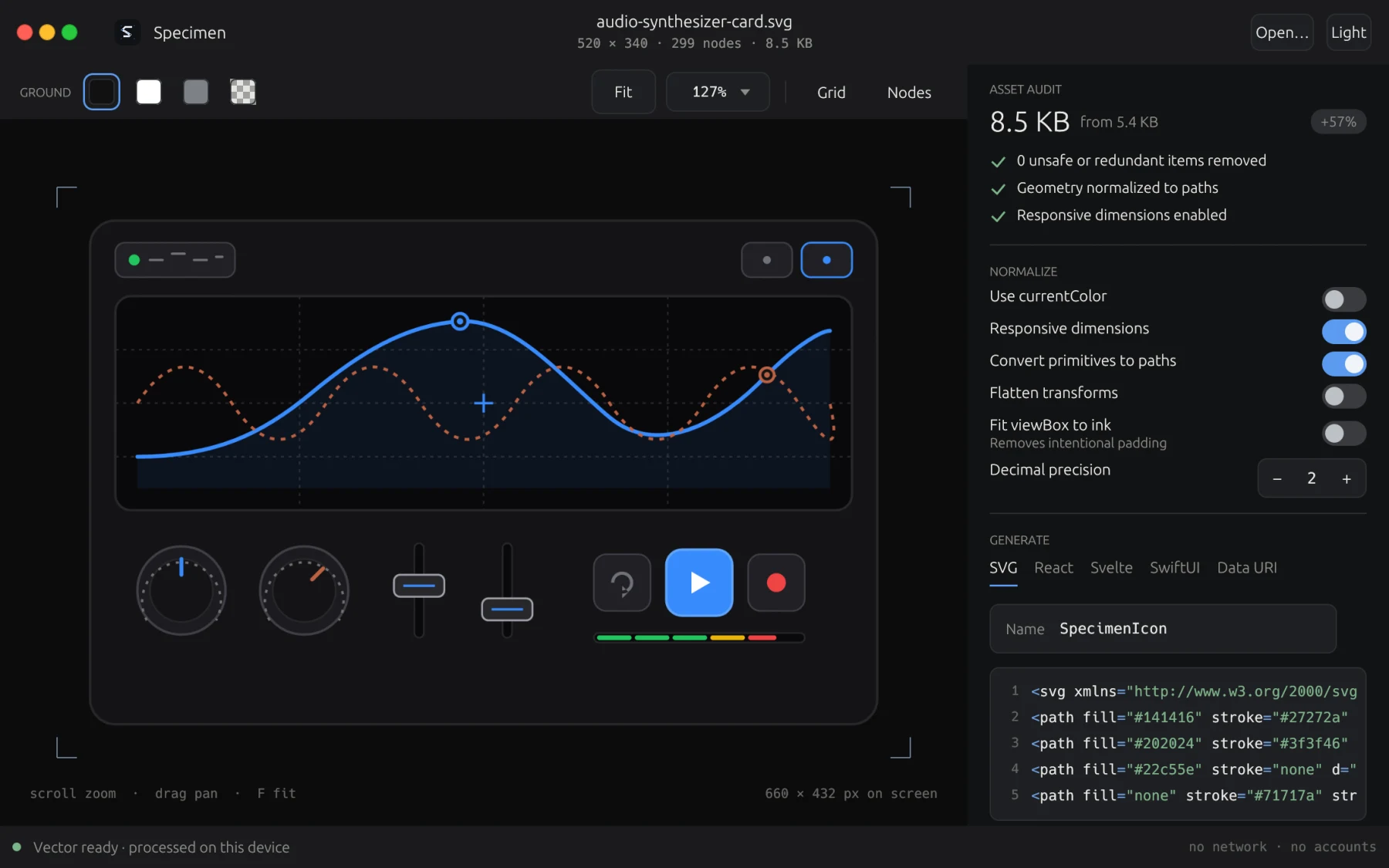
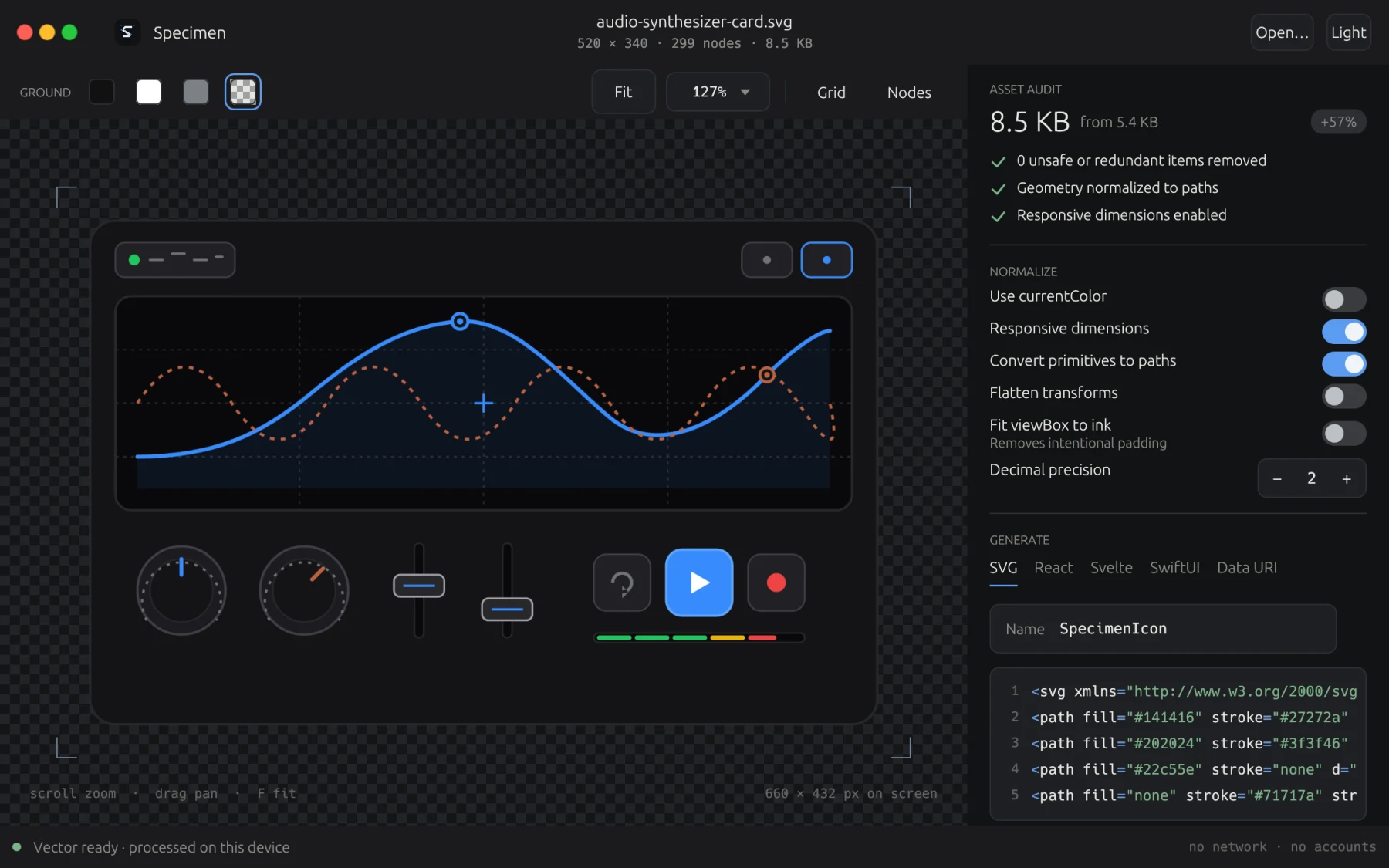
A local-first vector asset instrument built for precision engineering, sanitizing untrusted SVG, and exporting to production-grade code and rasters.
Free · macOS and Linux · download without giving an address
The macOS build is signed and notarized by Apple, opening on the first double-click on macOS 11 or newer. The Linux tarballs carry the desktop workbench and headless CLI, desktop entry, and icon set for ~/.local.
What it does not do
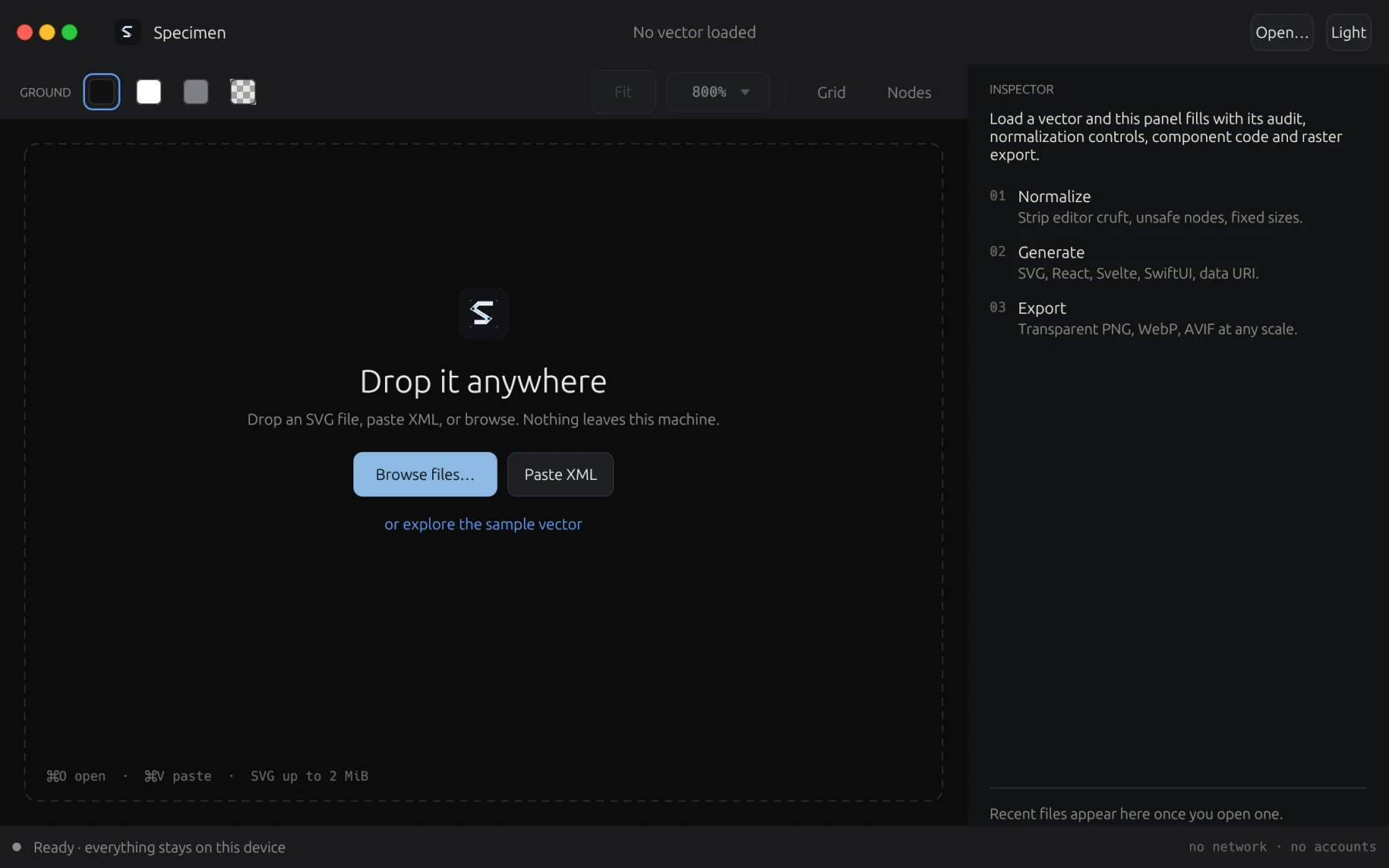
Specimen is built strictly for deterministic local execution. It never touches a network and never leaks your geometry.
- No account
- Nothing to sign into. Works immediately out of the box.
- No telemetry
- No analytics, no ping home, zero tracking or data collection.
- No network
- Purely offline processing. Untrusted SVG cannot make outbound requests or trigger SSRF.
- No lock-in
- Standard SVG and native framework components. Everything runs locally.
What it does
Hardened SVG sanitizer
Rejects DTD declarations, entities, and hostile payloads. Strips scripts, event handlers, foreign objects, and embedded rasters.
Interactive desktop workbench
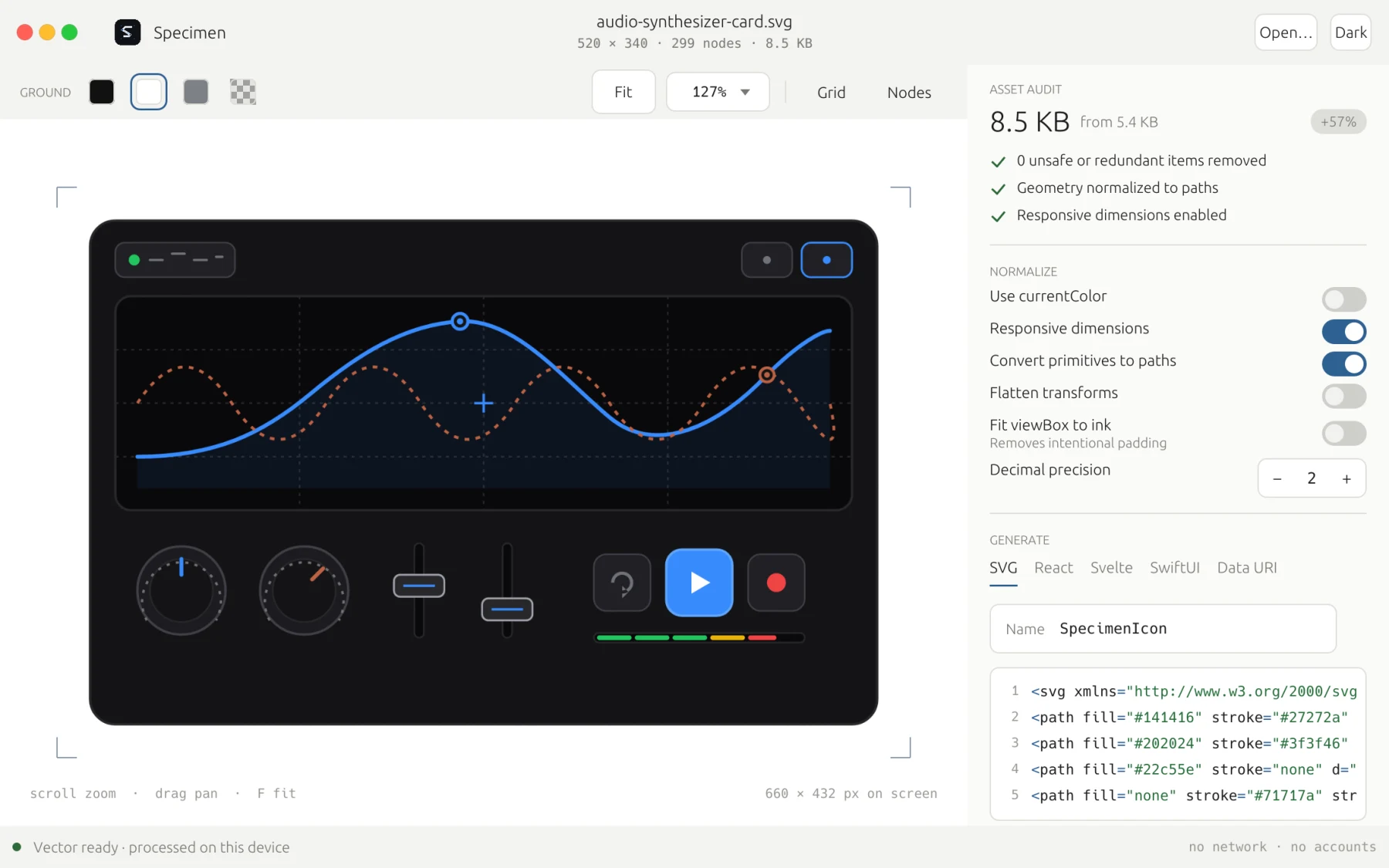
Fast pan and zoom canvas, 5 ground contrast modes, live dimension inspection, and copy-ready code export panels.
8 production code targets
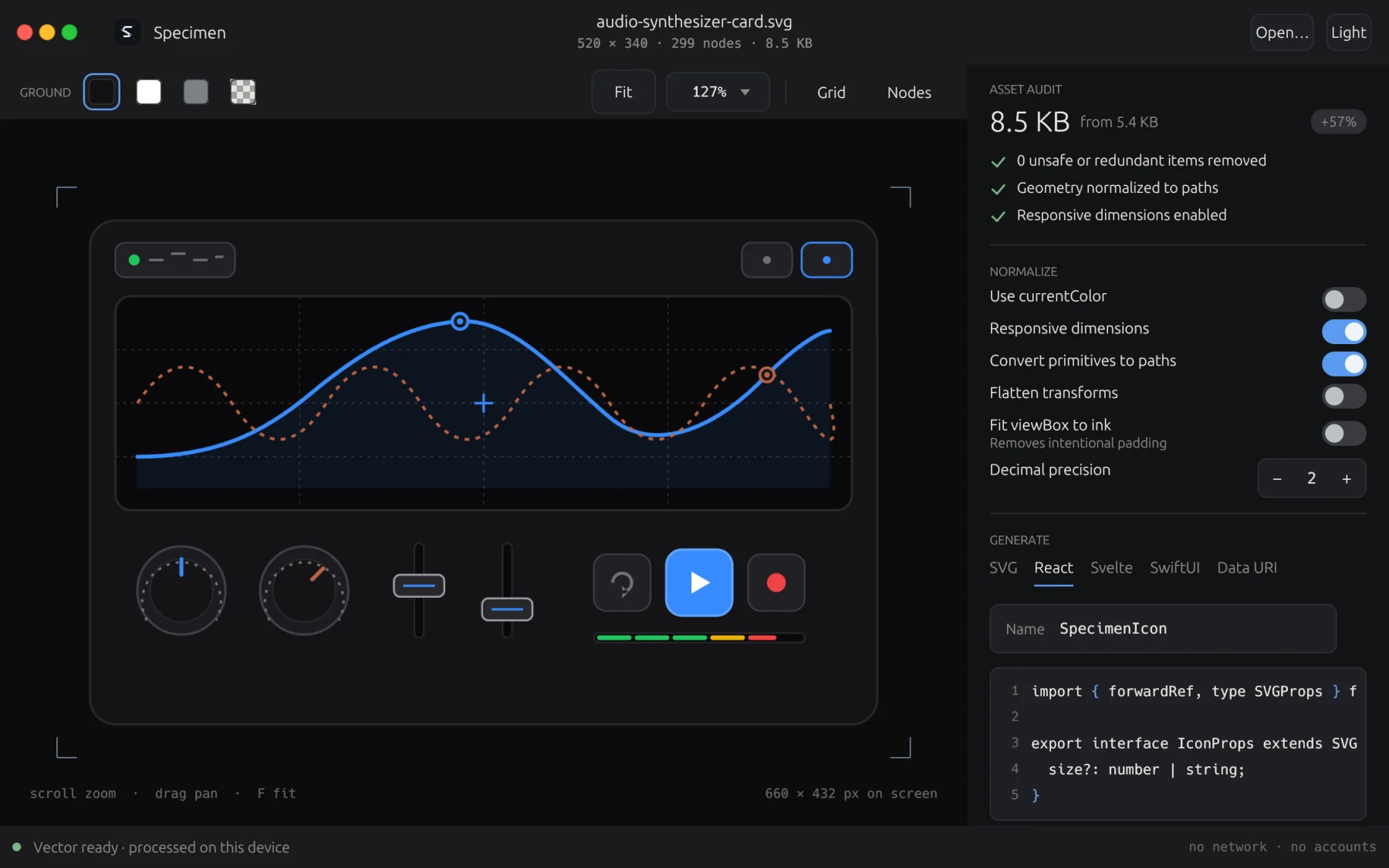
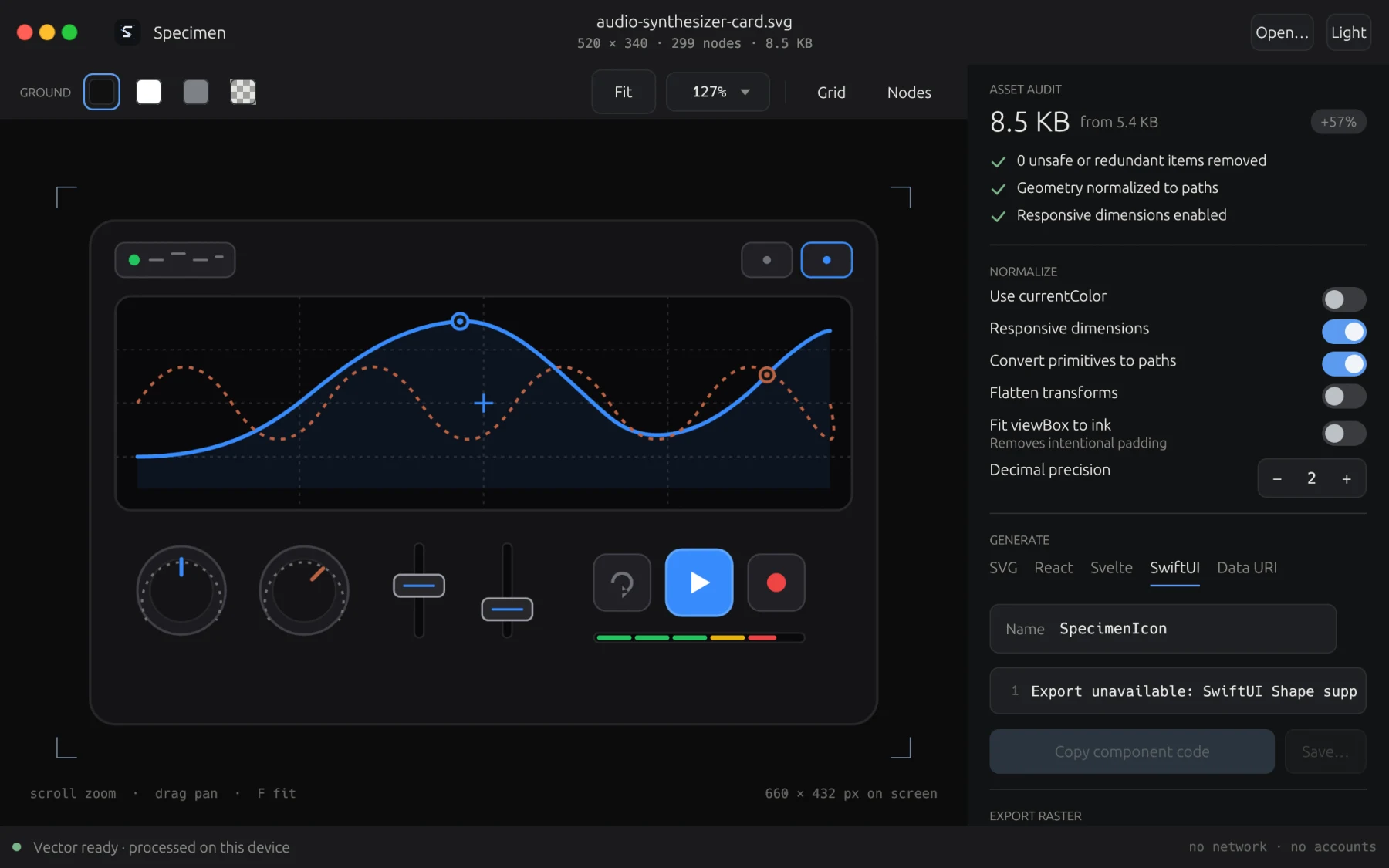
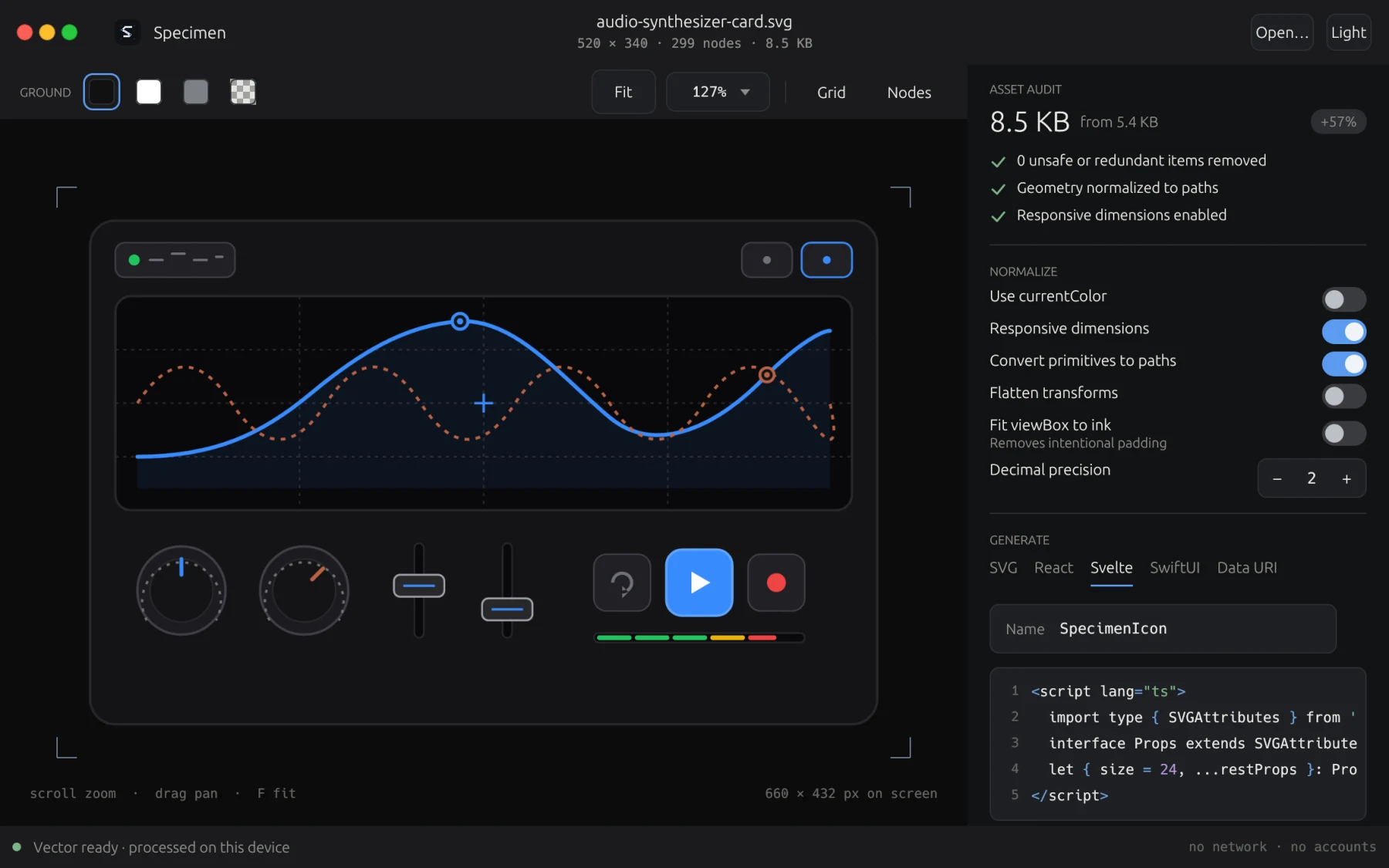
Generates clean, idiomatic components for React (TSX), React Native, Svelte, Vue, SwiftUI, Jetpack Compose, Flutter, and raw SVG.
Color normalization & tinting
Dynamic currentColor conversion, mask luminance preservation, and color inheritance controls for dark and light theme integration.
Multi-format raster pipeline
High-fidelity rendering powered by resvg and tiny-skia into PNG, WebP, and AVIF across arbitrary density scales (1x, 2x, 3x).
Dual desktop and CLI engine
Use the visual desktop app for design inspection and the headless CLI for automated terminal scripts and CI asset pipelines.
A look inside
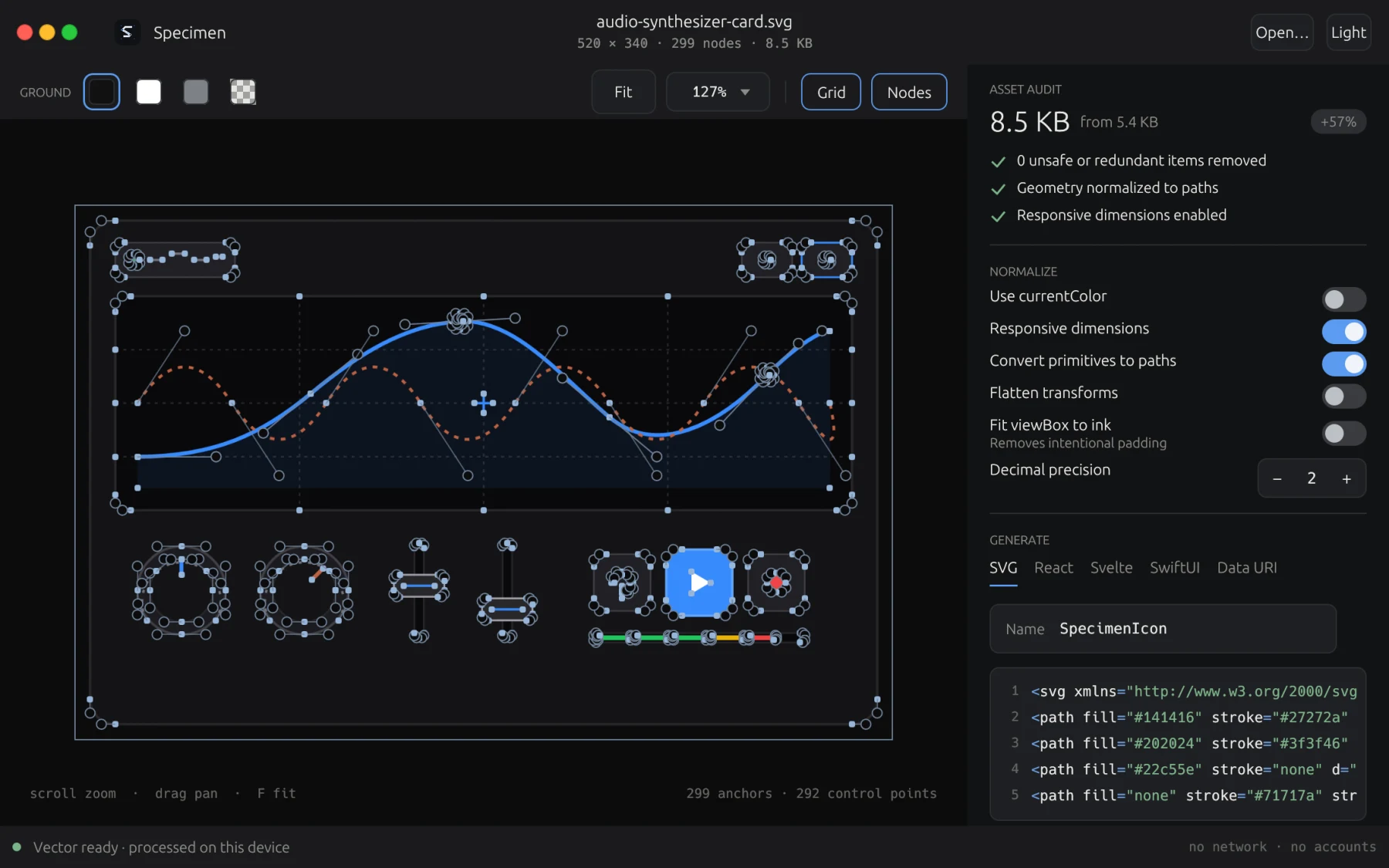
Eight screens captured directly from the shipping build: workbench canvas, vector anchors, code export, and ground contrasts.
The download
Nothing is asked for. Take the build for the machine you are on.
- .dmg macOS 11 or newer, Apple silicon and Intel. Signed and notarized by Apple. Download .dmg
- Linux x86-64 A tarball holding the workbench, headless CLI, desktop entry, and icon set for ~/.local. Download tarball
- Linux arm64 The same package built for 64-bit ARM Linux systems. Wayland or X11 desktop integration. Download tarball
Requirements
macOS 11 or newer, Apple silicon or Intel.
Linux on x86-64 or arm64 · desktop running Wayland or X11. The tarball installs into your home directory and needs no root.
A licence, if you want one on record
Specimen is completely free and requires no licence to run. A licence is offered if you would like an official record of ownership in the studio registry.
One address, one licence, and it arrives by email as well. Lost it later? Ask for it again.
SixTwelve Studio / Insignia
macOS & Linux · No account · Free forever
Insignia
A dedicated icon forge and platform asset compiler. Transforms a single high-resolution master asset into compliant native icon bundles across macOS, Linux, Web/PWA, and Windows.
Free · macOS and Linux · download without giving an address
The macOS build is signed and notarized by Apple, opening on the first double-click on macOS 11 or newer. The Linux tarballs carry the desktop workbench and headless CLI, desktop entry, and icon set for ~/.local.
What it does not do
Insignia is built strictly for deterministic local execution. It never touches a network and never leaks your geometry.
- No account
- Nothing to sign into. Works immediately out of the box.
- No telemetry
- No analytics, no ping home, zero tracking or data collection.
- No network
- Purely offline image processing. No online converters, privacy risks, or cloud leaks.
- No blur
- Direct SVG rendering via resvg and Lanczos3 resampling ensure pristine sharpness across all densities.
What it does
Apple squircle curvature
Continuous superellipse masking matching canonical Apple macOS corner geometry with sub-pixel antialiasing.
Host context simulations
Verify designs in realistic simulated environments: macOS Frosted Dock, GNOME App Grid, and Browser Tab favicons.
Binary icon containers
Packages compliant multi-resolution macOS .icns containers and Windows PE-compatible .ico files with PNG compression.
Sub-pixel contrast snapping
Sharpens stroke boundaries and boosts alpha edge contrast on 16px favicons to prevent muddy rendering in browser tabs.
Xcode & FreeDesktop asset trees
Generates AppIcon.appiconset with compliant Contents.json and full XDG hicolor 16px to 512px folder hierarchies.
Dual desktop and headless CLI
Visual workbench for precision design review and standalone headless CLI for automated terminal scripts and CI forge runs.
A look inside
Eight screens captured directly from the shipping build: workbench canvas, context mockups, scale ladders, and build pipelines.
Download Insignia
Nothing is asked for. Take the build for the machine you are on.
- .dmg macOS 11 or newer, Apple silicon and Intel. Standalone native app and headless CLI. Download .dmg
- Linux x86-64 A tarball holding the workbench, headless CLI, desktop entry, and icon set for ~/.local. Download tarball
- Linux arm64 The same package built for 64-bit ARM Linux systems. Wayland or X11 desktop integration. Download tarball
Requirements
macOS 11 or newer, Apple silicon or Intel.
Linux on x86-64 or arm64 · desktop running Wayland or X11. The tarball installs into your home directory and needs no root.
A licence, if you want one on record
Insignia is completely free and requires no licence to run. A licence is offered if you would like an official record of ownership in the studio registry.
One address, one licence, and it arrives by email as well. Lost it later? Ask for it again.
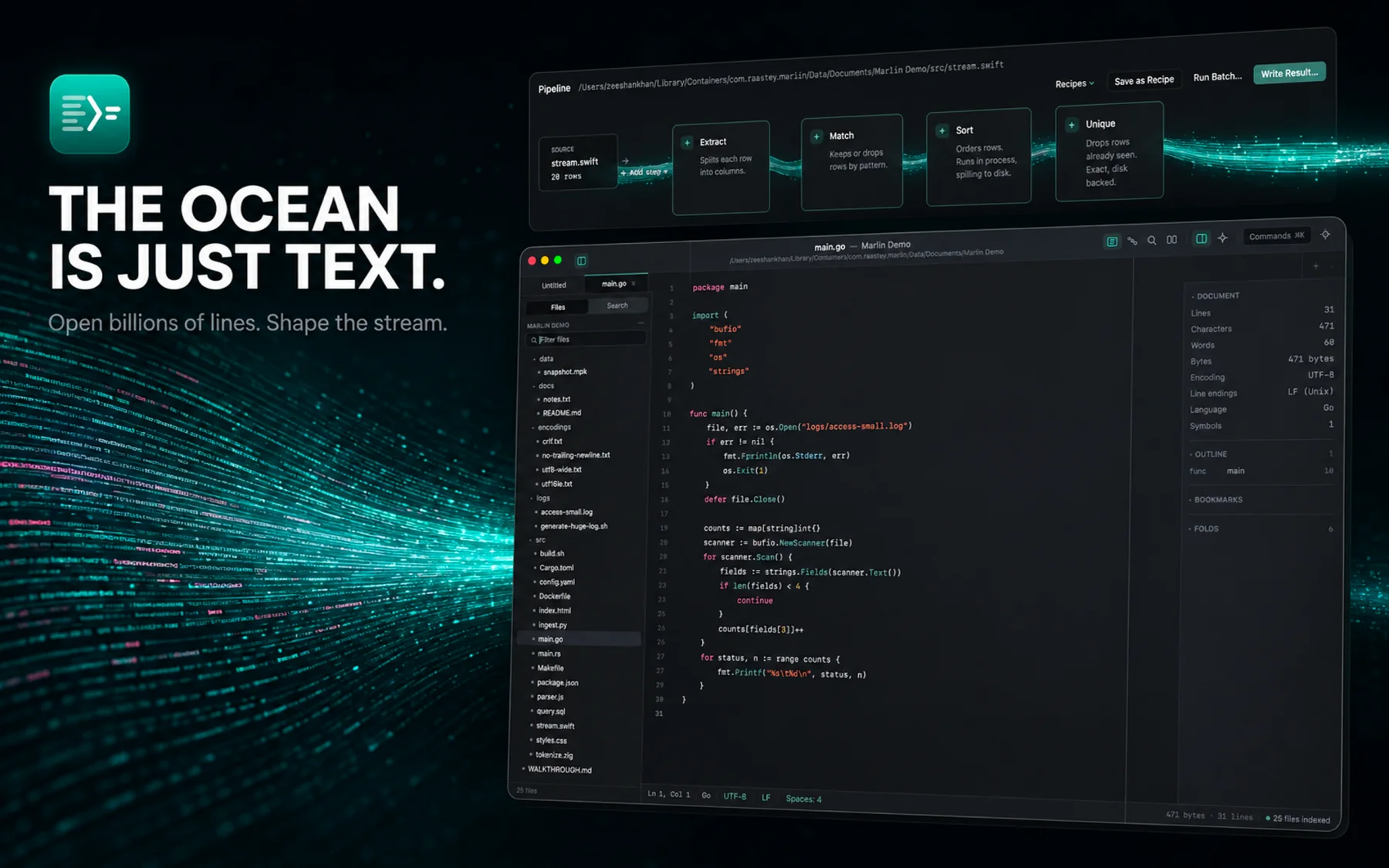
SixTwelve Studio / Marlin
macOS & Linux · No account · Available now
Marlin
A high-performance text editor for files too large for everything else. Stream multi-gigabyte logs without memory bloat, transform text through in-process pipelines, inspect raw bytes in hex mode, and work completely offline with zero telemetry.
$19.99 one-time · macOS & Linux
Universal macOS (Apple silicon & Intel, macOS 14+) and Linux (x86_64 & arm64). Signed and notarized. One licence unlocks both platforms on every machine you own.
What it does not do
Modern text editors are often heavy web shells that crash on gigabyte logs. Marlin is native, bounded, and private.
- No memory bloat
- Streaming window indexer reads multi-gigabyte logs without exhausting RAM.
- No cloud or telemetry
- Files stay on your local disk. Zero network calls, zero tracking, zero accounts.
- No child processes
- External merge sort, search, and diffing run entirely in-process for sandbox safety.
- No subscription
- One purchase. Licence verifies offline on your machine and never phones home.
What it does
Streaming huge files
Sparse line indexer scans at over 1.3 GB/s using SIMD memchr, letting you scroll and search 2+ GB logs instantly.
Signature pipeline
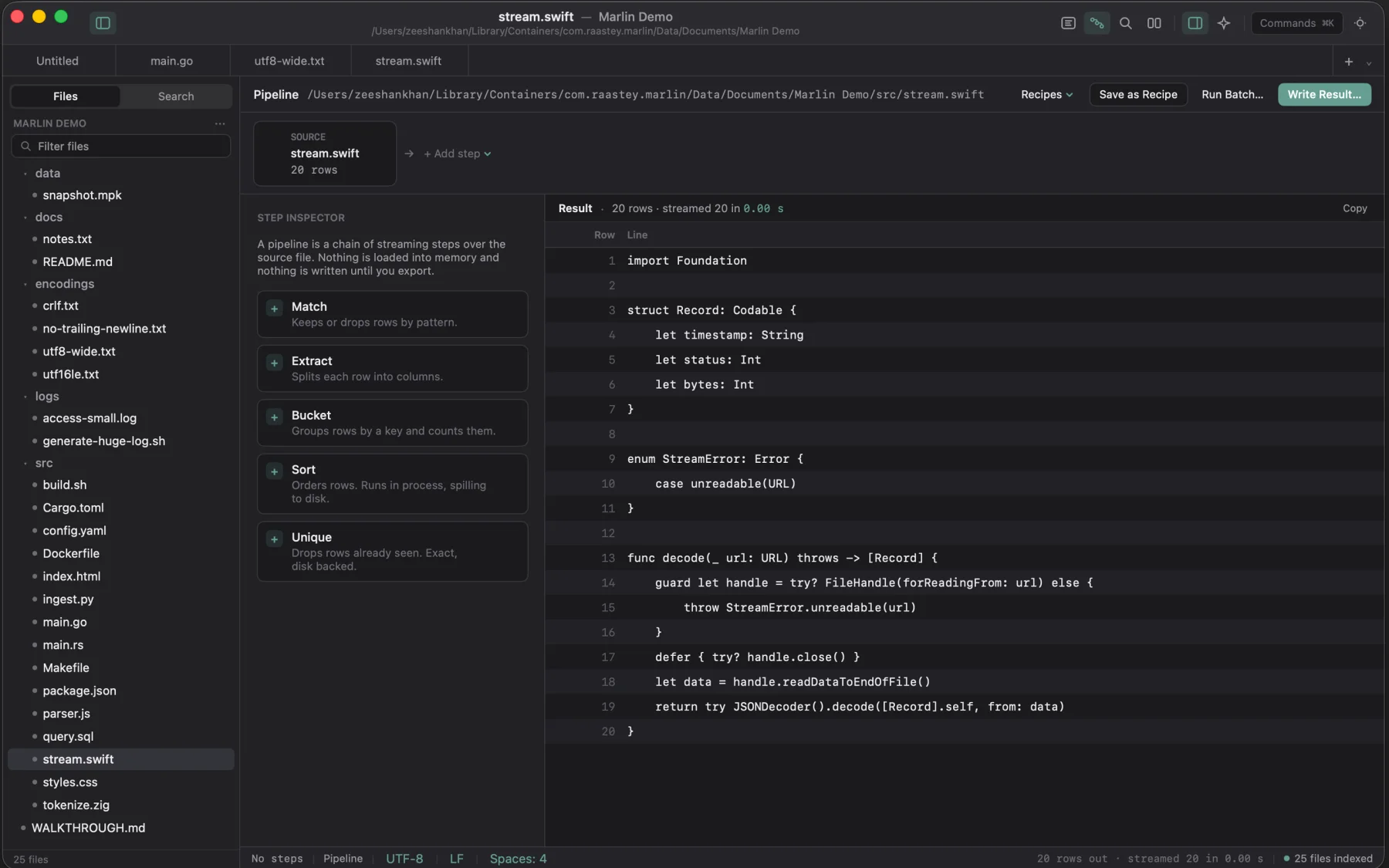
Chain Match, Extract, Bucket, Unique, and in-process Sort transforms. Row counts update across every step without writing until export.
Hex & binary inspector
Inspect raw byte sequences, structured integers, floats, and endianness alongside text buffers.
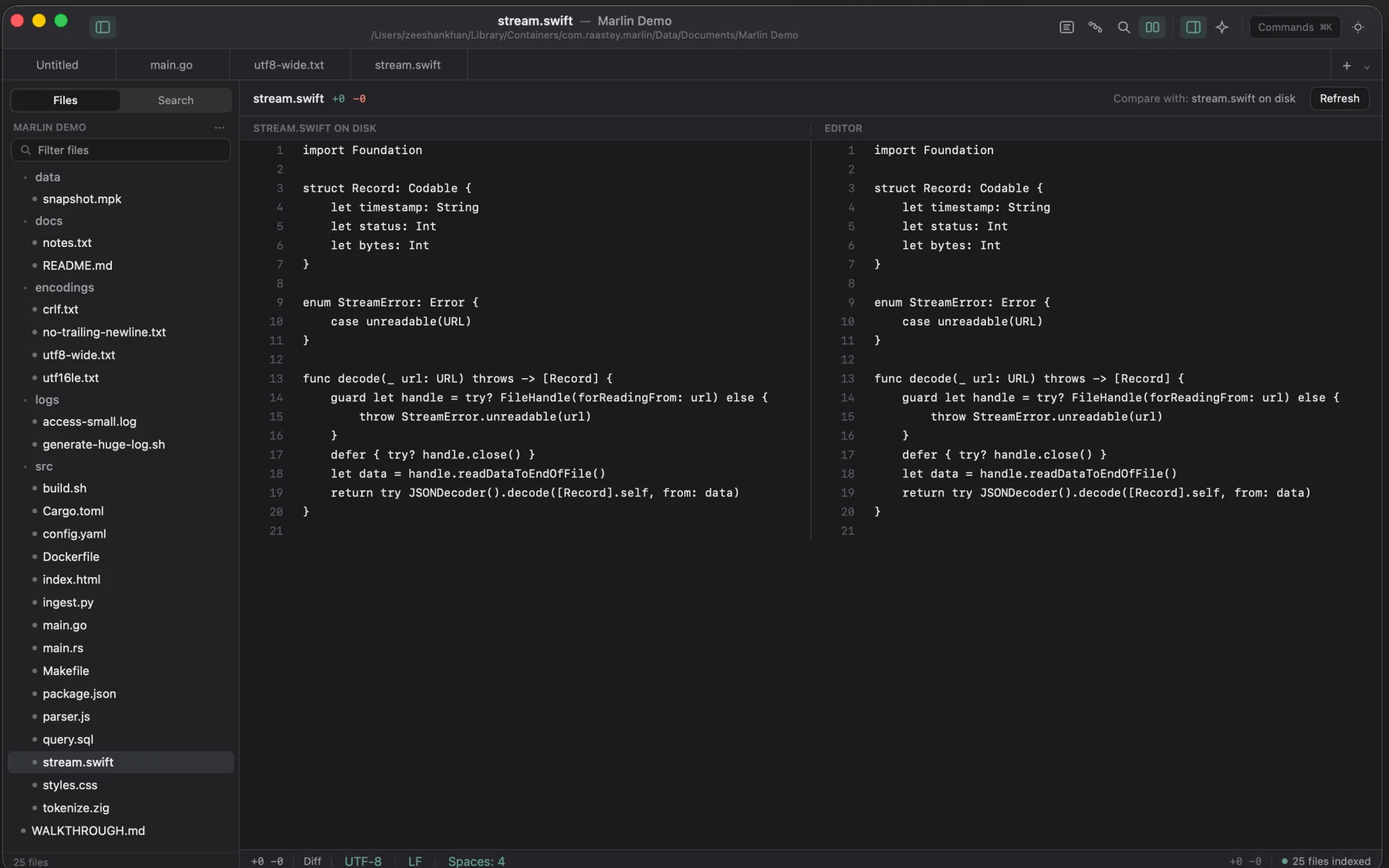
In-process diff
Compare modified buffer against disk or compare open tabs side by side without spawning external diff utilities.
Project search
Fast multi-file regex search with include/skip filters, match counting, and transactional replace across files.
Dual native engines
Swift, AppKit, and SwiftUI on macOS. Pure Rust and GTK4 on Linux. Zero Electron, zero web views.
A look inside
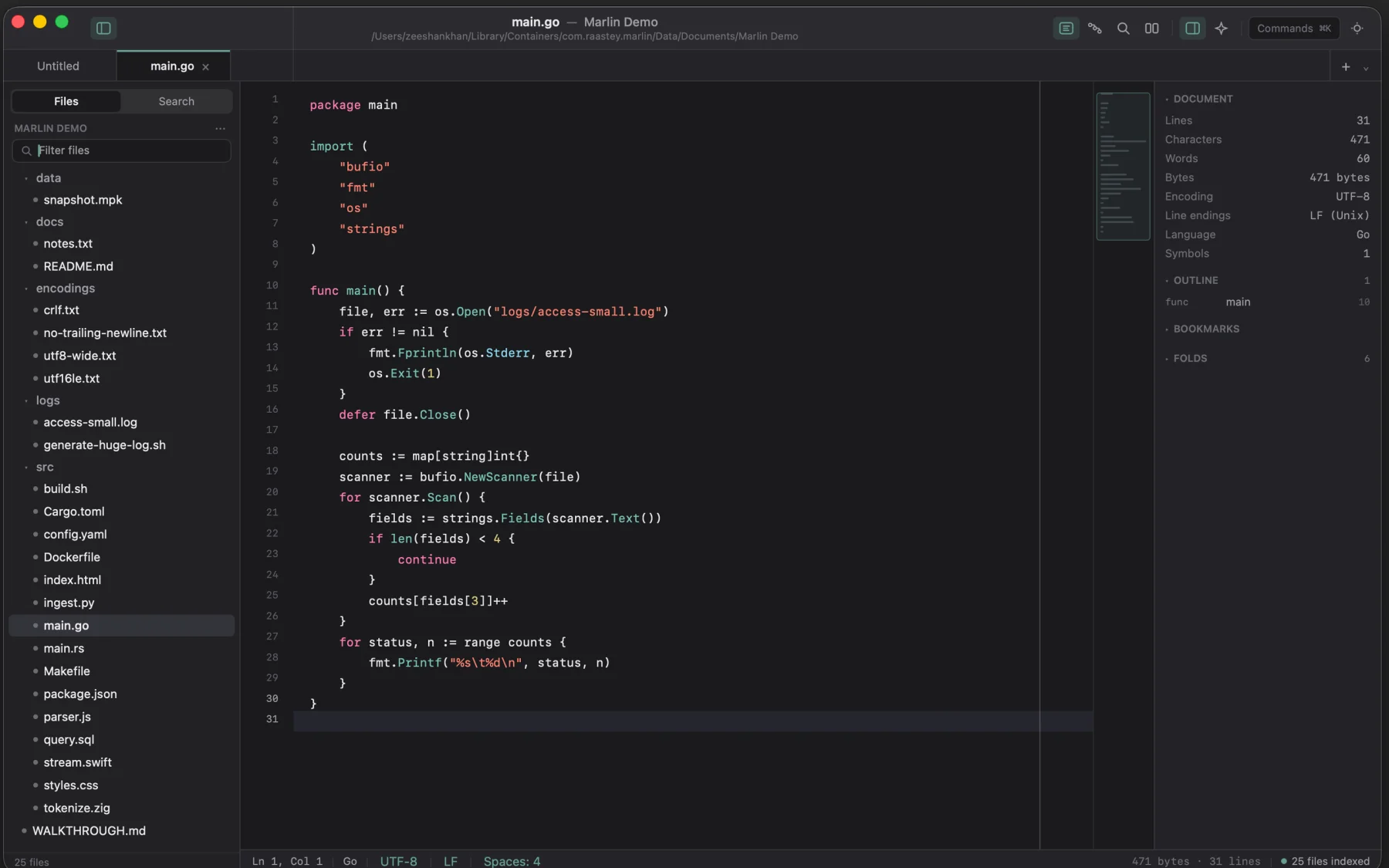
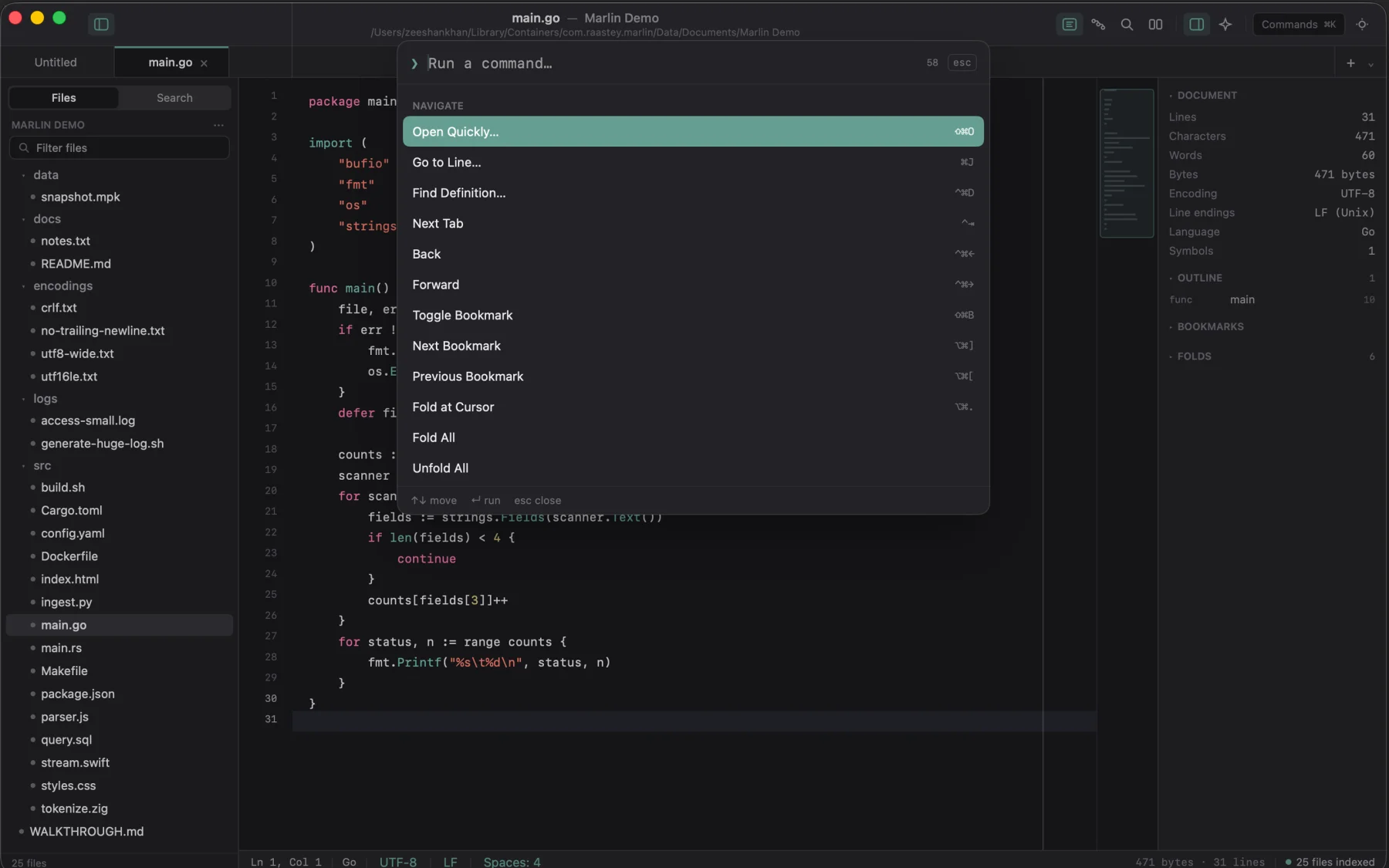
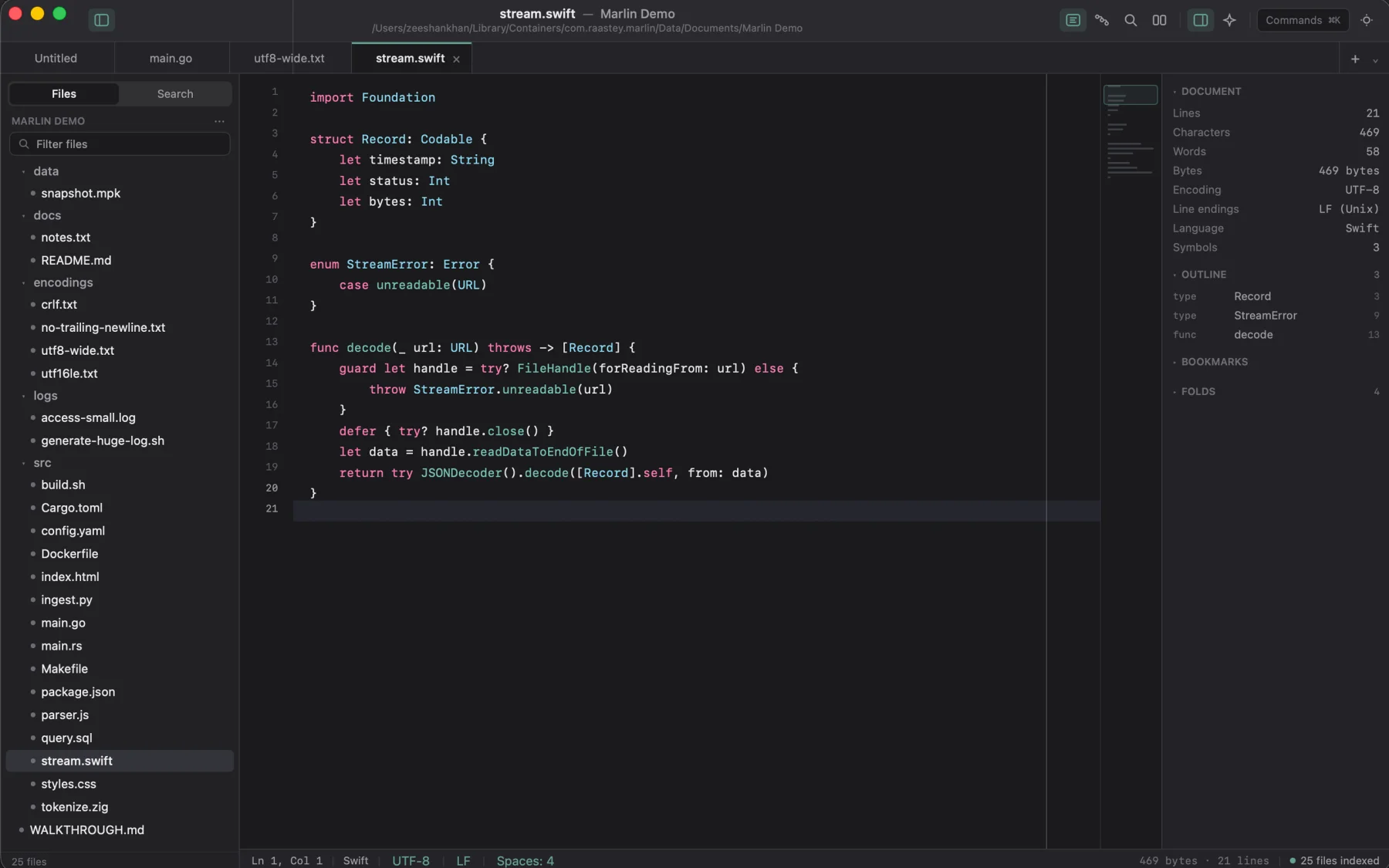
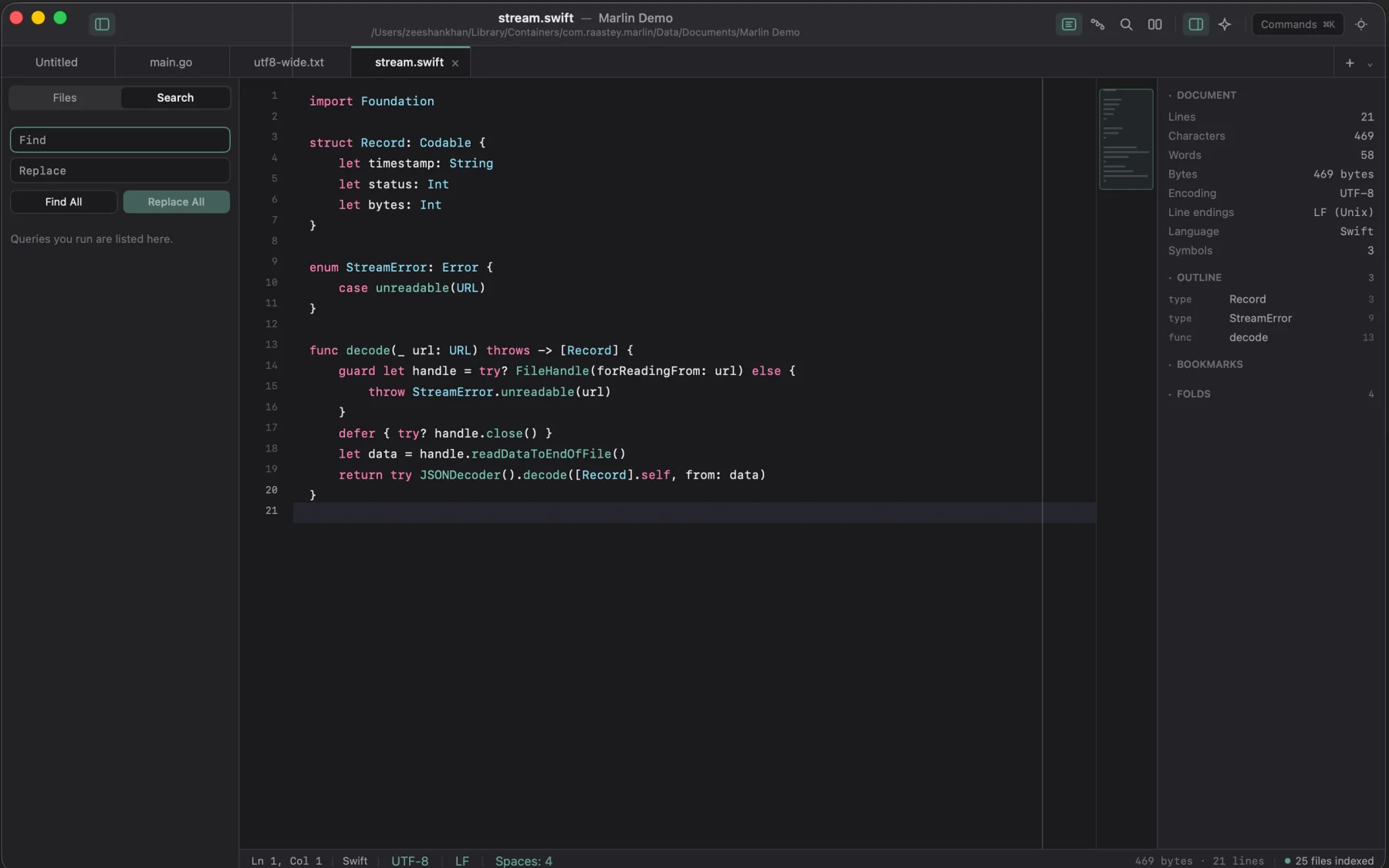
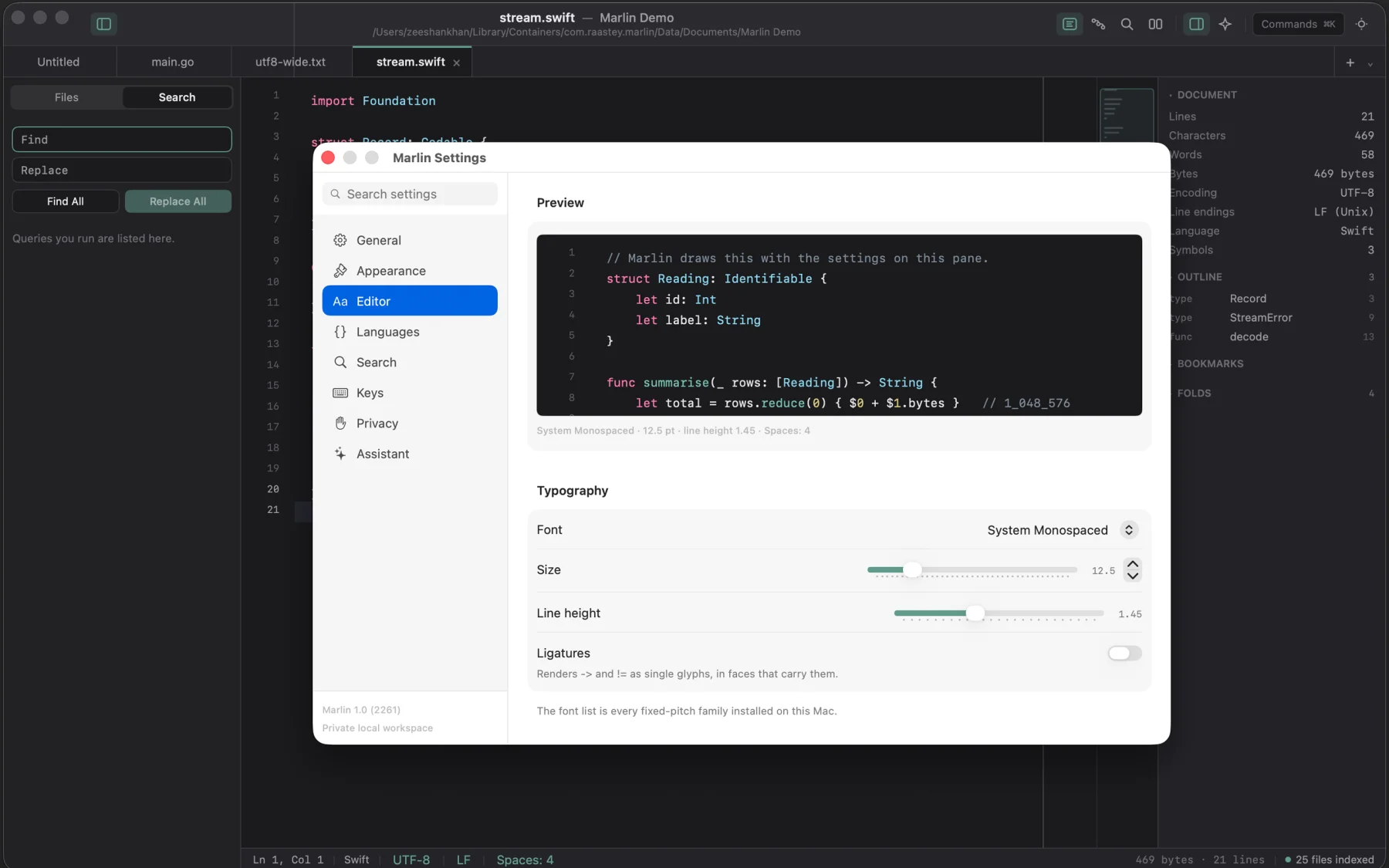
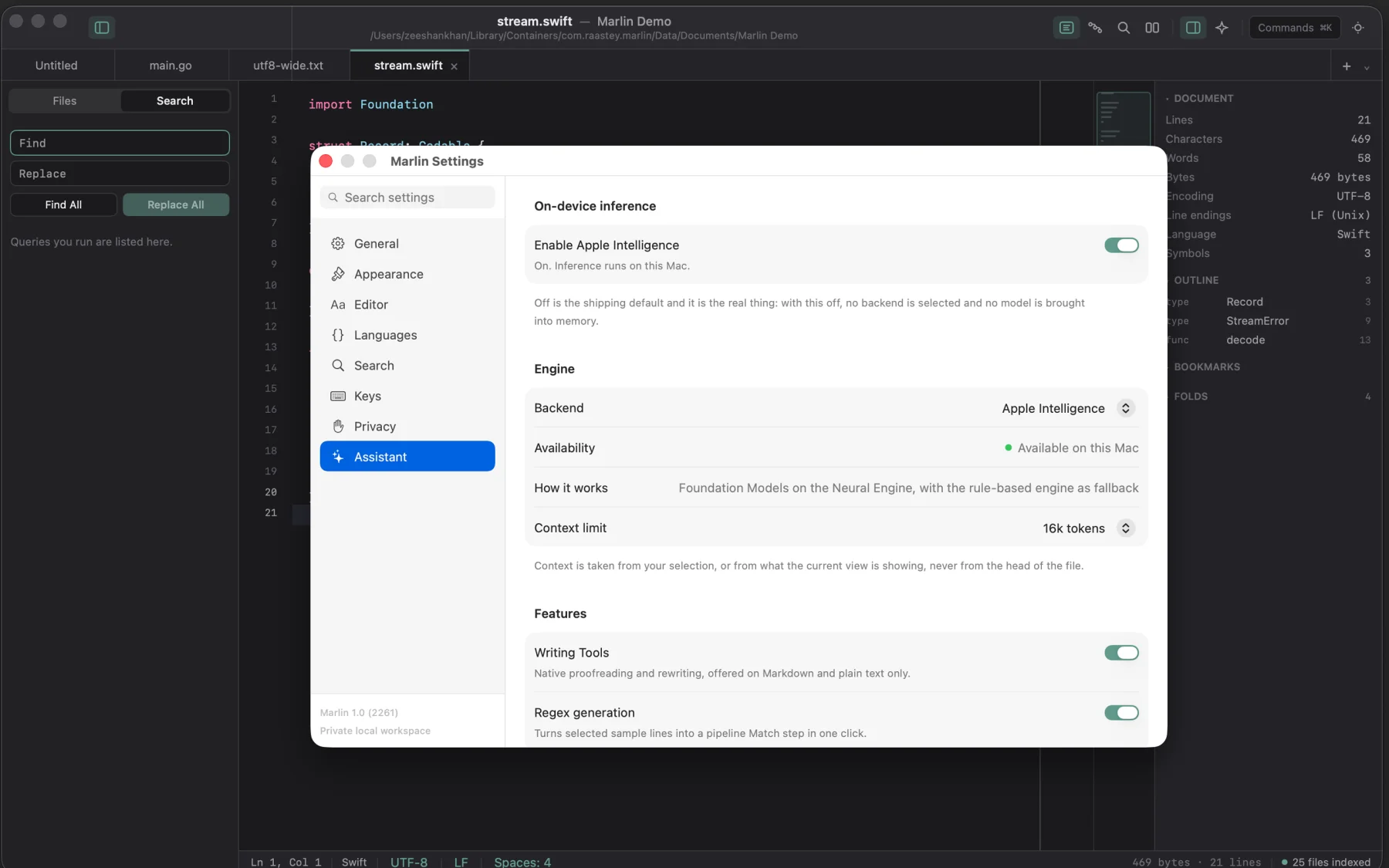
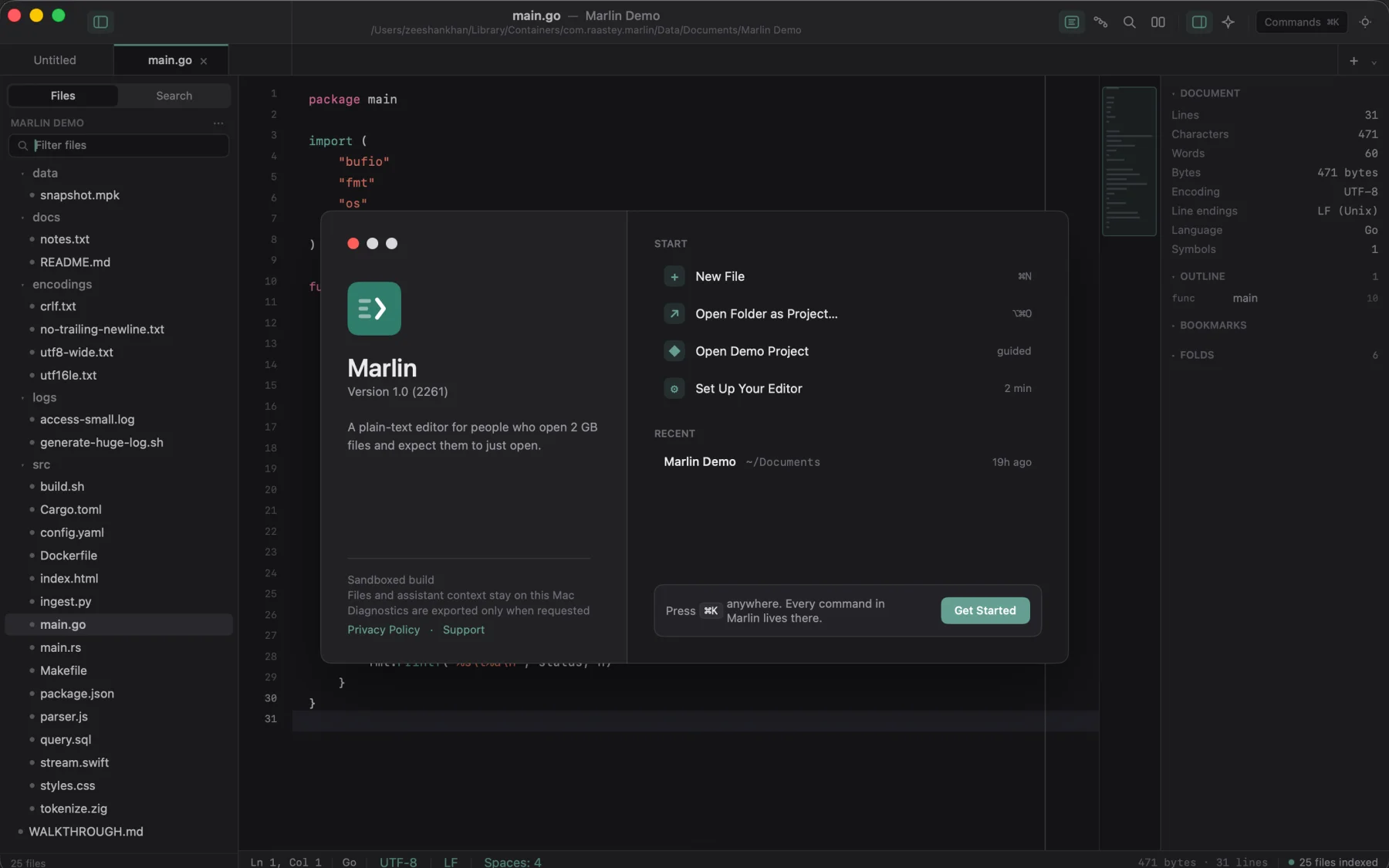
Ten screens from the shipping build: huge files, pipelines, diffing, and hex analysis.